
The Da Baby LET’S GOOOOOOO soundboard is a high-energy meme clip featuring DaBaby shouting his iconic “LET’S GOOOOOOO!”.
This sound is widely used as a celebration trigger—the exact moment when something amazing, clutch, or unexpected happens.
It transforms any clip into a highlight moment instantly.
The Vibe of the Sound
The energy is unmistakable:
🔥 Explosive hype
🏆 Victory celebration
⚡ Adrenaline boost
🎬 Climactic payoff
It’s loud, confident, and contagious—perfect for making viewers feel the win.
When It Hits Perfectly
The LET’S GOOOOOOO sound works best when:
A clutch play succeeds
A last-second win happens
A reveal exceeds expectations
A glow-up or transformation drops
👉 The key: use it at the peak moment, not before.
Origin & Viral Explosion
The sound originates from DaBaby, whose energetic delivery made the clip instantly meme-worthy.
Why It Went Viral
1. Pure hype delivery
It feels natural and explosive.
2. Perfect for edits
Fits exactly at the climax of a video.
3. TikTok & Shorts culture
Short-form content thrives on instant payoff moments.
Where You’ll Hear It
This sound dominates:
TikTok edits
YouTube Shorts
Gaming highlights
Twitch clips
Discord soundboards
It’s one of the top-tier hype sounds in meme culture.
Viral Video Editing Guide (Creative Coaching)
The Golden Timing
Timing is everything:
Drop the sound exactly at the win
No delay
No buildup after the moment
👉 It should feel like the explosion of success.
Scenario 1 – Gaming Clip
Situation:
You clutch a 1v3 fight.
Editing flow:
Build tension
Final kill
Insert LET’S GOOOOOOO
Add-ons:
Screen shake
Flash effect
Bass drop
Creates a pro-level highlight moment.
Scenario 2 – Daily Vlog
Situation:
You finally achieve a goal (exam pass, gym PR).
Editing idea:
Show struggle
Reveal success
Insert LET’S GO
This makes the moment feel epic and rewarding.
Scenario 3 – TikTok Glow-Up
Situation:
Transformation reveal.
Editing structure:
Before
Transition
After
Insert LET’S GOOOOOOO
Instant viral-style payoff.
Pro Editing Tips
Gain Settings
Control loudness for clarity:
| Setting | Recommended |
|---|---|
| Gain | +1dB to +3dB |
| Peak Limit | -1dB |
| Fade Out | 0.2s |
Add Bass Boost
A slight bass boost makes the sound hit harder—especially in gaming edits.
Combine With Visual Effects
Best combos:
Zoom punch
Flash transition
Particles/confetti
Motion blur
These amplify the hype explosion.
Multi-Platform Technical Guide
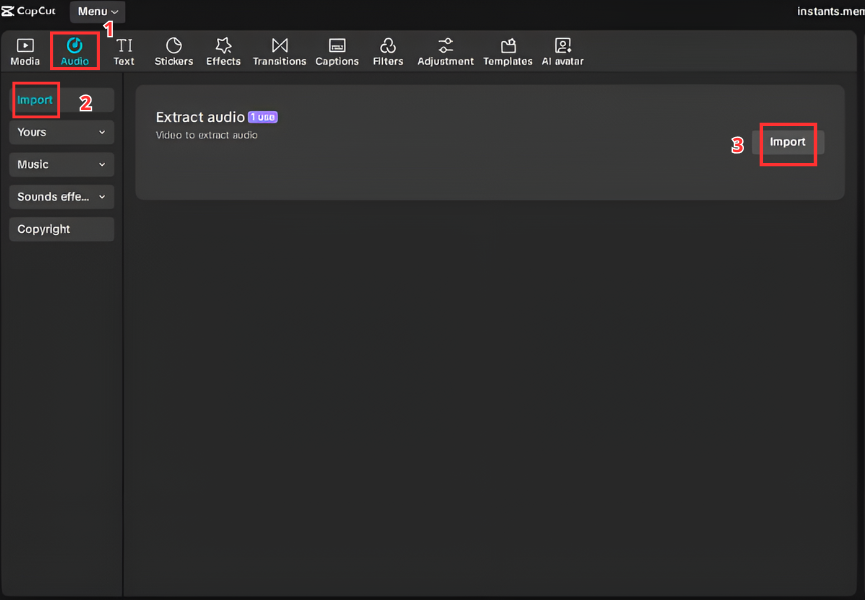
A. Video Editors (CapCut & Premiere Pro)
Steps
Download the DaBaby LET’S GO MP3
Open CapCut or Premiere Pro
Import audio file
Drag into timeline
Place at peak moment
Sync tightly with action
B. Streamers & Gamers (Discord & OBS)
Discord Soundboard
Open Server Settings
Go to Soundboard
Upload sound
Assign button
OBS Hotkey
Add Media Source
Load file
Assign hotkey
Perfect for live hype reactions.


C. Mobile (Ringtone & Notifications)
Android
Download MP3
Go to Settings → Sound
Select notification tone
Choose file
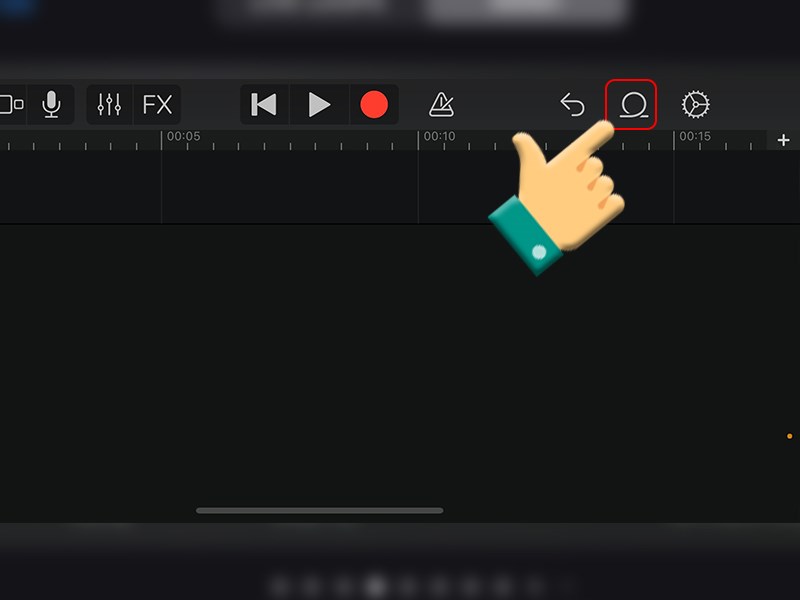
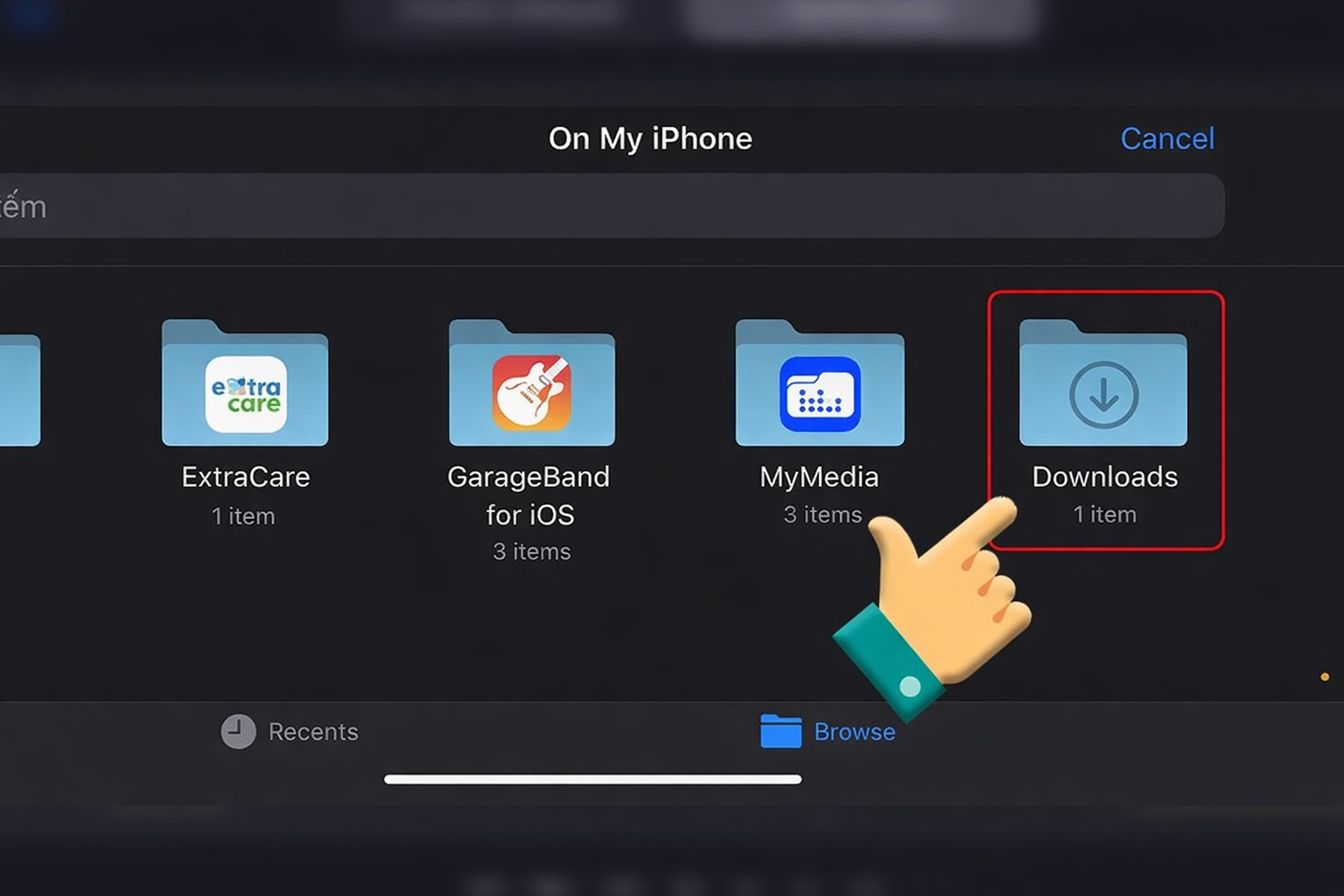
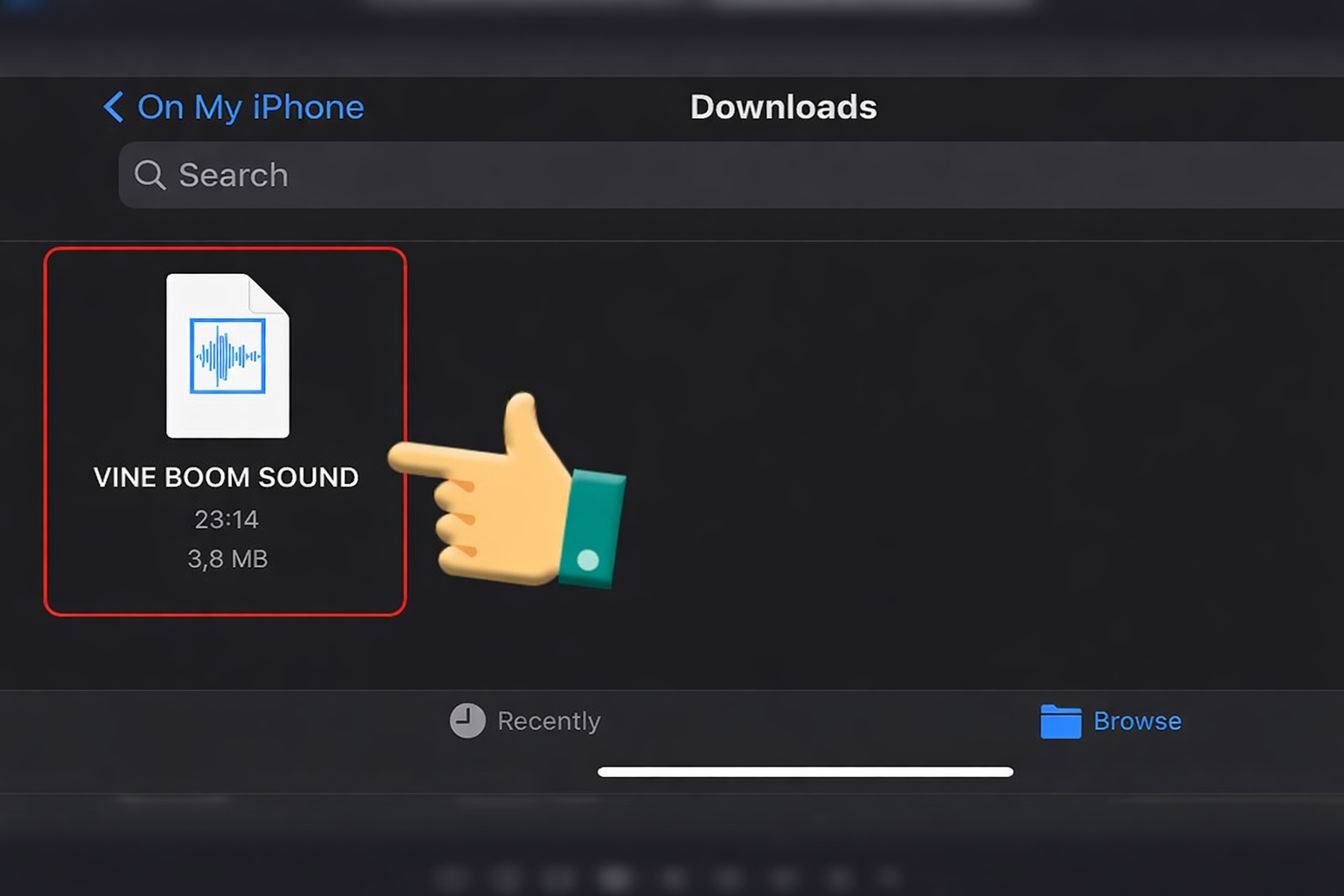
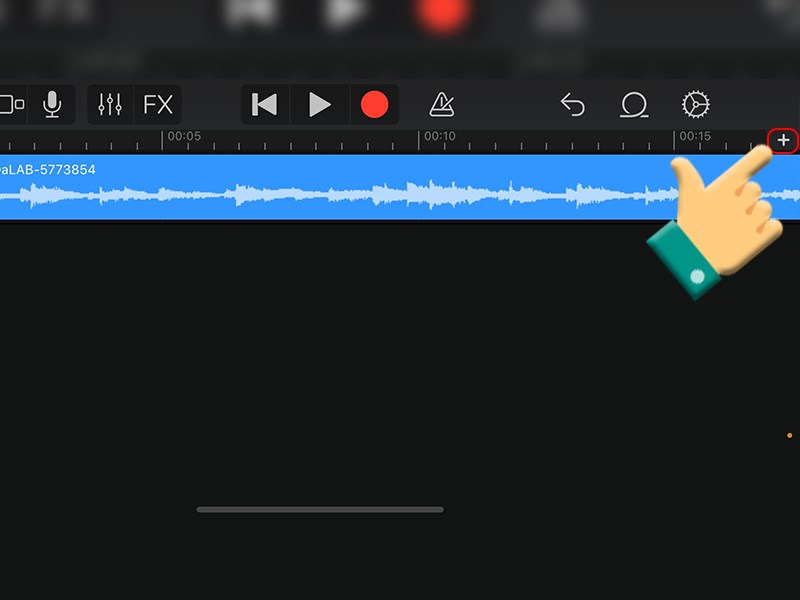
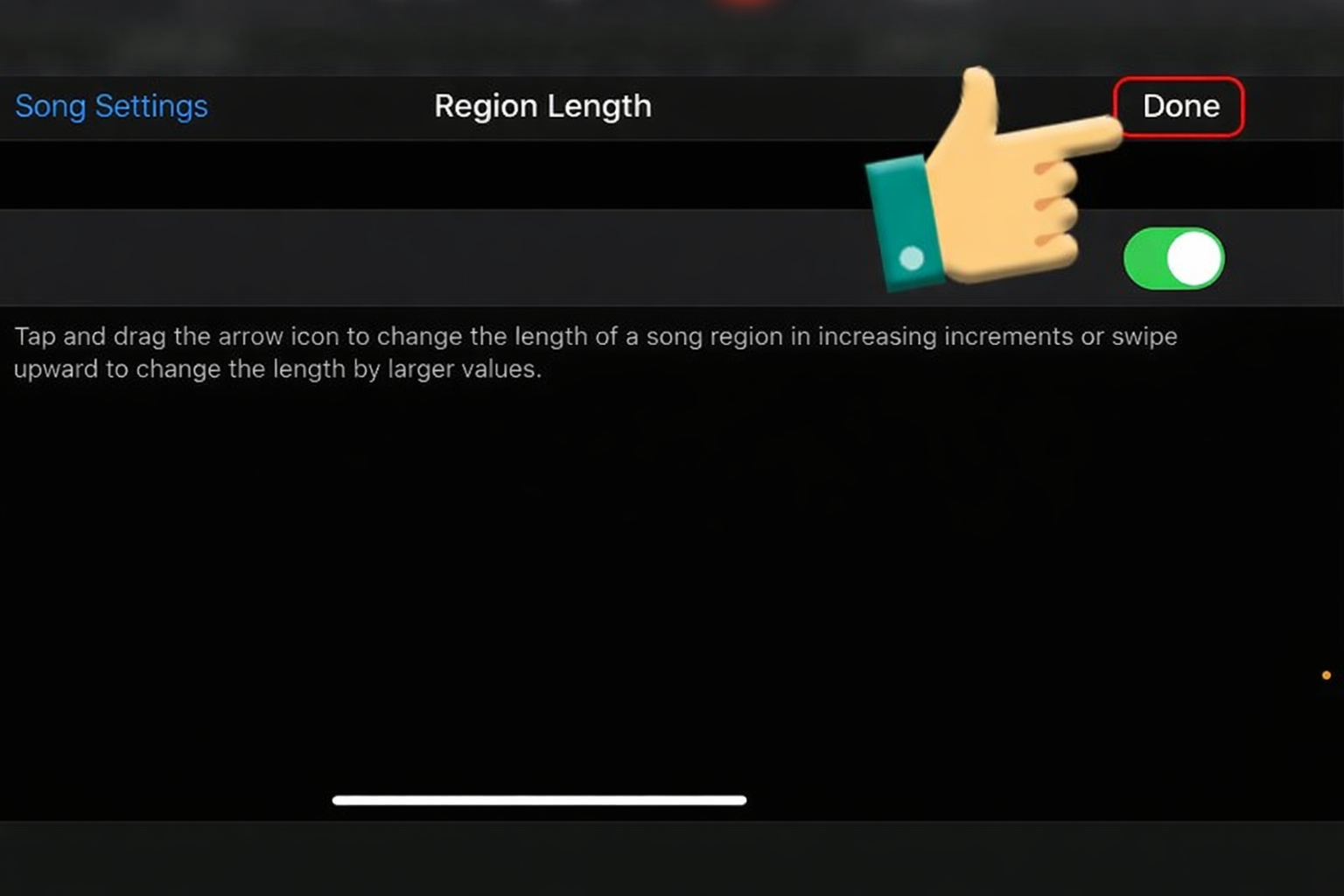
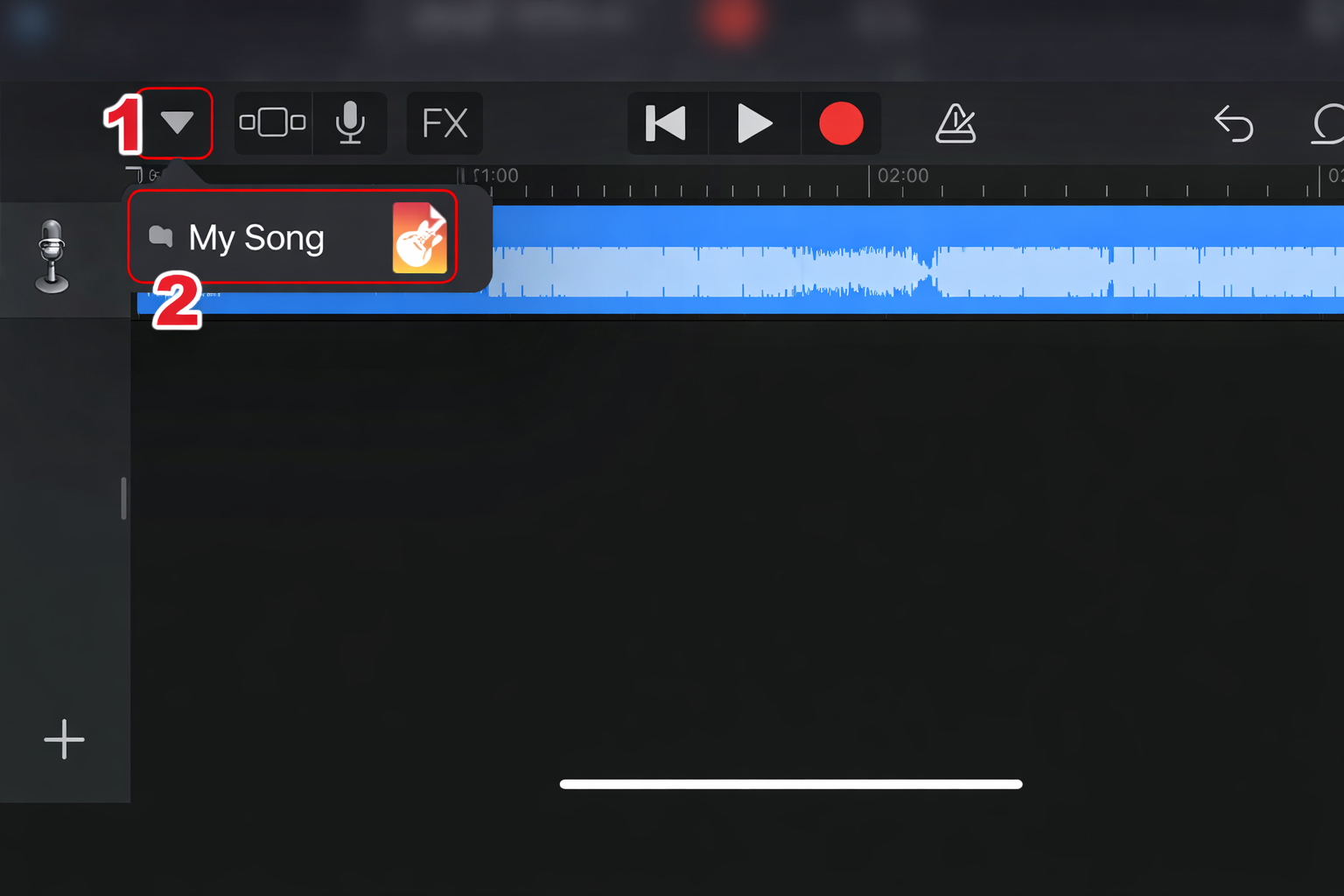
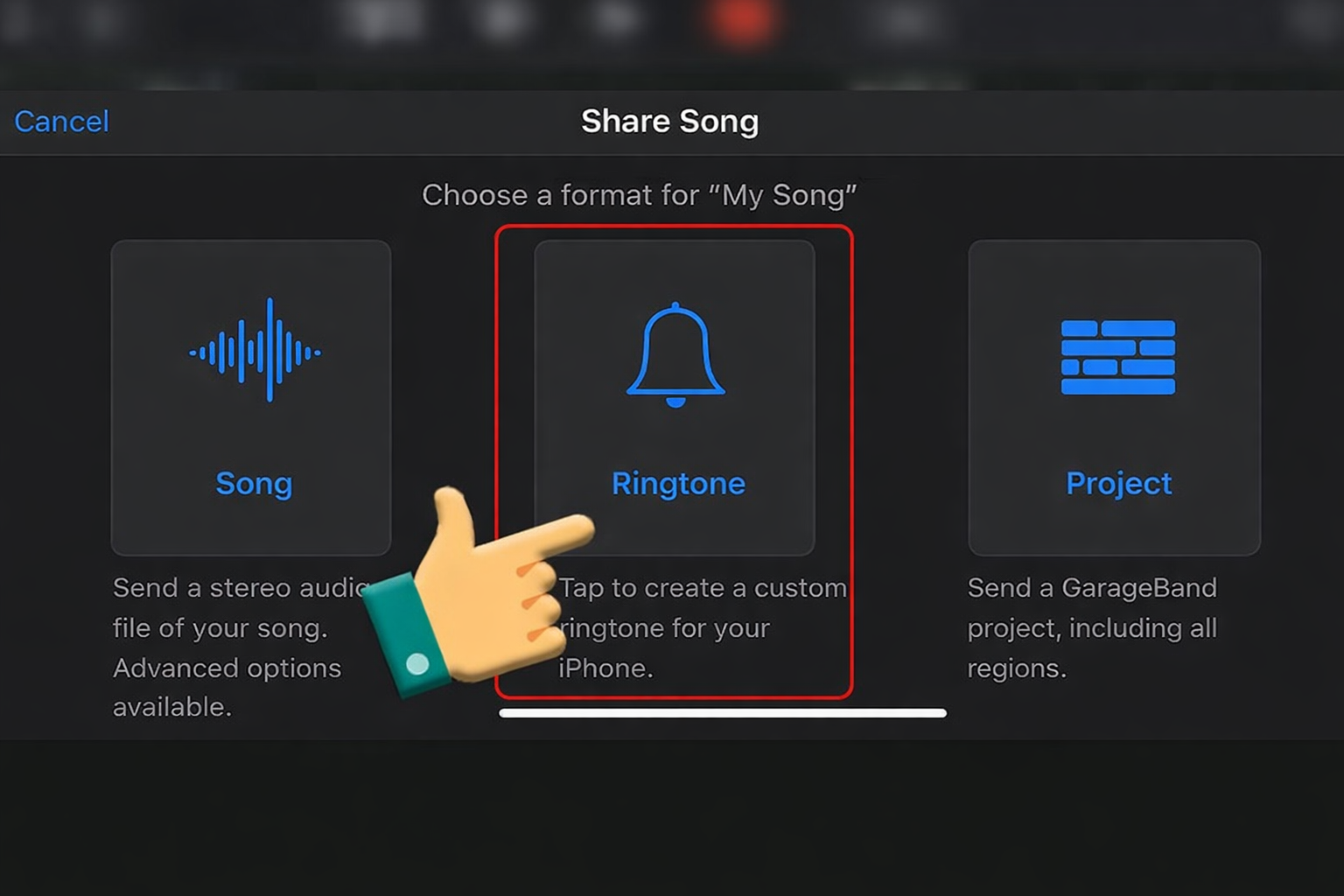
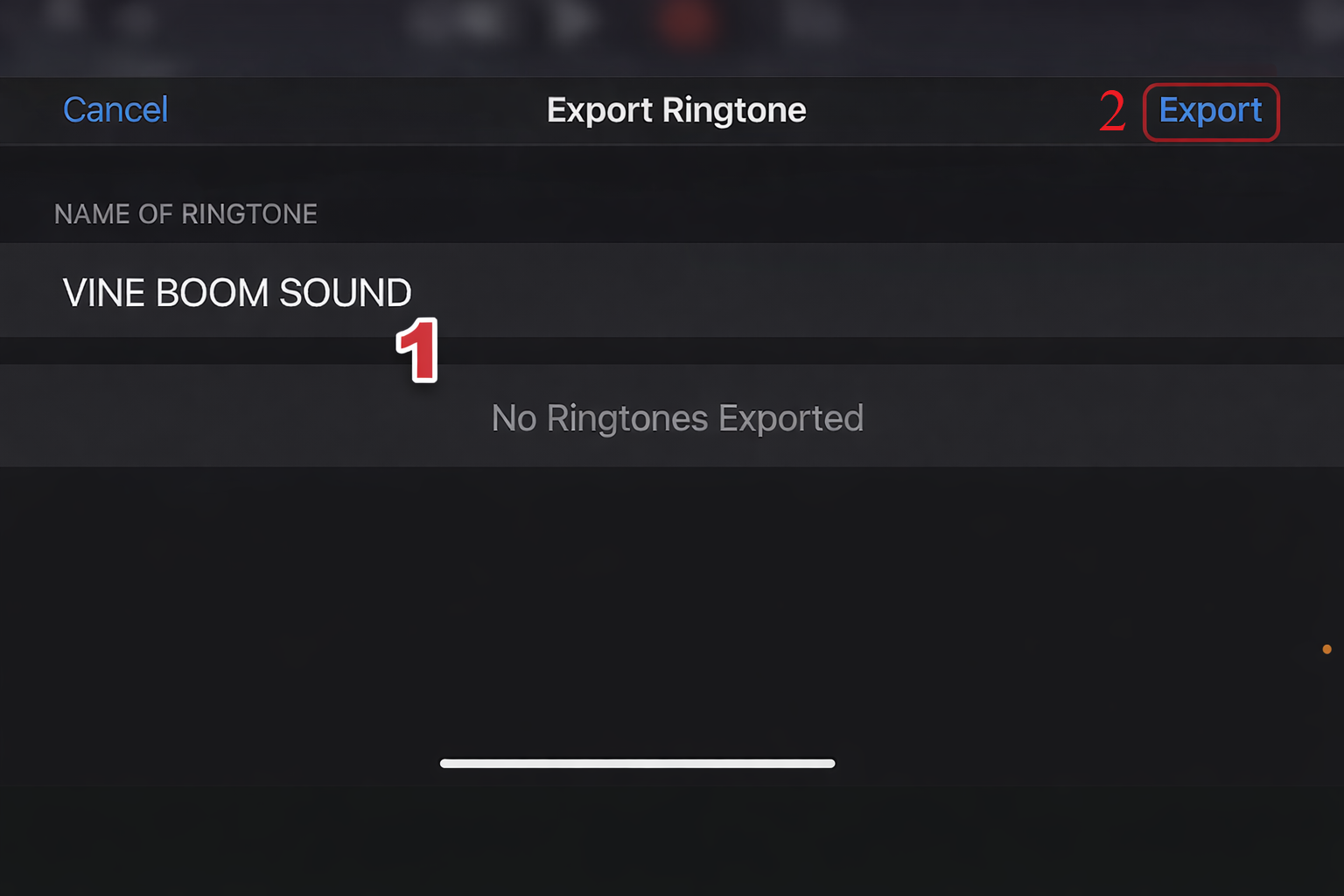
iPhone
Import into GarageBand
Trim clip
Export as ringtone
Set in Settings








Sound Variations & When to Use Them
| Version | Best Use |
|---|---|
| Bass Boosted | Gaming highlights |
| Echo Version | Big reveals |
| Slowed + Reverb | Cinematic hype |
| High Pitch | Meme parody edits |
Switching variations helps keep content fresh and engaging.
FAQ About the Sound
Is this sound copyrighted?
Yes—this sound originates from DaBaby, so check usage rights for monetized content.
What format should I use?
WAV – best quality
MP3 320kbps – best for quick use
What similar sounds can I use?
Airhorn Sound
Crowd Cheer
Vine Boom
“Let’s Go” generic hype clips
These also deliver high-energy reactions.
Videos Viral Using DaBaby LET’S GO Soundboards
Below are viral clips where creators used the DaBaby LET’S GOOOOOOO soundboard to amplify clutch wins, epic reveals, and high-energy meme edits. These examples show how perfect timing plus hype audio can instantly turn any clip into a shareable highlight.