
The Awkward Cricket soundboard is the classic crickets chirping sound effect used to represent total silence after a failed joke, uncomfortable pause, or social flop.
It’s the universal audio symbol for:
Nobody laughing
Dead room energy
Social rejection
Joke failed successfully
Unlike loud meme sounds (airhorns, gunshots, metal pipes), this one works because it’s quiet.
It doesn’t interrupt.
It exposes.
🎧 The Vibe
Awkward Cricket hits hardest when:
A joke completely bombs.
Someone says something wildly inappropriate.
A group chat goes silent.
A streamer waits for chat reaction… and nothing happens.
It’s subtle.
It’s slow.
It weaponizes silence.
The longer it plays, the worse it feels — and that’s exactly why it works.
Origin & Meme Spread (E-E-A-T Breakdown)
The cricket chirping sound effect has been used in comedy for decades, symbolizing empty silence in stand-up routines and sitcoms.
In internet culture, it became a meme staple through platforms like YouTube and TikTok, where editors inserted it after failed jokes or awkward pauses.
By 2024–2026, Awkward Cricket became:
A default reaction sound
A Discord soundboard classic
A podcast editing staple
It’s timeless because silence is universal.
Viral Video Editing Playbook (Creative Coaching)
🎯 The Golden Timing Rule
Insert Awkward Cricket:
0.5–1 second after the failed line
During a slow zoom into someone’s face
On a freeze frame
After cutting background music completely
Silence first.
Crickets second.
Zoom third.
That sequence maximizes cringe.
Real-World Scenarios
🎮 Gaming Scenario
Moment: You trash talk… miss every shot.
Execution:
Cut gameplay audio
Freeze frame
Crickets start at -5dB
Slow zoom (102%)
Humiliation delivered.
📹 Daily Vlog Scenario
Moment: You tell a joke to friends. Nobody reacts.
Execution:
Cut to wide shot
Add cricket SFX
Hold for 2 seconds
Hard cut
The longer you hold, the funnier it gets.
🎭 Podcast / Stream Scenario
Moment: Host says something controversial. Chat goes silent.
Execution:
Remove background music
Add crickets softly
Slight camera zoom
Instant awkward atmosphere.
🎚 Pro Editing Tips
Gain:
Keep between -8dB and -5dB. It should feel natural.
Looping:
Loop 2–3 seconds max. Overuse kills timing.
Reverb:
Avoid heavy reverb. Raw crickets feel more authentic.
Visual Pairing:
Slow zoom
Minimal movement
No flashy effects
The joke is in the restraint.
Multi-Platform Technical Guide
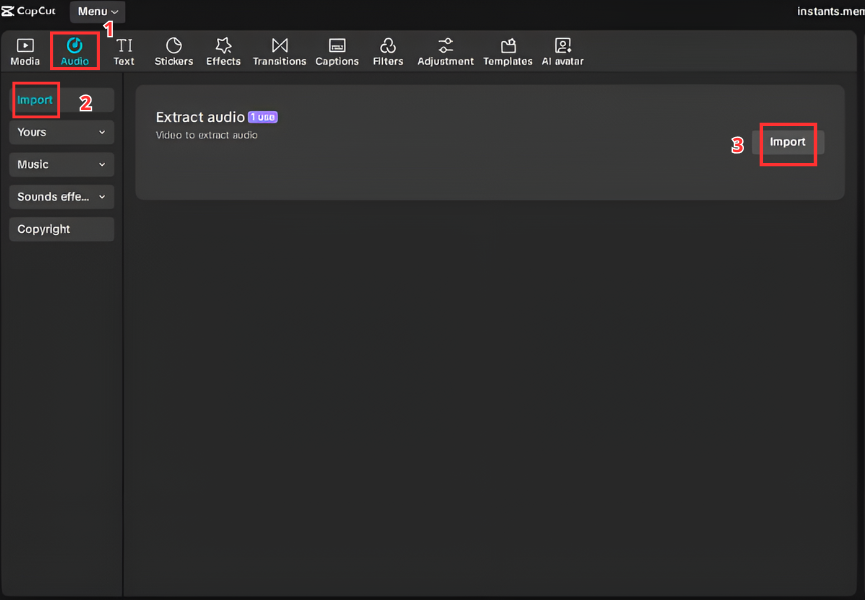
For Video Editors (CapCut & Premiere Pro)
CapCut
Import video.
Add Awkward Cricket audio.
Trim to 2–3 seconds.
Lower volume slightly.
Add slow zoom keyframe.
Premiere Pro
Import WAV/MP3.
Place on audio track.
Align after punchline.
Apply short fade in/out.
Export.
For Streamers & Gamers (Discord & OBS)
Discord Soundboard
Server Settings → Soundboard.
Upload cricket SFX.
Name it “Awkward”.
Trigger after failed jokes.
OBS Hotkey Setup
Add Media Source.
Select file.
Disable Loop.
Assign hotkey (example: F7).
Now you have a live silence amplifier.


For Mobile (Ringtone & Notifications)
Android
Move file to Ringtones → Select in settings.
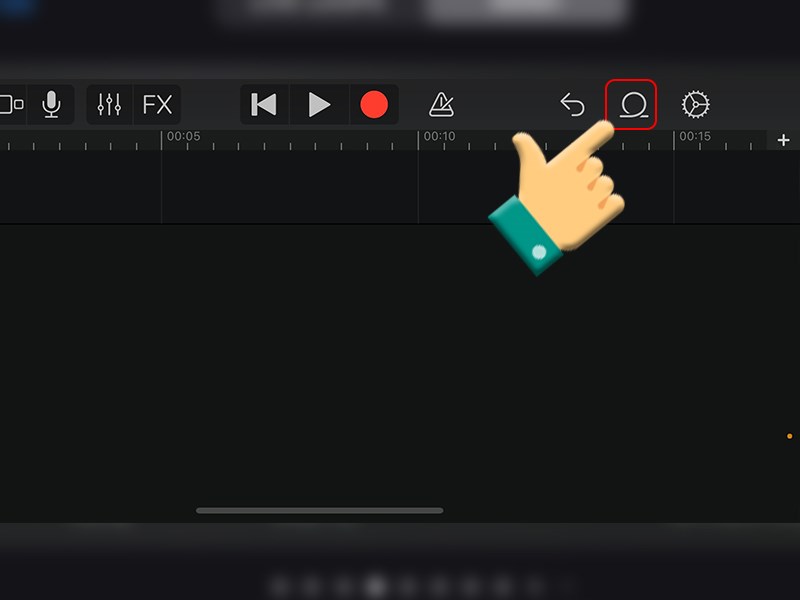
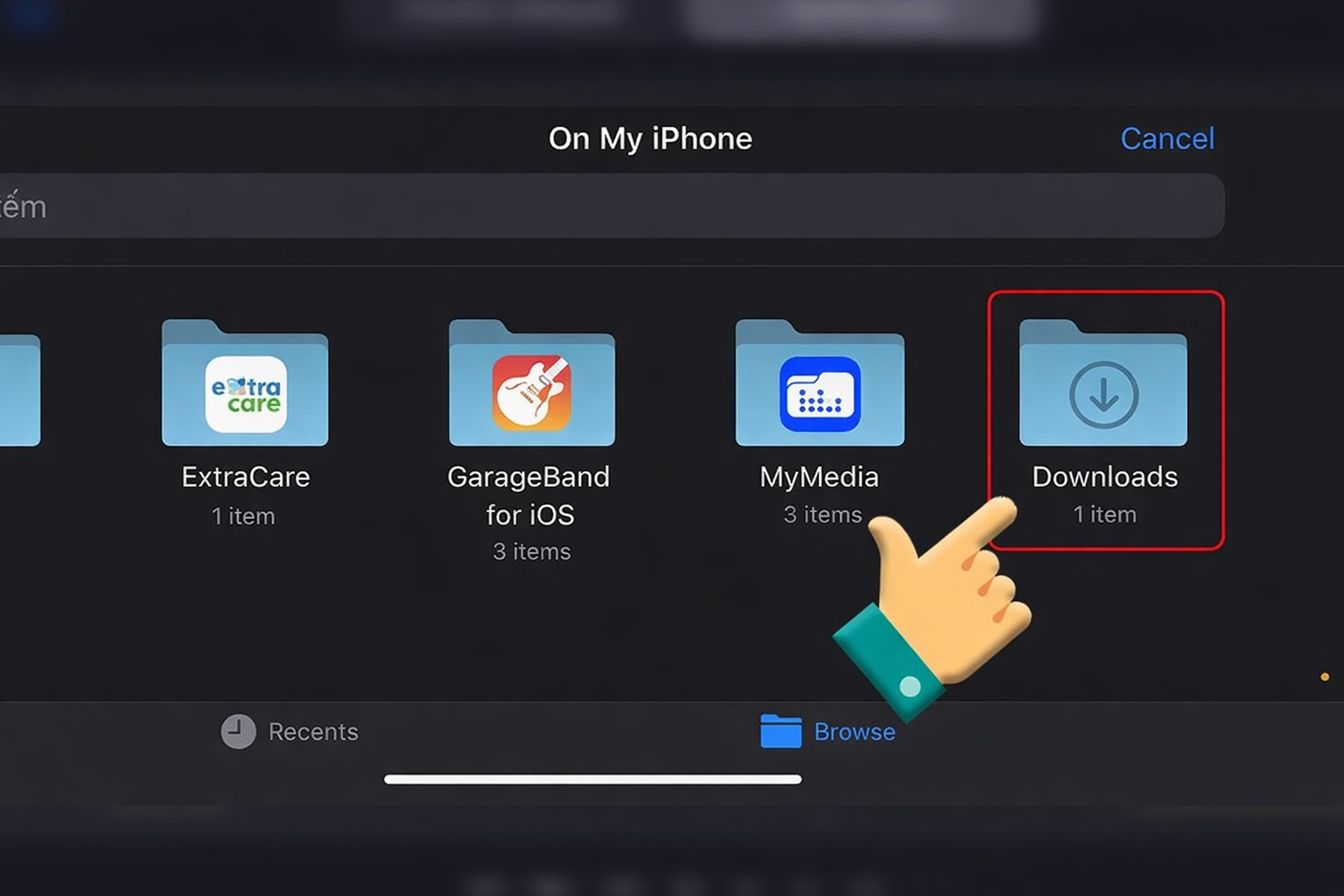
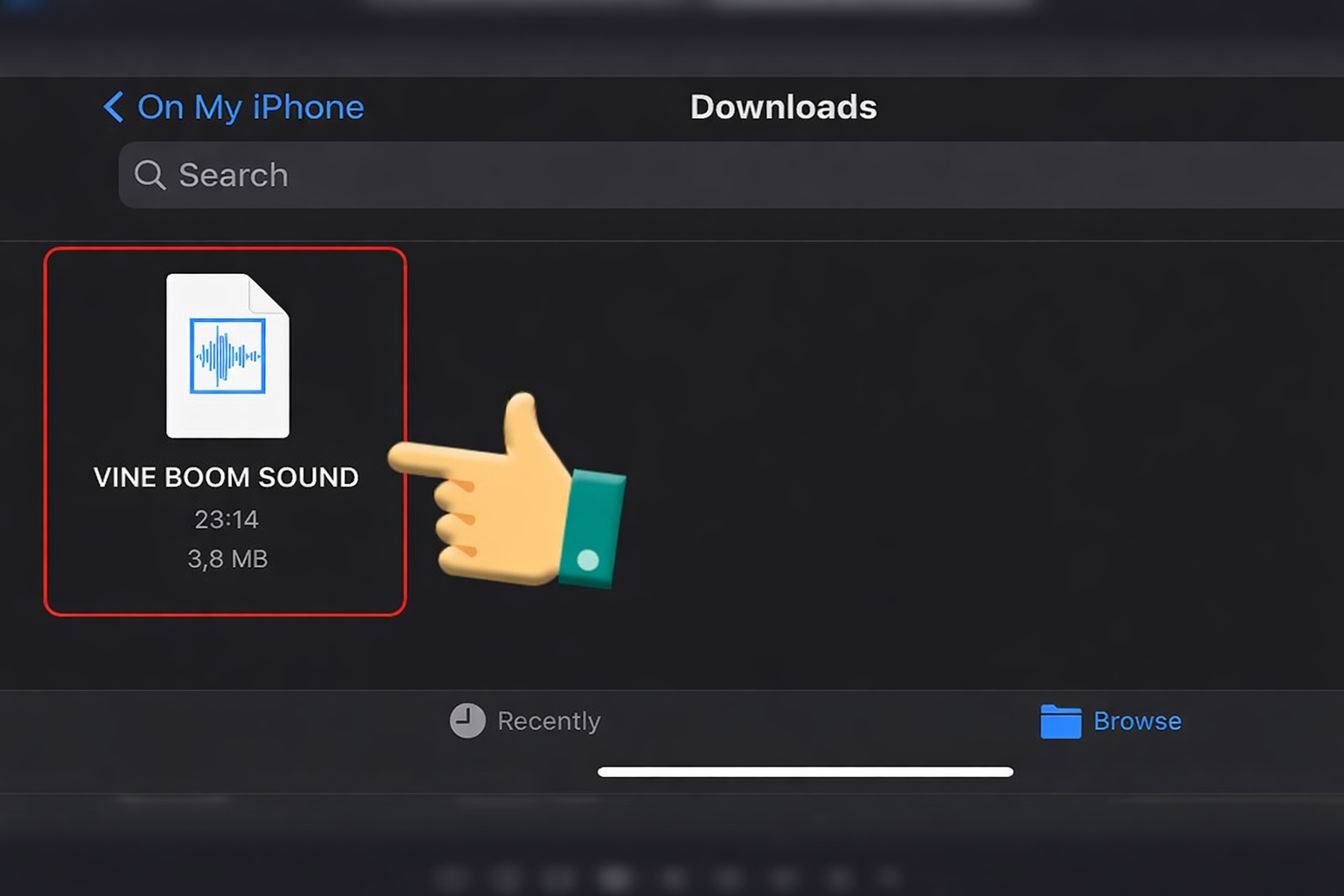
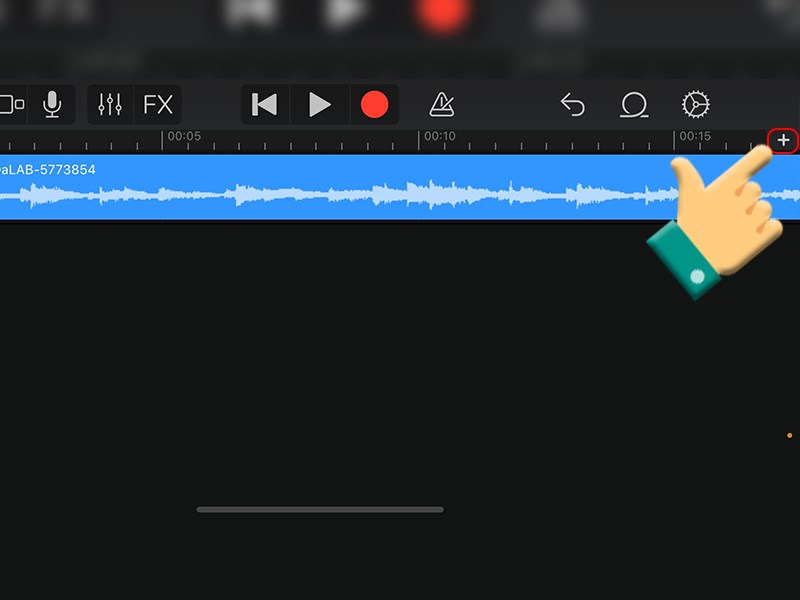
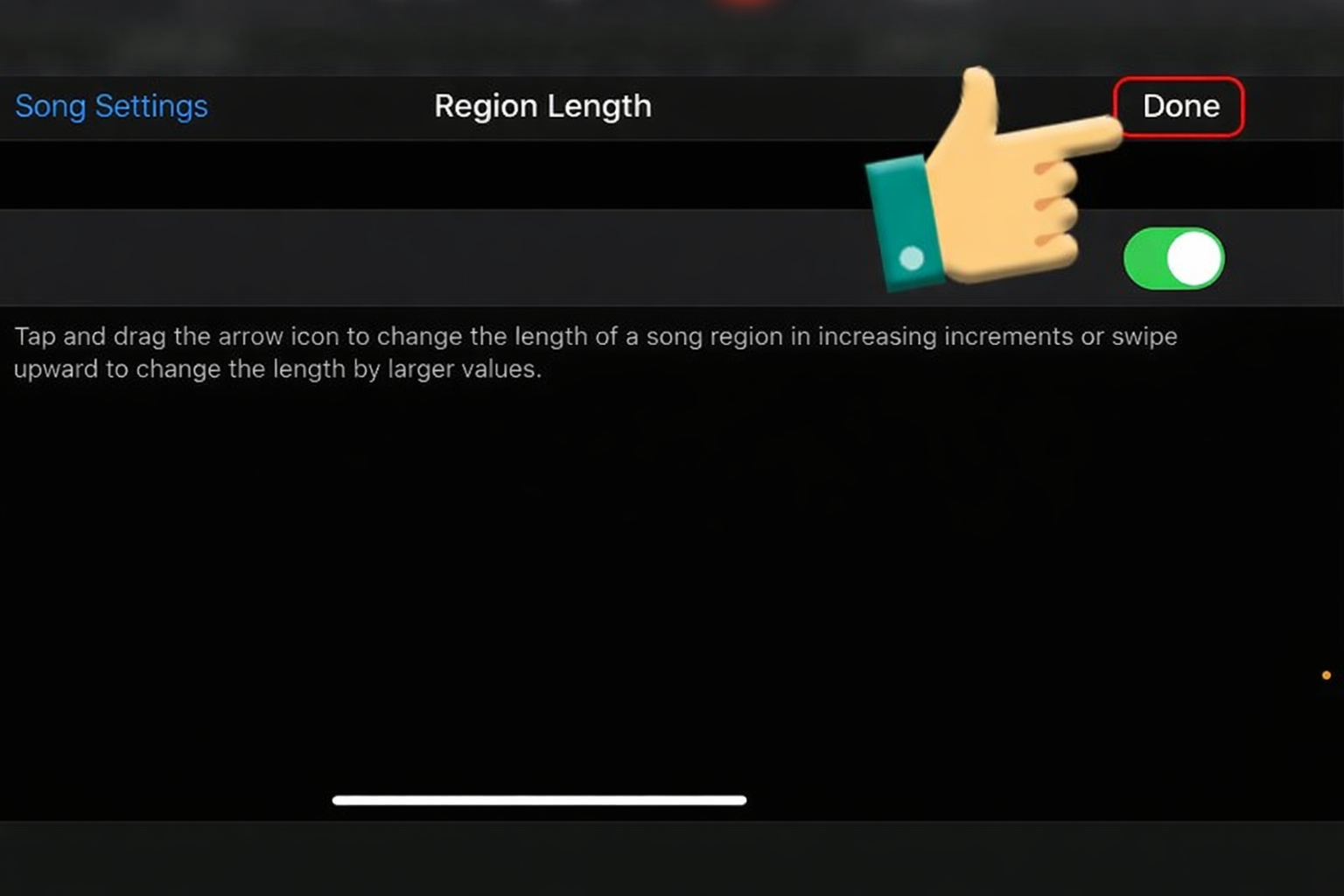
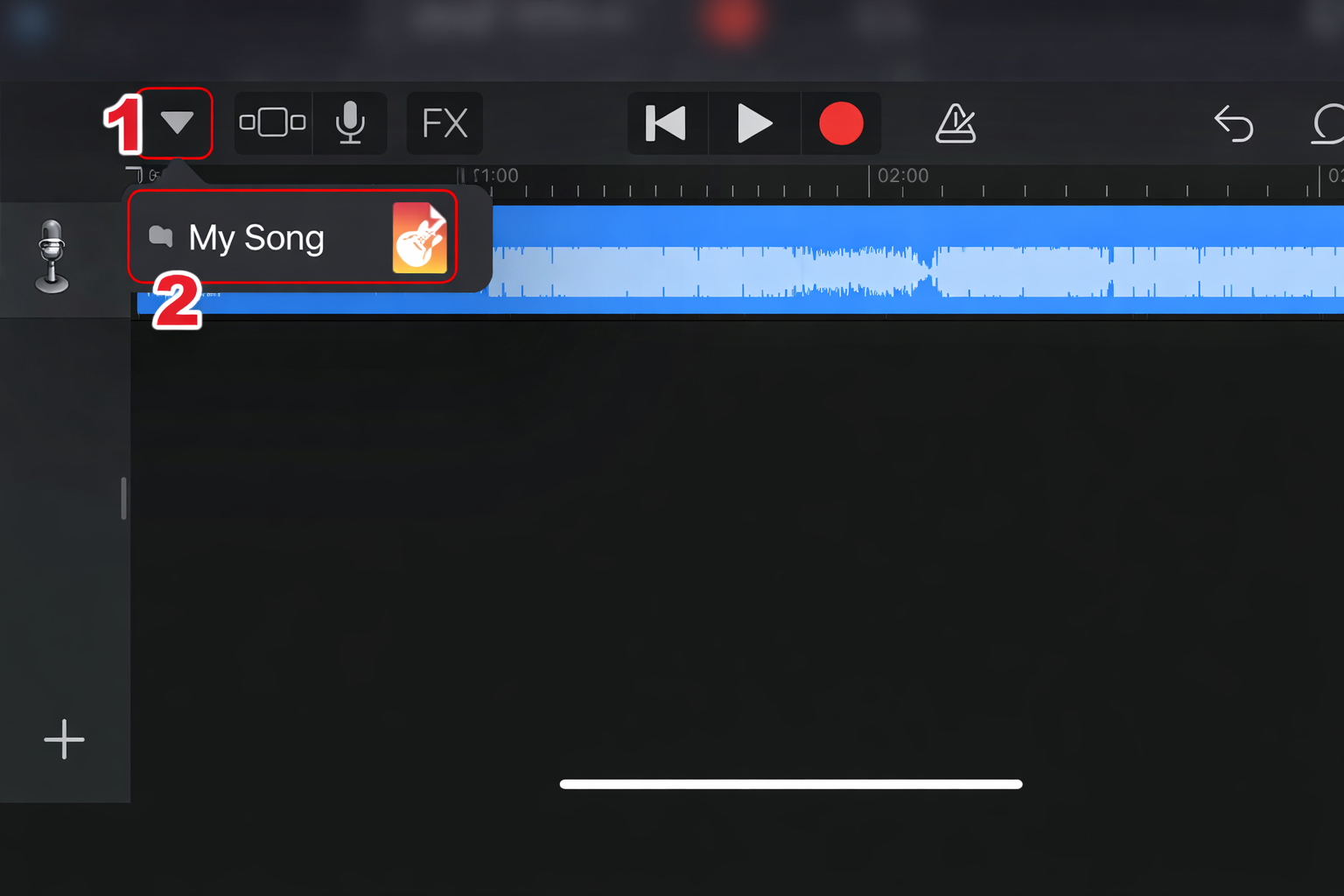
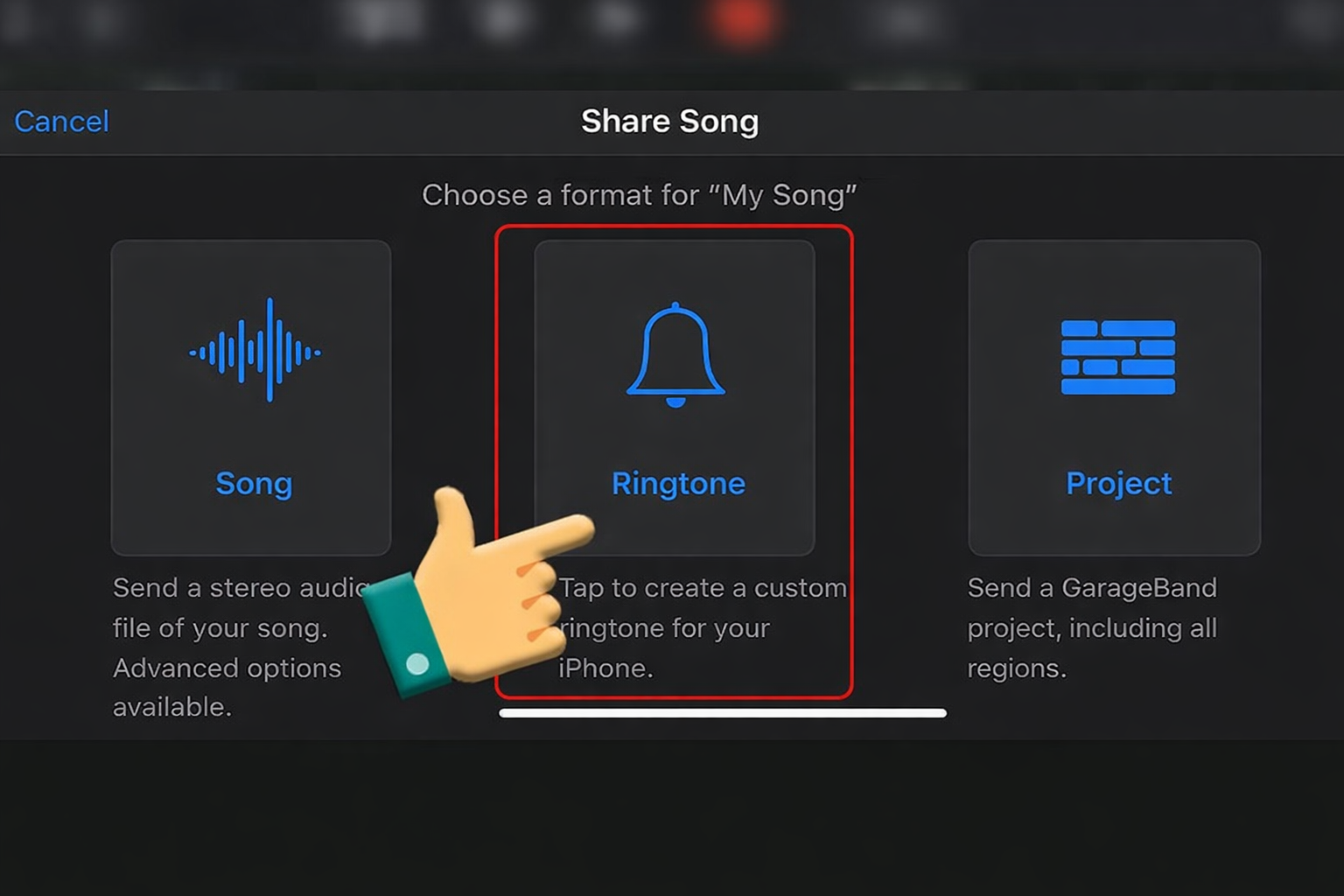
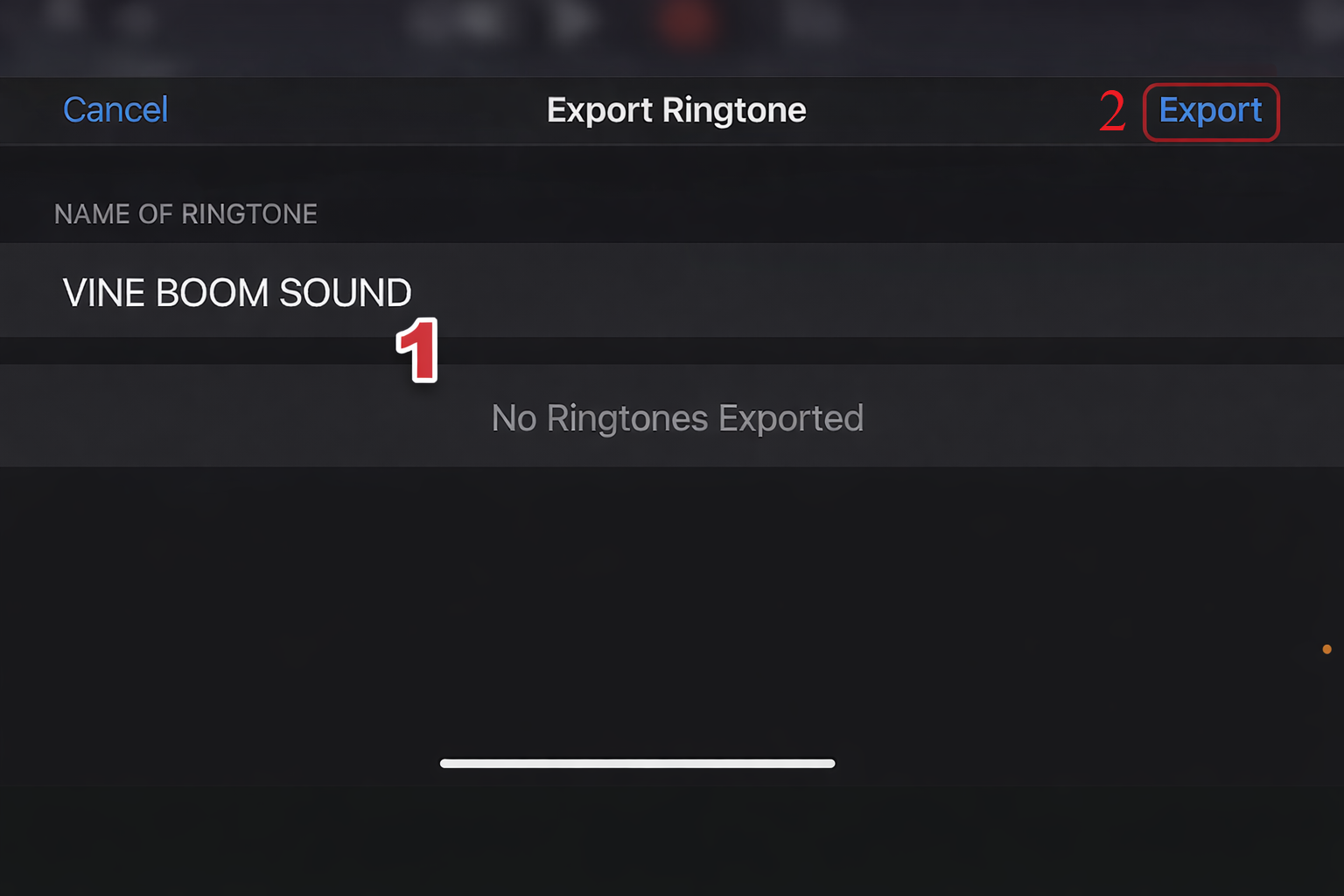
iPhone (GarageBand)
Import → Trim → Share as Ringtone → Export.
Not ideal as alarm — too subtle.








Variations & When to Use Them
| Version | Best Situation |
|---|---|
| Short Chirp | Quick joke fail |
| Extended Loop | Long awkward silence |
| Echo Crickets | Dramatic cringe |
| Background Night Ambience | Podcast edits |
Extended versions work best for reaction clips.
FAQ
Is the Awkward Cricket sound copyrighted?
Many versions are royalty-free stock SFX. Always verify the source before monetized use.
What format should I download?
WAV for editing precision. 320kbps MP3 for soundboard use.
What sounds are similar?
Record scratch
Sad trombone
Huh Cat reaction
Videos Viral Using Awkward Cricket Soundboards
Below are some of the top trending TikTok and Facebook videos that use the Awkward Cricket soundboard to amplify failed jokes, uncomfortable silences, and cringe-worthy social moments.
When timed correctly, Awkward Cricket doesn’t add noise — it magnifies the silence.