
The Fears to Fathom Notification Soundboard is a chilling, minimalistic alert sound from Fears to Fathom. It’s typically heard when a message or phone notification appears in-game, often right before or during tense moments.
Unlike loud horror effects, this sound is quiet, simple… and deeply unsettling.
It doesn’t scream—it warns you something is wrong.
The Vibe of the Sound
This sound carries a very specific horror energy:
- 📱 Everyday realism
- 😨 Subtle dread
- 🧠 Psychological tension
- 🎬 Slow-burn fear
It feels like a normal notification—but in context, it becomes ominous.
When It Hits Perfectly
The Fears to Fathom notification sound works best when:
- A message interrupts silence
- Something suspicious is about to happen
- A character realizes something is wrong
- A calm scene suddenly feels off
👉 It’s most powerful in quiet, tension-filled moments.
Origin & Why It Became Popular
The sound comes directly from Fears to Fathom, known for its realistic storytelling and subtle horror design.
Why It Went Viral
1. Realistic horror design
It sounds like a normal phone alert—but in the wrong context, it’s terrifying.
2. Psychological impact
It builds tension without jump scares.
3. Meme adaptation
Creators use it ironically in non-horror clips.
Where You’ll Hear It
This sound is commonly used in:
- TikTok horror edits
- YouTube Shorts suspense clips
- Analog horror videos
- Discord soundboards
- Storytelling memes
It’s especially effective in creepy or suspenseful content.
Viral Video Editing Guide (Creative Coaching)
The Golden Timing
This sound is all about silence + interruption.
Best placement:
- During quiet moments
- Right before a reveal
- When tension is building
👉 Let the silence sit… then trigger the sound.
Scenario 1 – Gaming Clip
Situation:
Player explores a quiet area.
Editing flow:
- Silence
- Player pauses
- Insert notification sound
Optional effects:
- Slight camera zoom
- Ambient noise drop
Creates instant tension.
Scenario 2 – Daily Vlog (Horror Twist)
Situation:
Normal vlog suddenly turns eerie.
Editing idea:
- Calm scene
- Suspicious detail appears
- Insert sound
This creates a creepy contrast.
Scenario 3 – TikTok Storytelling
Situation:
A story builds suspense.
Editing structure:
- Narration builds tension
- Pause
- Insert notification sound
This signals: something is about to happen.
Pro Editing Tips
Gain Settings
Keep it subtle but noticeable.
| Setting | Recommended |
|---|---|
| Gain | +1dB to +2dB |
| Fade In | 0.05s |
| Fade Out | 0.3s |
Add Reverb
A light reverb can make the sound feel more isolated and eerie.
Combine With Visual Effects
Best pairings:
- Slow zoom
- Dark vignette
- Grain / noise overlay
- Lighting dim
These amplify the psychological horror feel.
Multi-Platform Technical Guide
A. Video Editors (CapCut & Premiere Pro)
Steps
- Download the Fears to Fathom notification MP3
- Open CapCut or Premiere Pro
- Import audio
- Drag into timeline
- Place during silent moment
- Adjust volume carefully
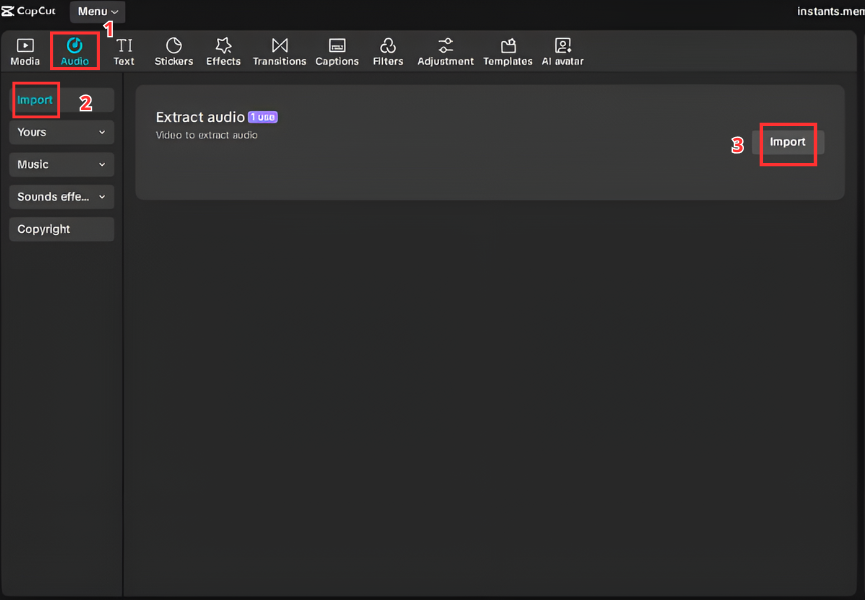
B. Streamers & Gamers (Discord & OBS)
Discord Soundboard
- Open Server Settings
- Go to Soundboard
- Upload sound
- Assign trigger button
OBS Hotkey
- Add Media Source
- Load file
- Assign hotkey
Perfect for trolling or creating suspense live.


C. Mobile (Ringtone & Notifications)
⚠️ This one is perfect as a creepy notification tone.
Android
- Download MP3
- Go to Settings → Sound
- Select notification tone
- Choose file
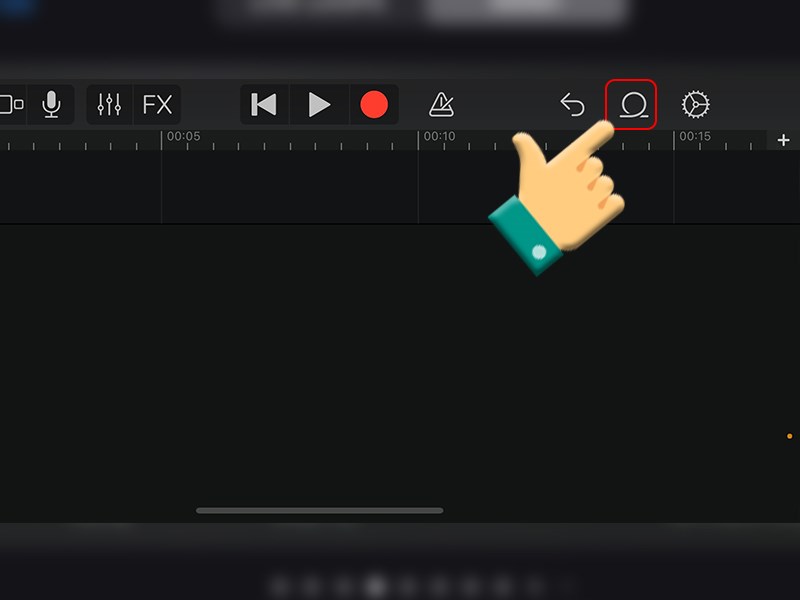
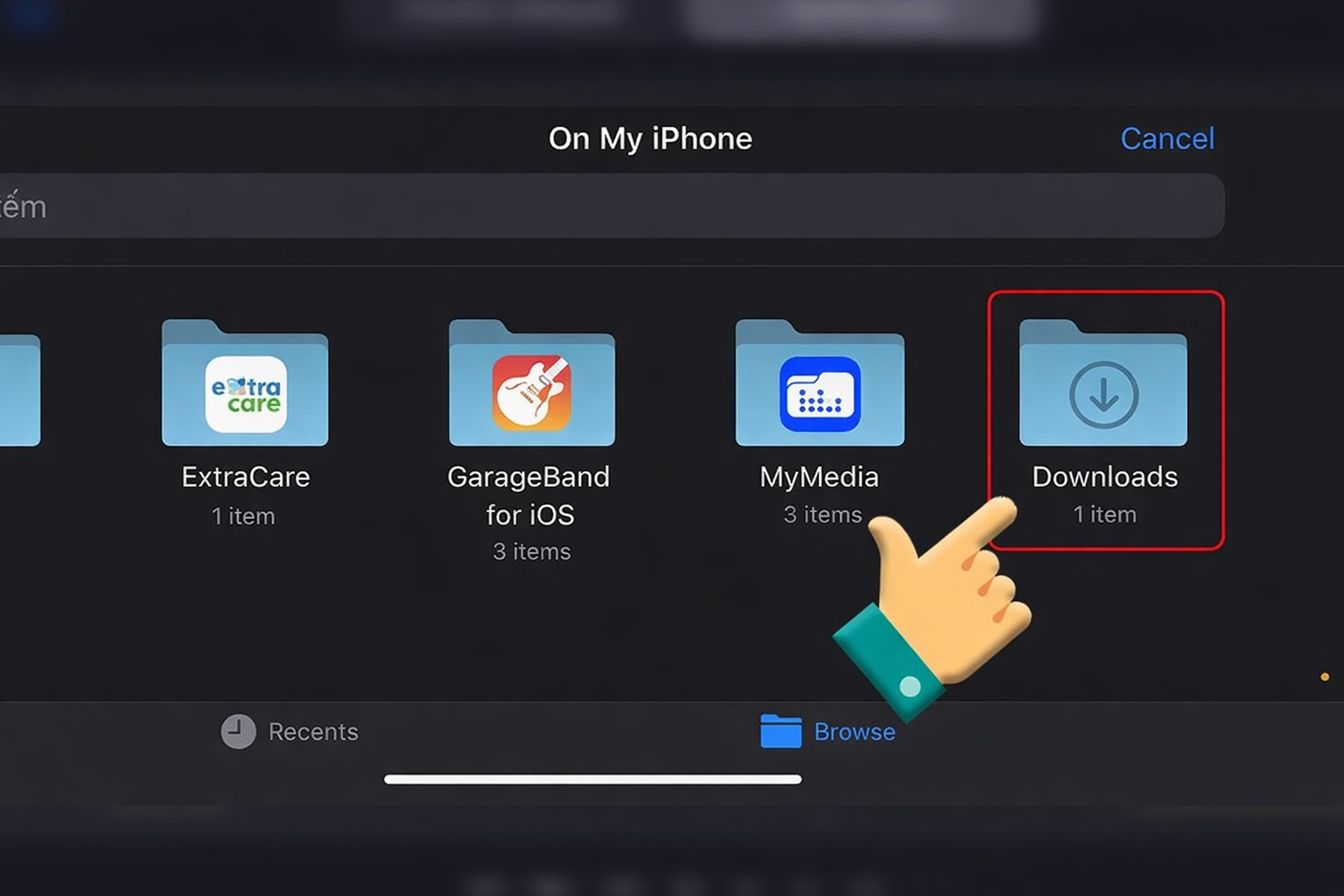
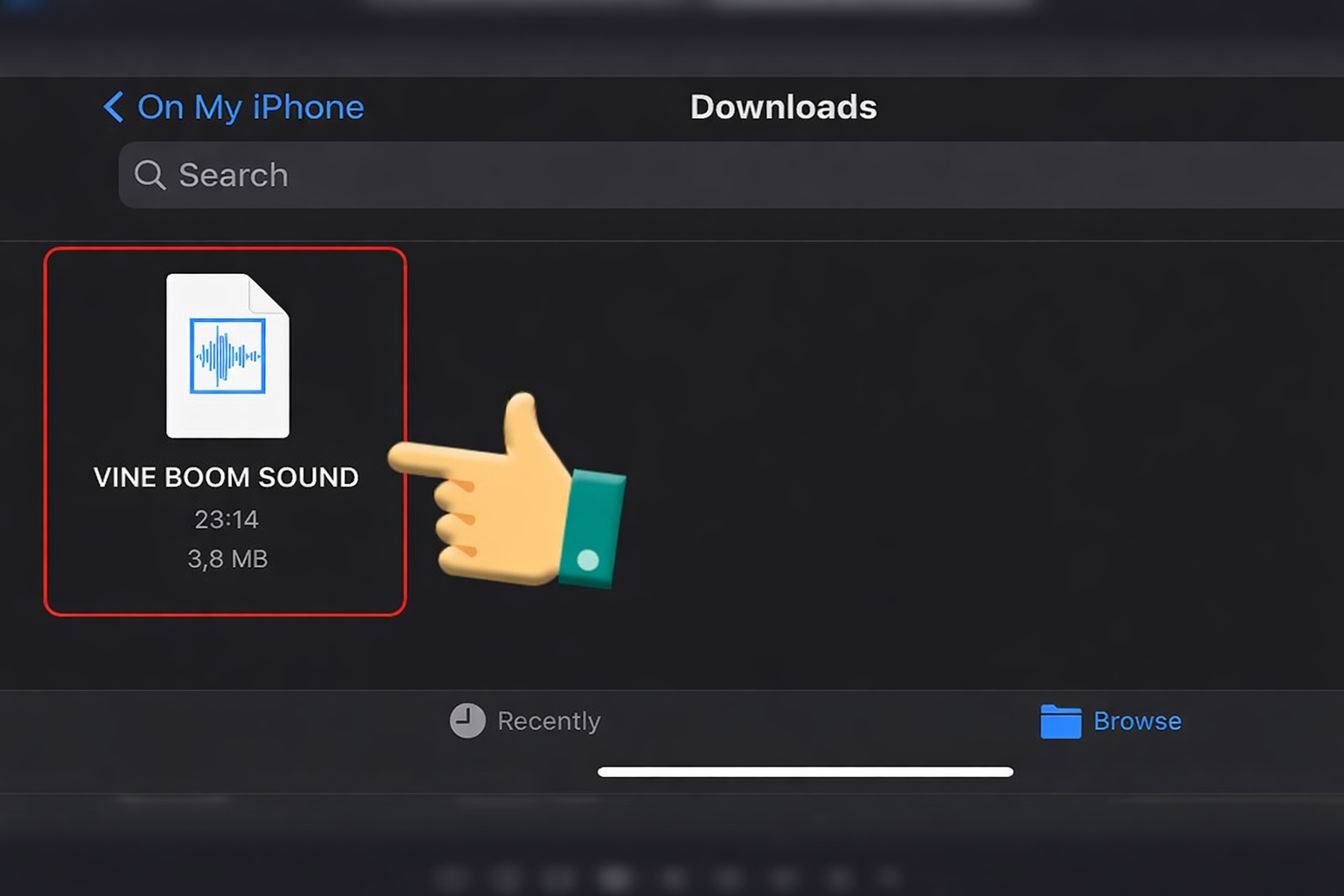
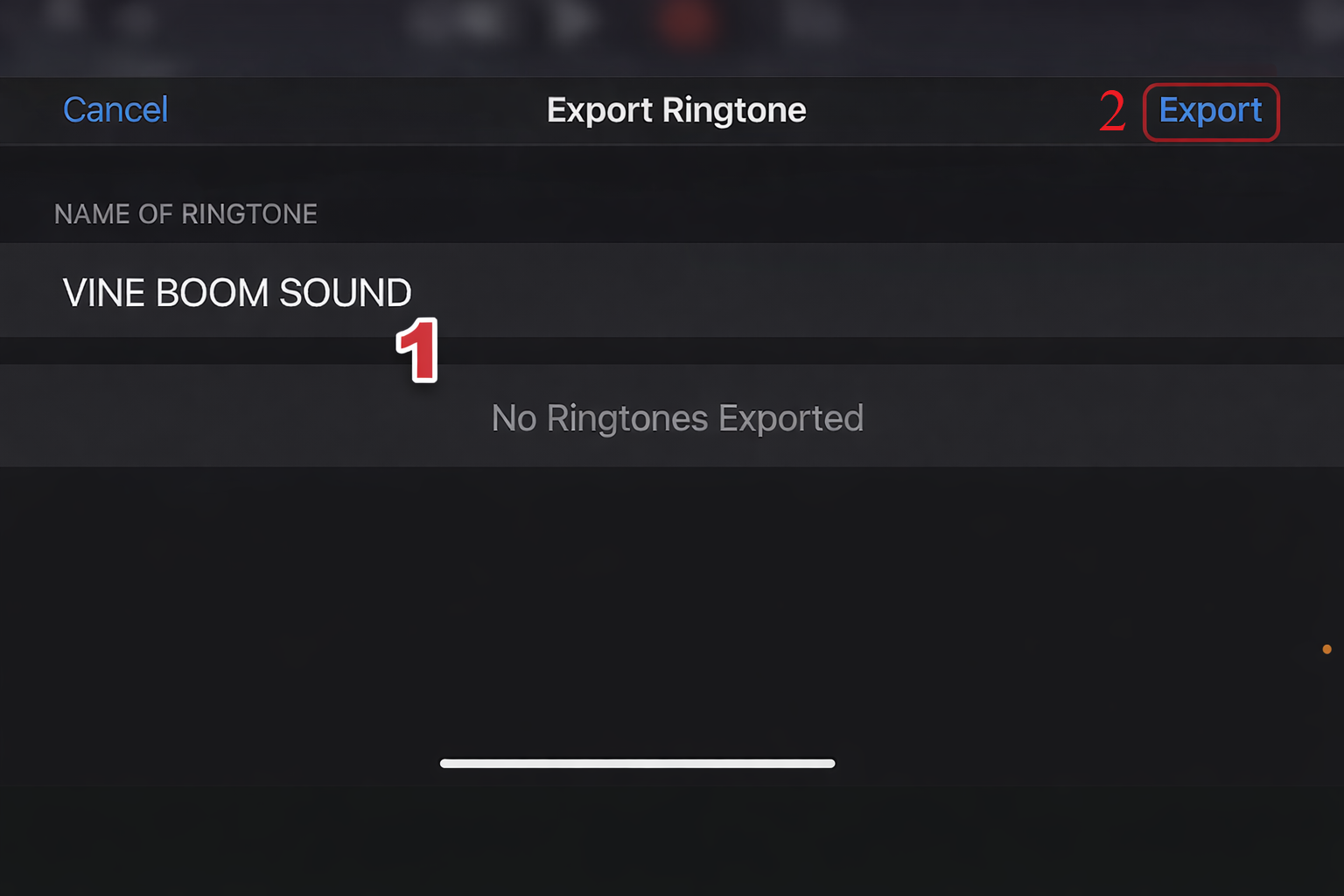
iPhone
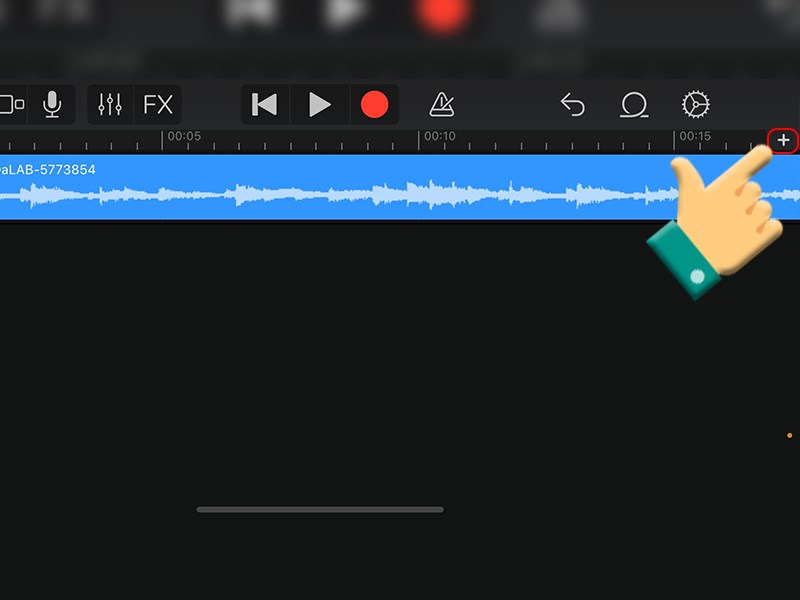
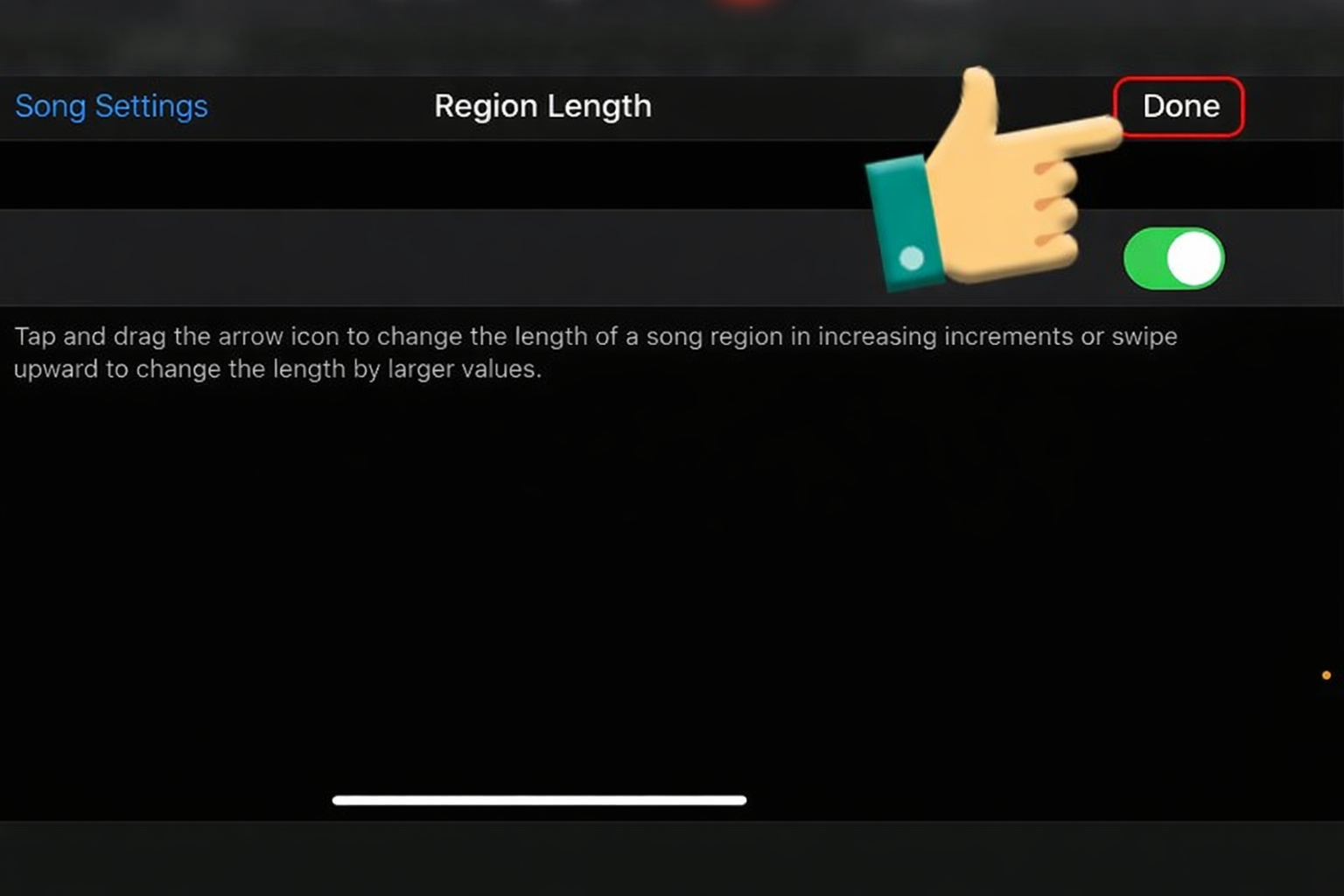
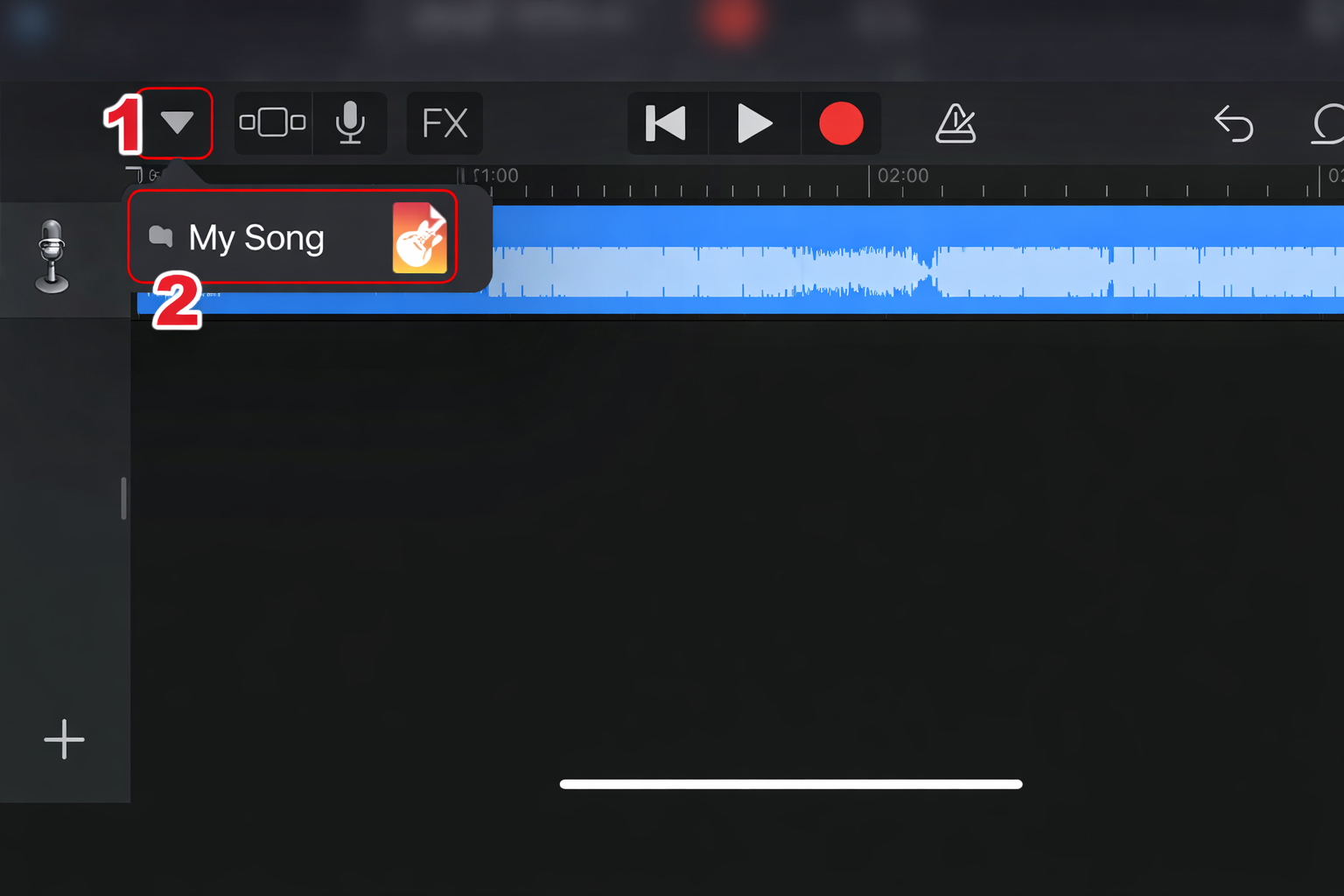
- Import into GarageBand
- Trim
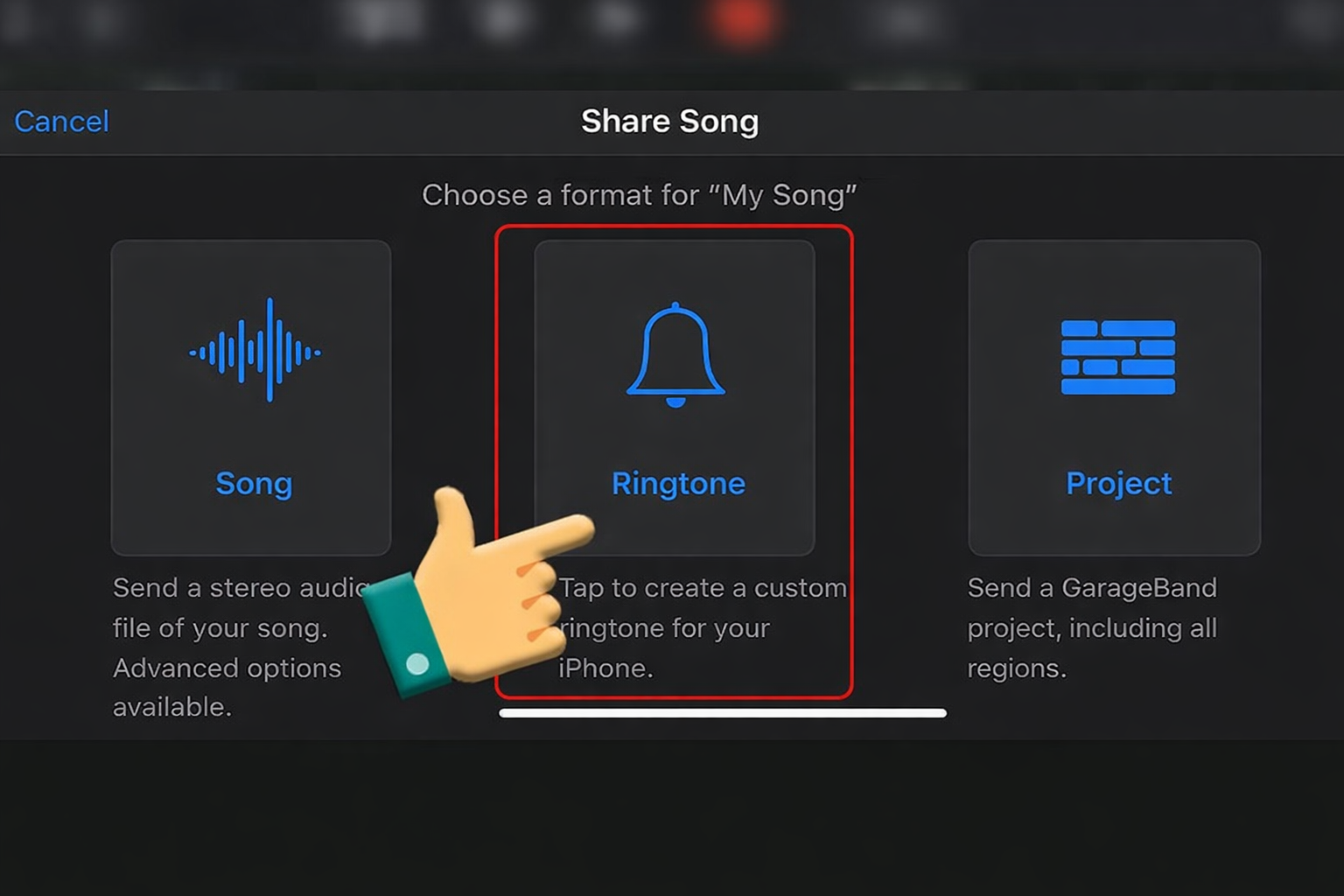
- Export as ringtone
- Set in Settings








Sound Variations & When to Use Them
| Version | Best Use |
|---|---|
| Echo Version | Horror storytelling |
| Bass Boosted | Dramatic parody |
| Slowed + Reverb | Analog horror |
| Distorted Version | Chaos horror edits |
These variations help adapt the sound across styles.
FAQ About the Sound
Is this sound copyrighted?
Yes—it originates from Fears to Fathom, so check usage rights for monetized content.
What format is best?
- WAV – best quality
- MP3 320kbps – best for quick use
What similar sounds can I use?
- iPhone notification (but slowed)
- Windows error sound
- Analog horror tones
- Ambient glitch sounds
These also create subtle tension effects.
Videos Viral Using Fears to Fathom Notification Soundboards
Below are viral clips where creators used the Fears to Fathom notification soundboard to create tension, fake horror scenarios, and eerie storytelling moments. These examples show how a simple, quiet sound can be more powerful than loud jump scares when used correctly.