
The Anderdingus soundboard is a chaotic, nonsense-style meme audio clip built around a random, goofy-sounding word—“anderdingus.” Like many modern meme sounds, it doesn’t rely on meaning, but instead on pure absurdity and delivery.
It’s commonly used in edits where something feels confusing, stupid in a funny way, or completely brainrot-level chaotic.
The joke isn’t the word itself—it’s how random and out-of-place it feels.
The Vibe of the Sound
The Anderdingus sound fits perfectly into modern meme culture:
🧠 Brainrot humor
😂 Random absurdity
🤪 Goofy / unserious tone
🎬 Anti-logic punchline
It thrives in edits where logic breaks down and the content becomes intentionally dumb in a funny way.
When It Hits Perfectly
Use the sound when:
Something makes zero sense
A clip becomes unexpectedly chaotic
A character acts extremely goofy
A moment feels like “what did I just watch?”
It’s especially effective when the audience is left slightly confused.
Origin & Meme Culture
“Anderdingus” belongs to a category of nonsense meme words that exploded in popularity through TikTok and Discord culture.
These sounds are often:
invented words
distorted voice clips
intentionally meaningless phrases
Why It Went Viral
1. Brainrot trend
Modern memes embrace randomness and anti-humor.
2. Short-form content
Absurd sounds work perfectly in fast, unpredictable edits.
3. Remix culture
Creators constantly remix and distort sounds to create new variations.
Where You’ll Hear It
The Anderdingus sound appears in:
TikTok brainrot edits
YouTube Shorts chaos compilations
Discord trolling soundboards
Gaming meme clips
Surreal meme videos
It’s part of a broader trend of “nonsense = funny” internet humor.
Viral Video Editing Guide (Creative Coaching)
The Golden Timing
Unlike traditional sounds, this one works best when it feels random and unexpected.
Best placements:
During a sudden weird moment
Right after something confusing happens
As a hard cut interrupt
In the middle of chaos
👉 The more unexpected it is, the funnier it becomes.
Scenario 1 – Gaming Clip
Situation:
A player glitches through the map unexpectedly.
Editing idea:
Normal gameplay
Sudden glitch
Insert Anderdingus
Optional effects:
Glitch overlay
Screen shake
Random zoom
This amplifies the confusion humor.
Scenario 2 – Daily Vlog Moment
Situation:
Someone says something that makes no sense.
Editing flow:
Show the line
Awkward silence
Insert Anderdingus
This turns the moment into a brainrot punchline.
Scenario 3 – TikTok Chaos Edit
Situation:
A fast montage of random clips.
Editing structure:
Rapid cuts
Random visuals
Insert Anderdingus mid-cut
This enhances the absurd editing style.
Pro Editing Tips
Gain Settings
Keep it noticeable but not overwhelming.
| Setting | Recommended |
|---|---|
| Gain | +3dB |
| Fade In | 0.05s |
| Fade Out | 0.15s |
Add Distortion Effects
To match the chaotic vibe, try:
Bitcrush
Pitch shift
Distortion
Echo
This makes the sound feel even more unhinged.
Combine With Visual Effects
Best effects:
Glitch transitions
Random zoom cuts
Frame stutter
Color distortion
These reinforce the brainrot aesthetic.
Multi-Platform Technical Guide
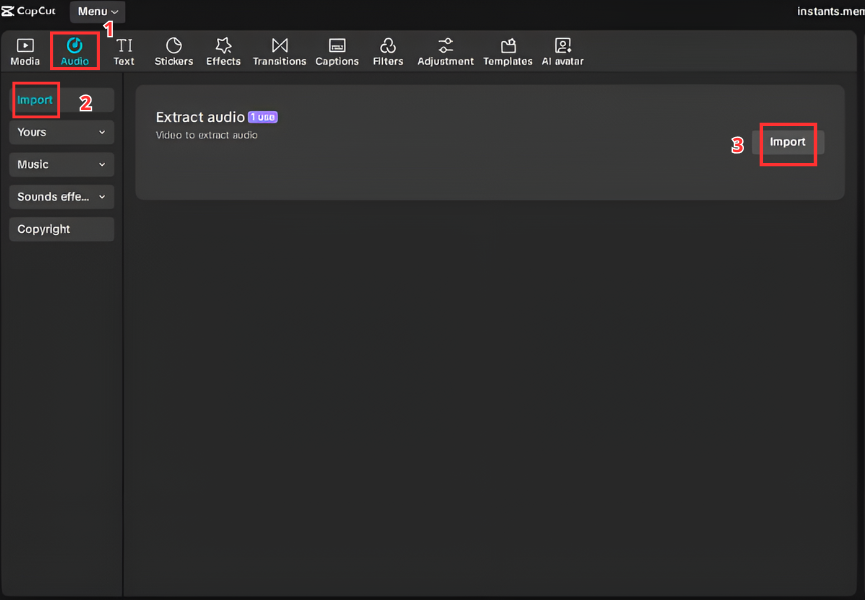
A. Video Editors (CapCut & Premiere Pro)
Steps
Download the Anderdingus MP3
Open CapCut or Premiere Pro
Import the audio
Drag it into timeline
Place it at a random or chaotic moment
Adjust timing for surprise effect
B. Streamers & Gamers (Discord & OBS)
Discord Soundboard
Open Server Settings
Go to Soundboard
Upload file
Assign trigger button
OBS Hotkey
Add Media Source
Select sound
Assign hotkey
Perfect for random trolling during streams.


C. Mobile (Ringtone & Notifications)
Android
Download MP3
Go to Settings → Sound
Select notification tone
Choose file
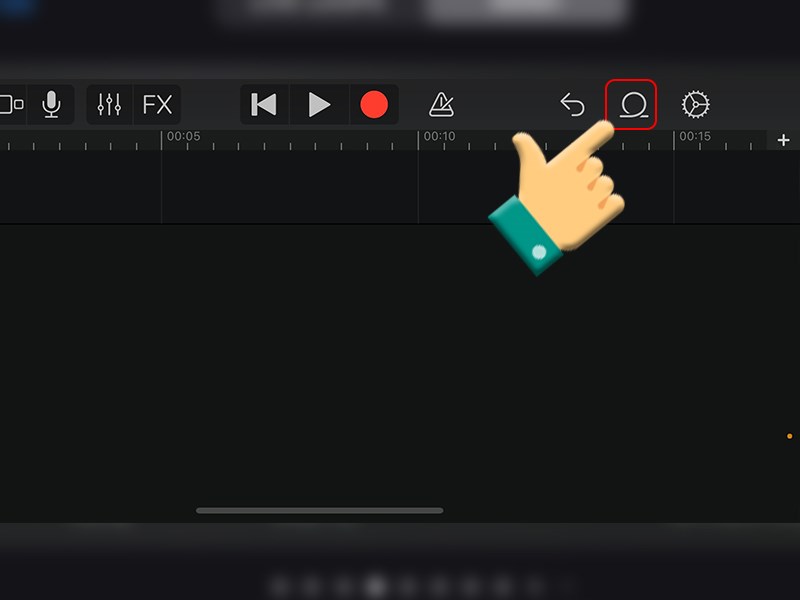
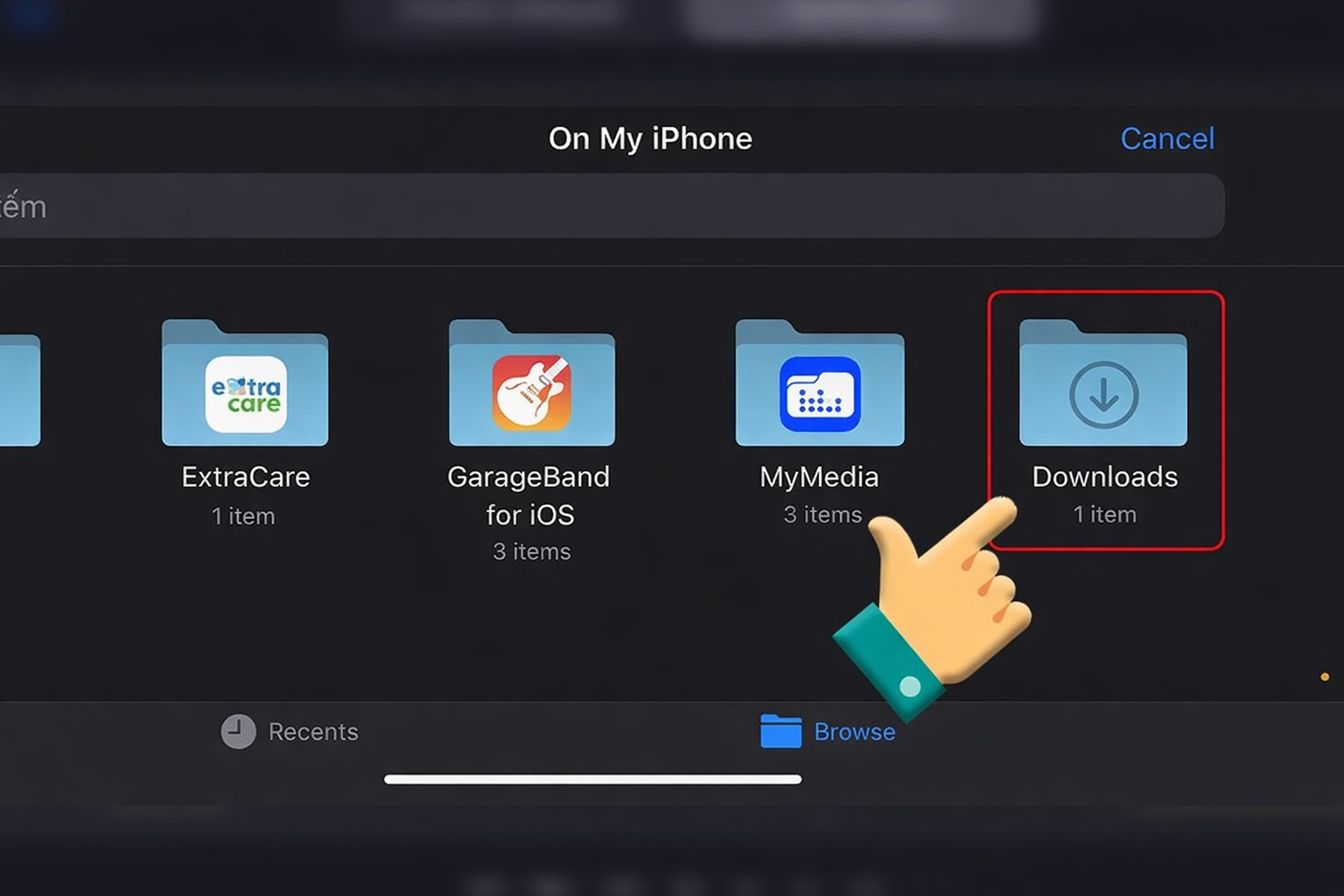
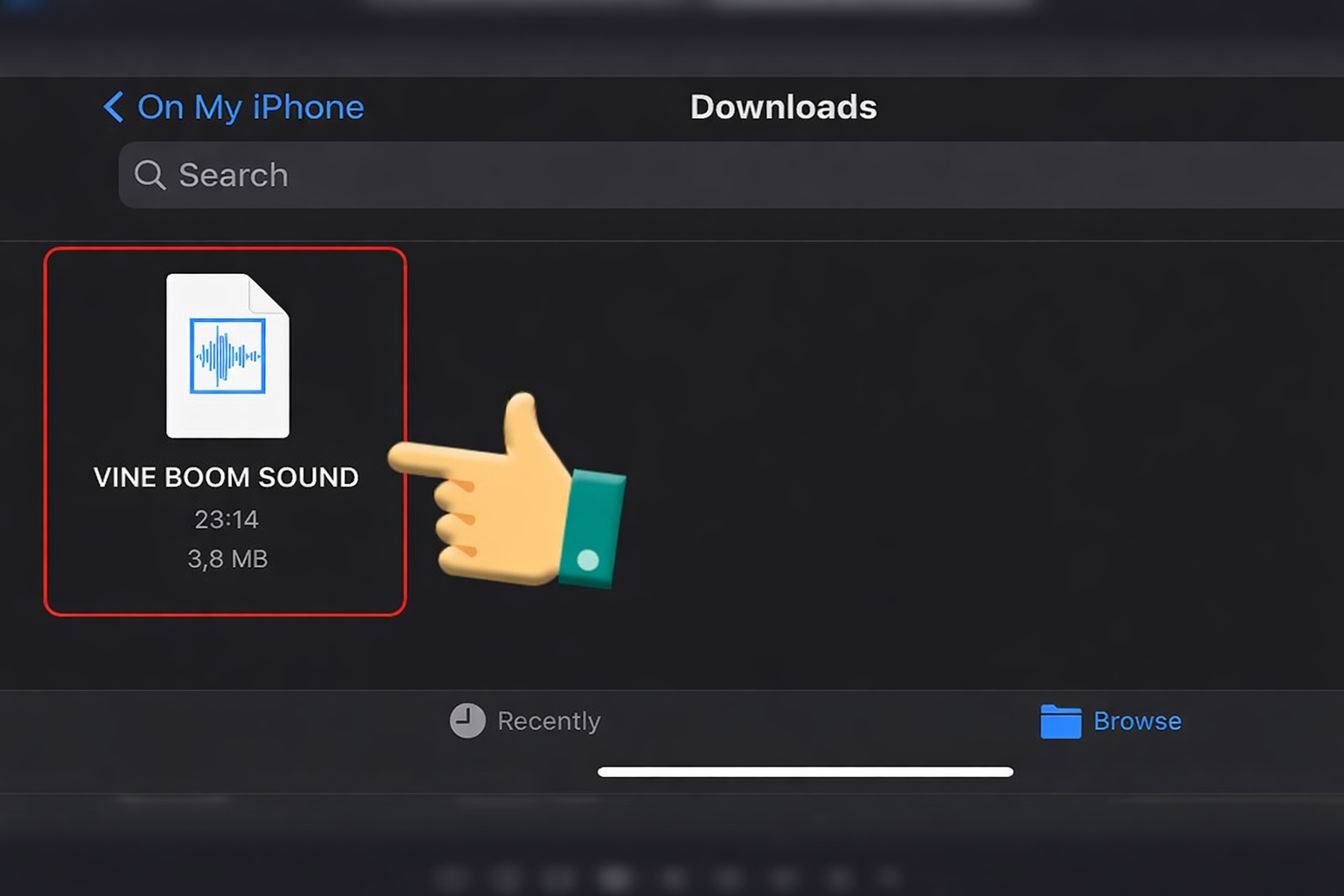
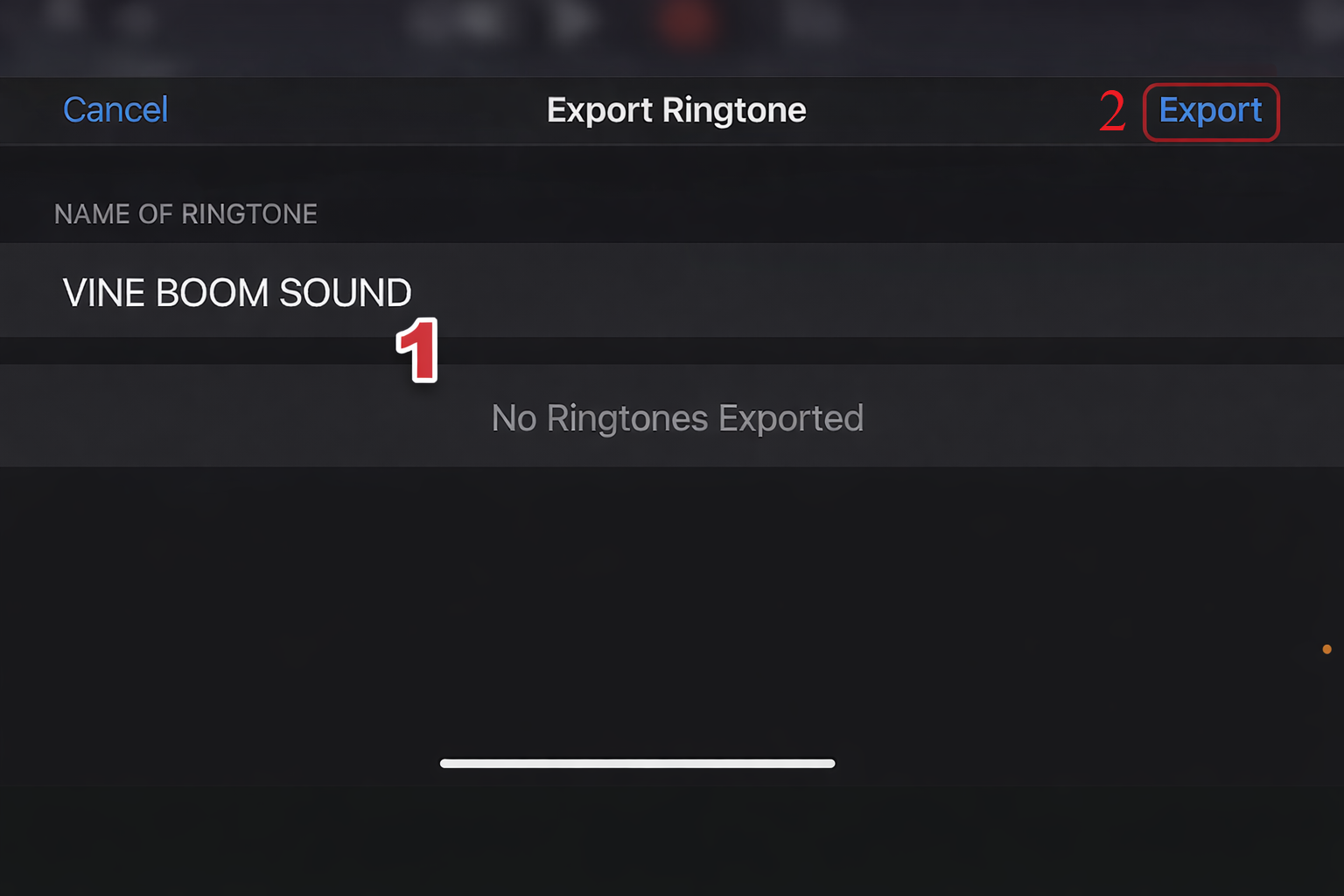
iPhone
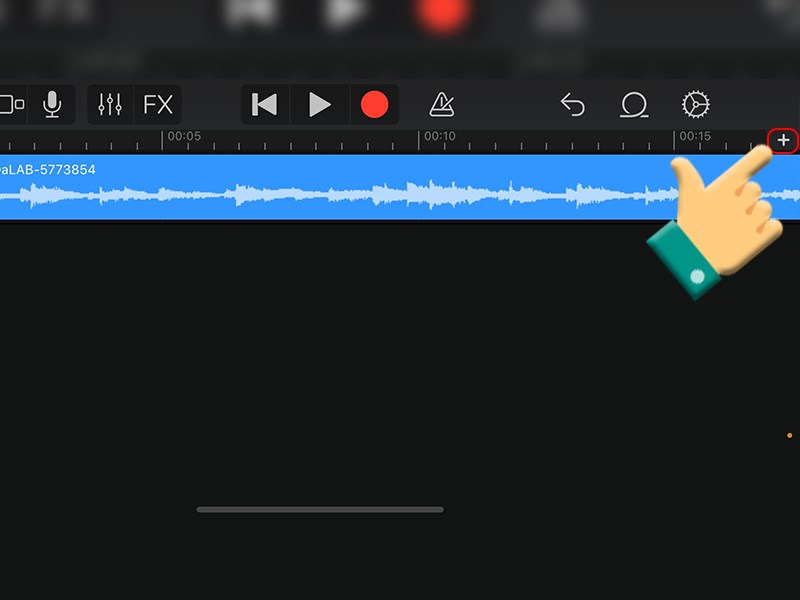
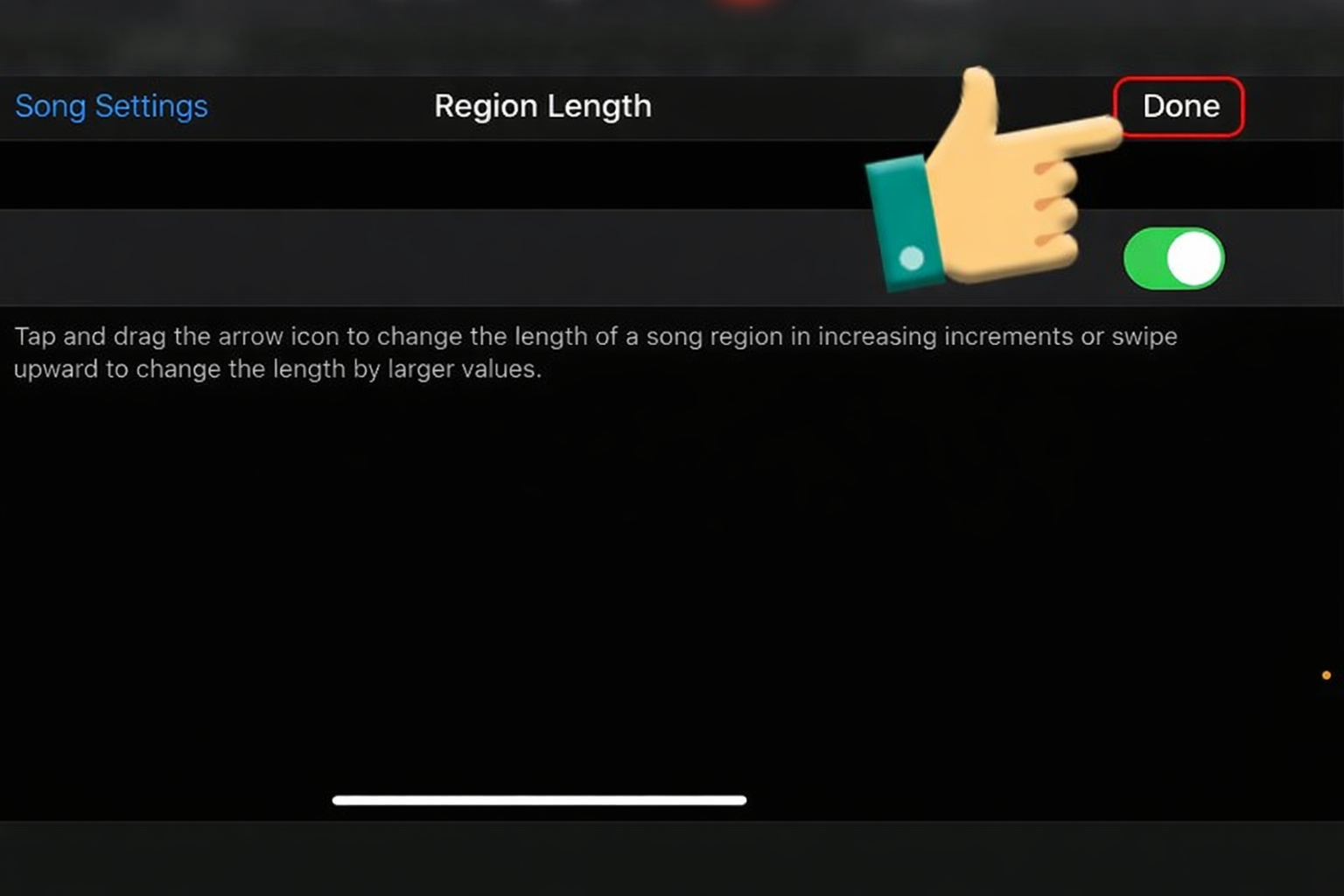
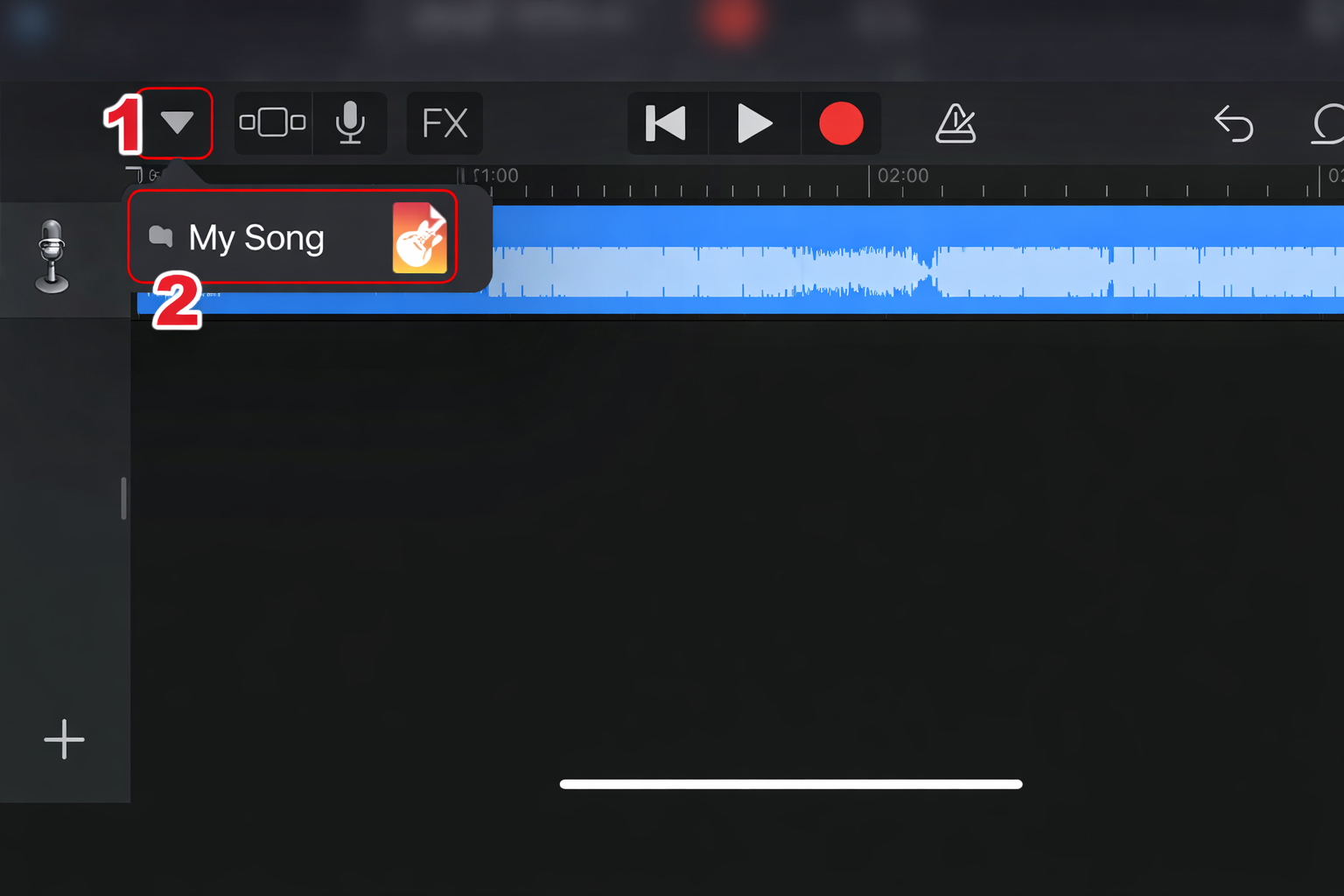
Import into GarageBand
Trim
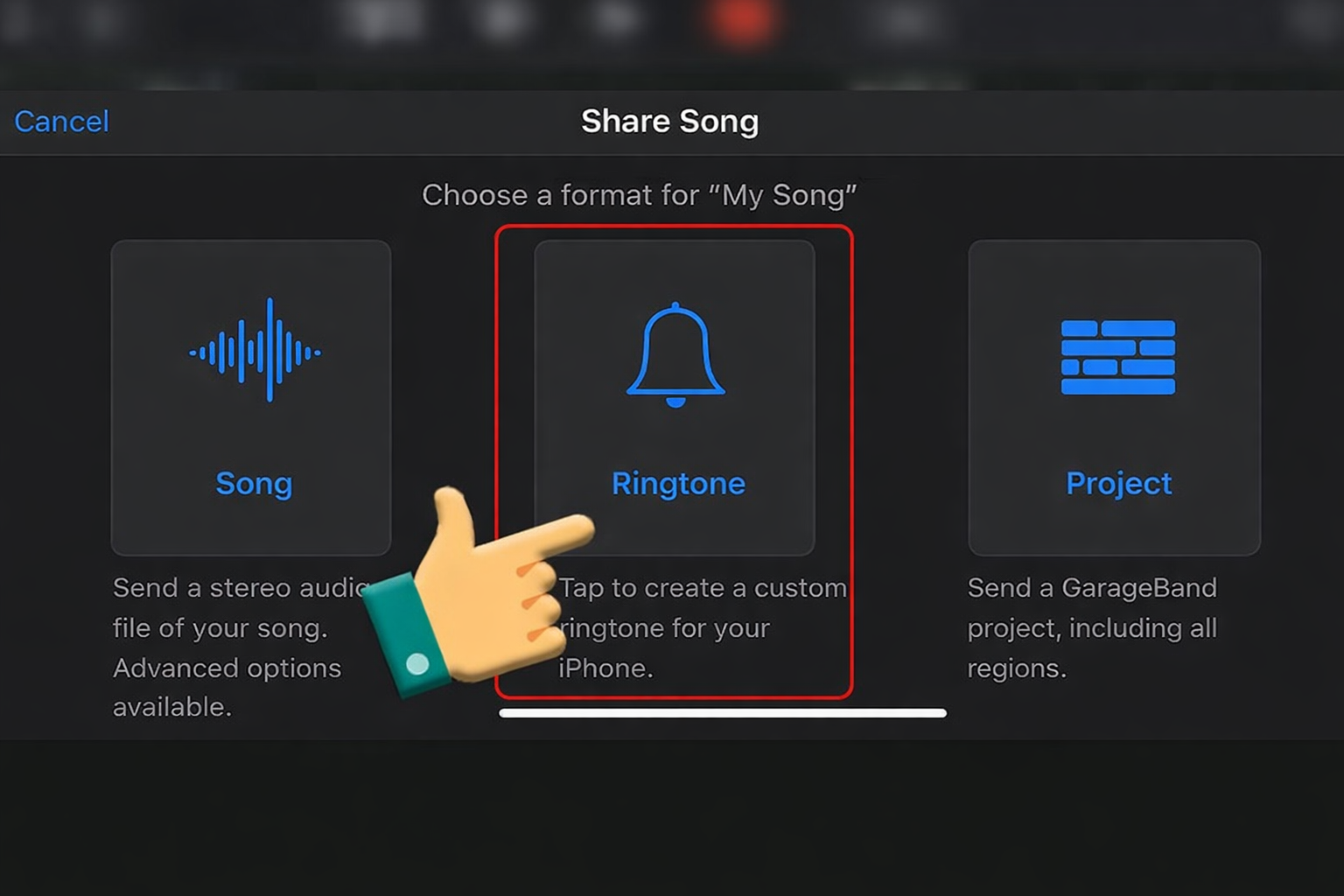
Export as ringtone
Set in Settings








Sound Variations & When to Use Them
| Version | Best Use |
|---|---|
| Distorted Version | Chaos edits |
| High Pitch | Absurd meme clips |
| Bass Boosted | Dramatic parody edits |
| Glitch Remix | Brainrot content |
These variations push the sound deeper into modern meme absurdity.
FAQ About the Anderdingus Sound
Is this sound copyrighted?
Most versions are community-created meme edits, but check the source for commercial use.
What format is best?
WAV – best quality
MP3 320kbps – best for sharing
What similar sounds can I use?
Goofy Ahh Sound
Skibidi-style sounds
Vine Boom
Random AI voice clips
These sounds share the same chaotic meme energy.
Videos Viral Using Anderdingus Soundboards
Below are viral clips where creators used the Anderdingus soundboard to amplify chaotic edits, surreal humor, and brainrot-style content. These examples show how randomness and unpredictability can turn simple clips into highly shareable meme videos.