
The Buffering Audio That Screams “Brain Not Connected”
What Is Lagging / Loading Soundboard
The Lagging / Loading Soundboard is built around digital glitch, buffering, and error-style sound effects that simulate:
Internet lag
Brain freeze
System crash
Connection loss
Common versions include:
Windows-style error buzz
Glitch stutter loop
Dial-up buffering parody
Spinning wheel “processing” sound
Robotic freeze distortion
It’s awkward.
It’s digital.
It instantly signals malfunction.
In meme culture, it represents someone mentally buffering.
The Vibe
Lagging / Loading lives in the cognitive failure zone.
It communicates:
“Brain.exe stopped working.”
Processing overload
Social awkwardness
Delayed reaction
Best used when:
Someone gets asked a hard question
A joke doesn’t land
A character freezes mid-sentence
A stream lags dramatically
Unlike jump scares, this one creates comedic delay.
Origin and Meme Spread
Lagging and buffering sounds originated from early internet and operating system UI design.
They became meme staples through:
TikTok awkward edits
Gaming lag compilations
Discord freeze reactions
Twitch stream glitches
Why they work:
Everyone has experienced lag
Audio glitch is instantly recognizable
It pairs perfectly with freeze frames
It exaggerates social awkwardness
Digital failure became comedic language.
Viral Editing Playbook
The Golden Timing Rule
Trigger lag sound:
Immediately after a hard question
During a blank stare
On freeze frame
When speech cuts mid-word
Add 0.3–0.5 seconds of silence before the glitch for stronger effect.
Gaming Scenario
Moment: Teammate misses an obvious play.
Execution:
Miss happens
Freeze frame
Glitch stutter audio
Slight zoom
It simulates brain disconnect.
Daily Vlog Scenario
Moment: Someone forgets what they were saying.
Pause
Loading sound
Text overlay “Buffering…”
Instant awkward meme.
Storytelling or TikTok Scenario
Moment: “So what’s 7 × 8?”
Person stares
Loading wheel overlay
Lag sound
Perfect for intelligence parody edits.
Pro Editor Techniques
| Technique | Why It Works |
|---|---|
| Add Freeze Frame | Sells malfunction |
| Insert Subtle Glitch Effect | Enhances realism |
| Keep Clip Under 2s | Avoids fatigue |
| Lower Background Audio | Highlights lag |
Advanced tip: Slightly pitch-shift glitch for unique branding.
Multi-Platform Technical Guide
For Video Editors CapCut and Premiere Pro
CapCut
Import footage
Add lag/glitch SFX
Place on SFX track
Align with freeze moment
Adjust gain
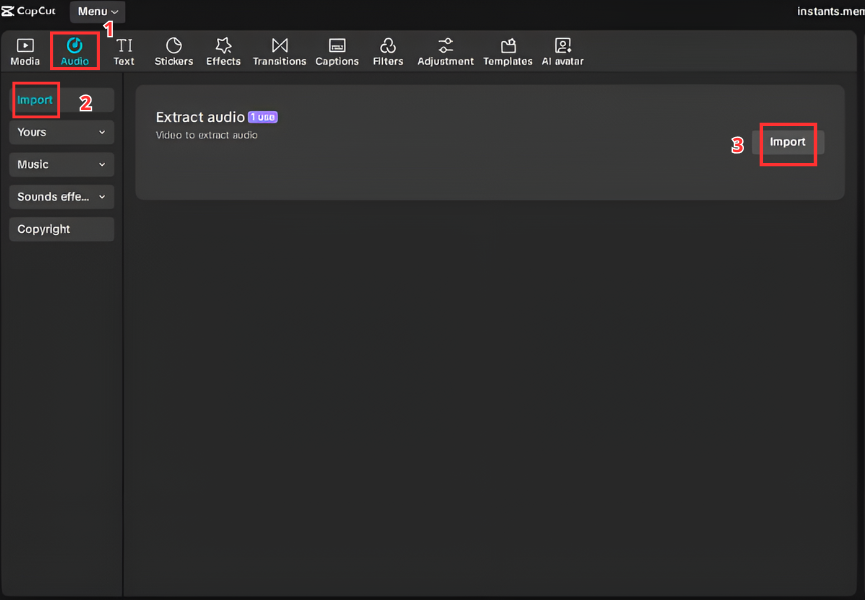
Adobe Premiere Pro
Import audio clip
Drag to SFX track
Zoom timeline
Align glitch start to freeze frame
Trim cleanly
Pro tip: Add slight RGB glitch visual effect for full impact.
For Streamers and Gamers Discord and OBS
Discord Soundboard Setup
Open Server Settings
Navigate to Soundboard
Upload glitch clip
Assign emoji trigger
Adjust playback level


OBS Hotkey Setup
Add Media Source
Select glitch file
Disable looping
Assign hotkey
Test during preview
Perfect for ironic “stream lag” jokes.
Mobile Setup Ringtone and Notifications
Android
Download MP3
Move to Notifications folder
Open Settings → Sound
Select tone
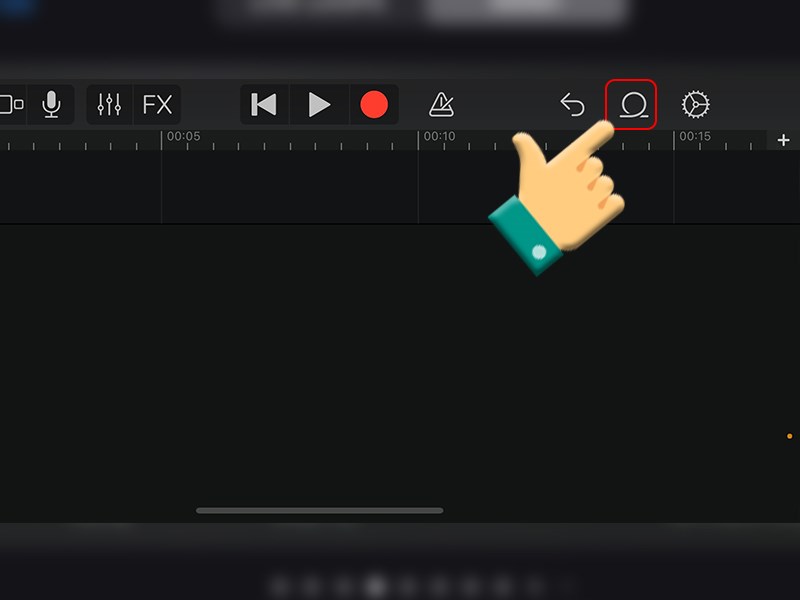
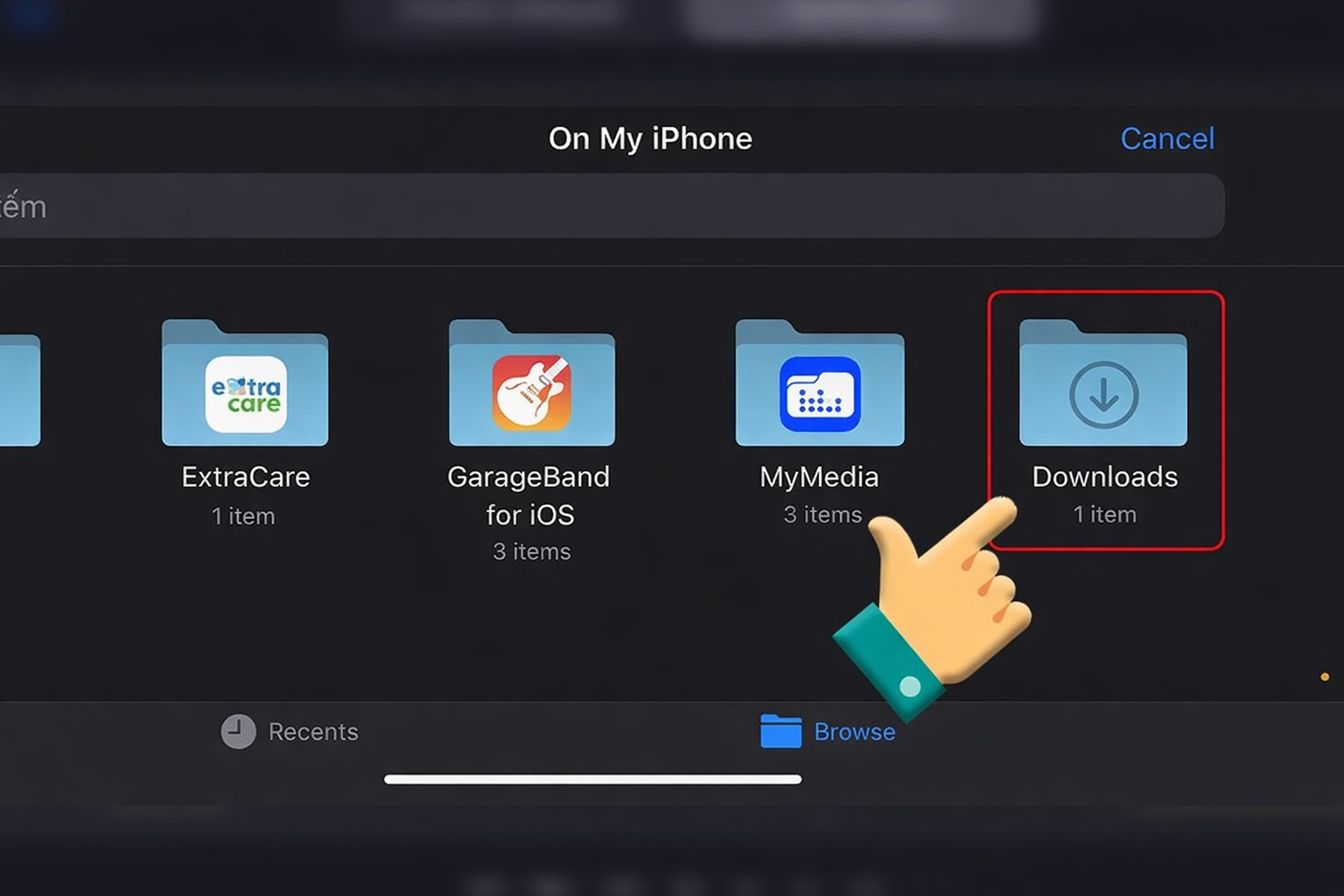
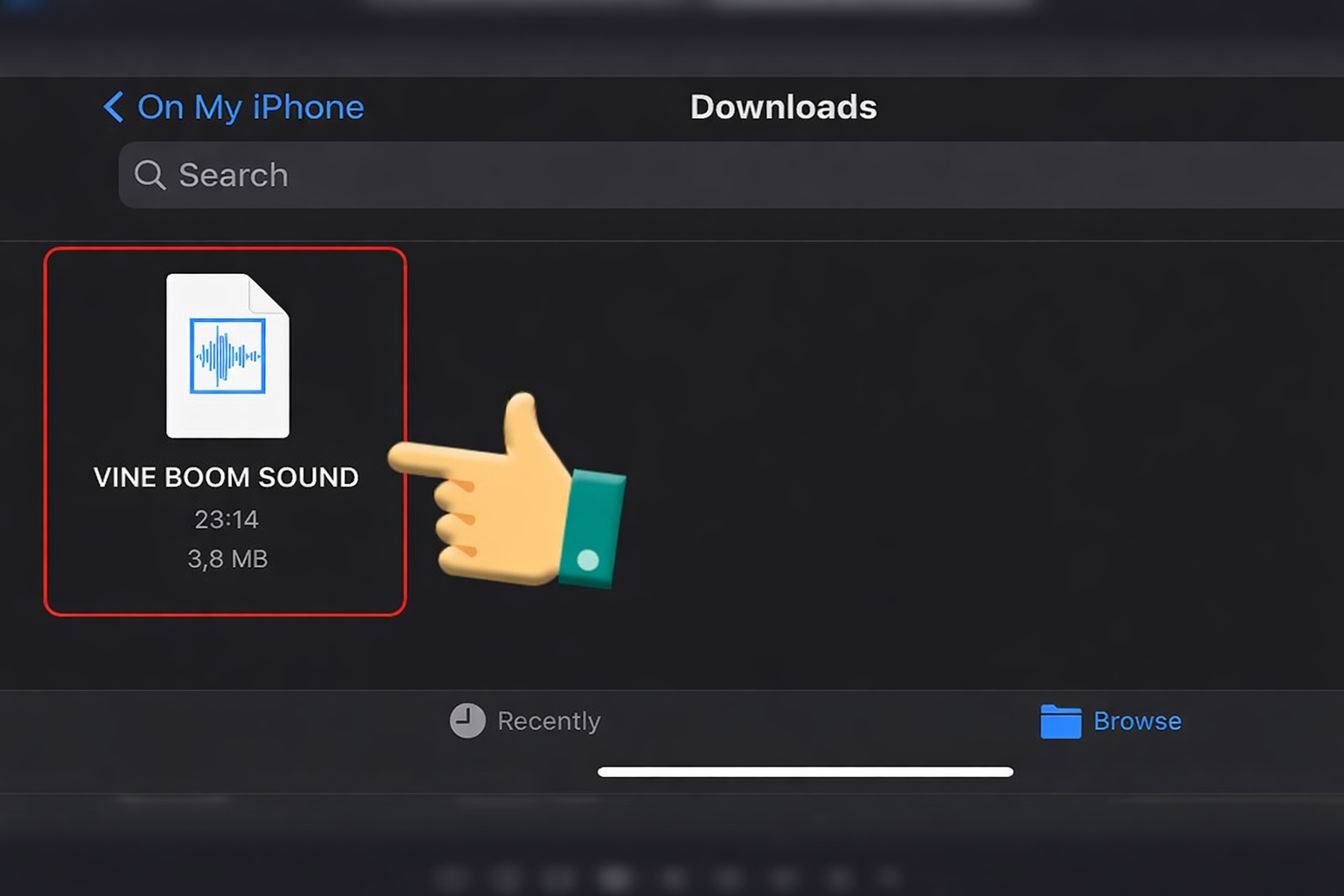
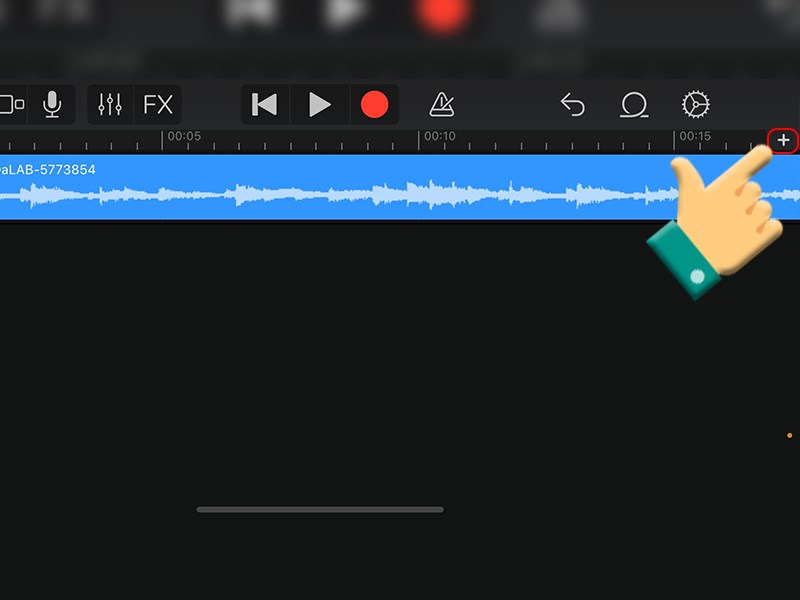
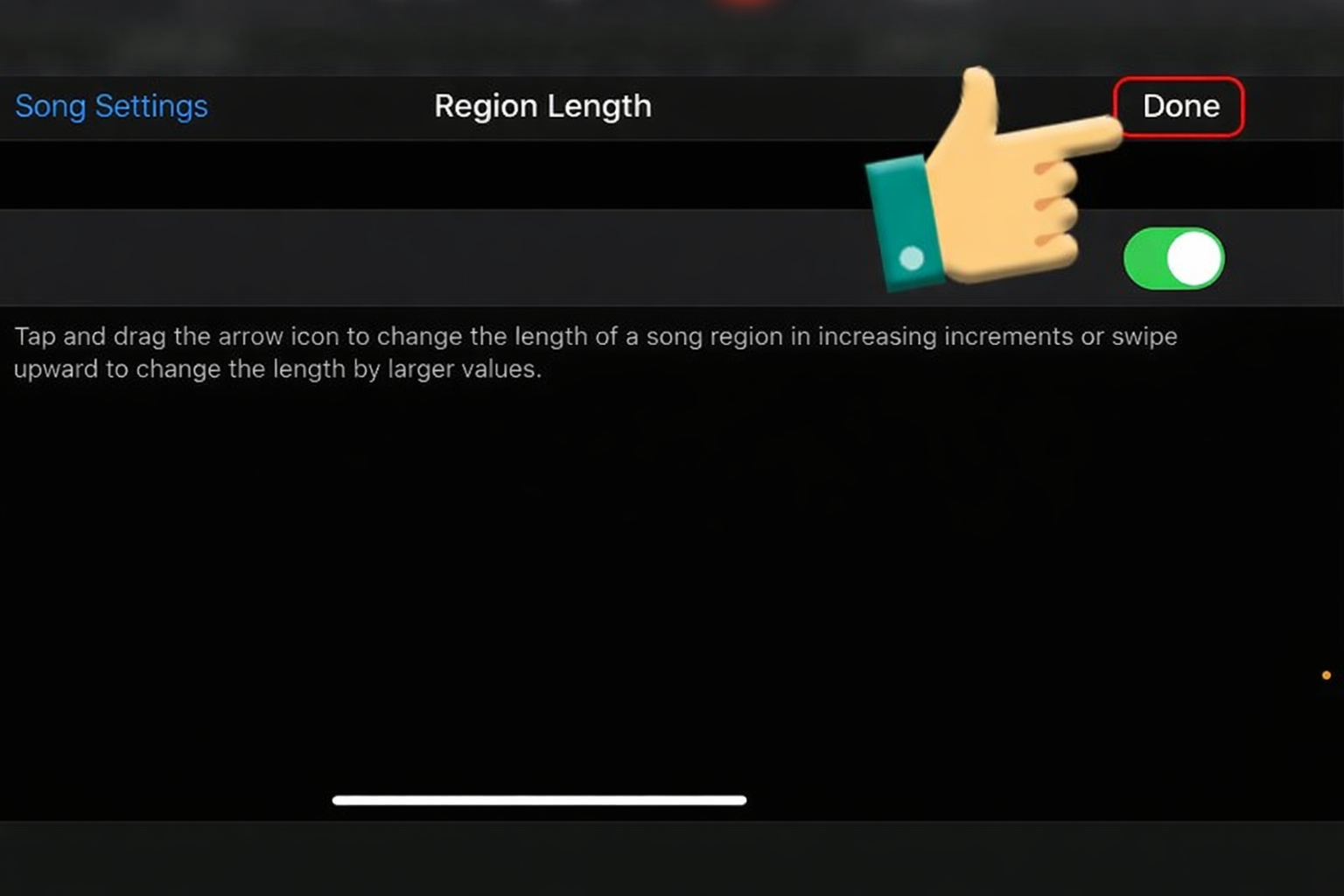
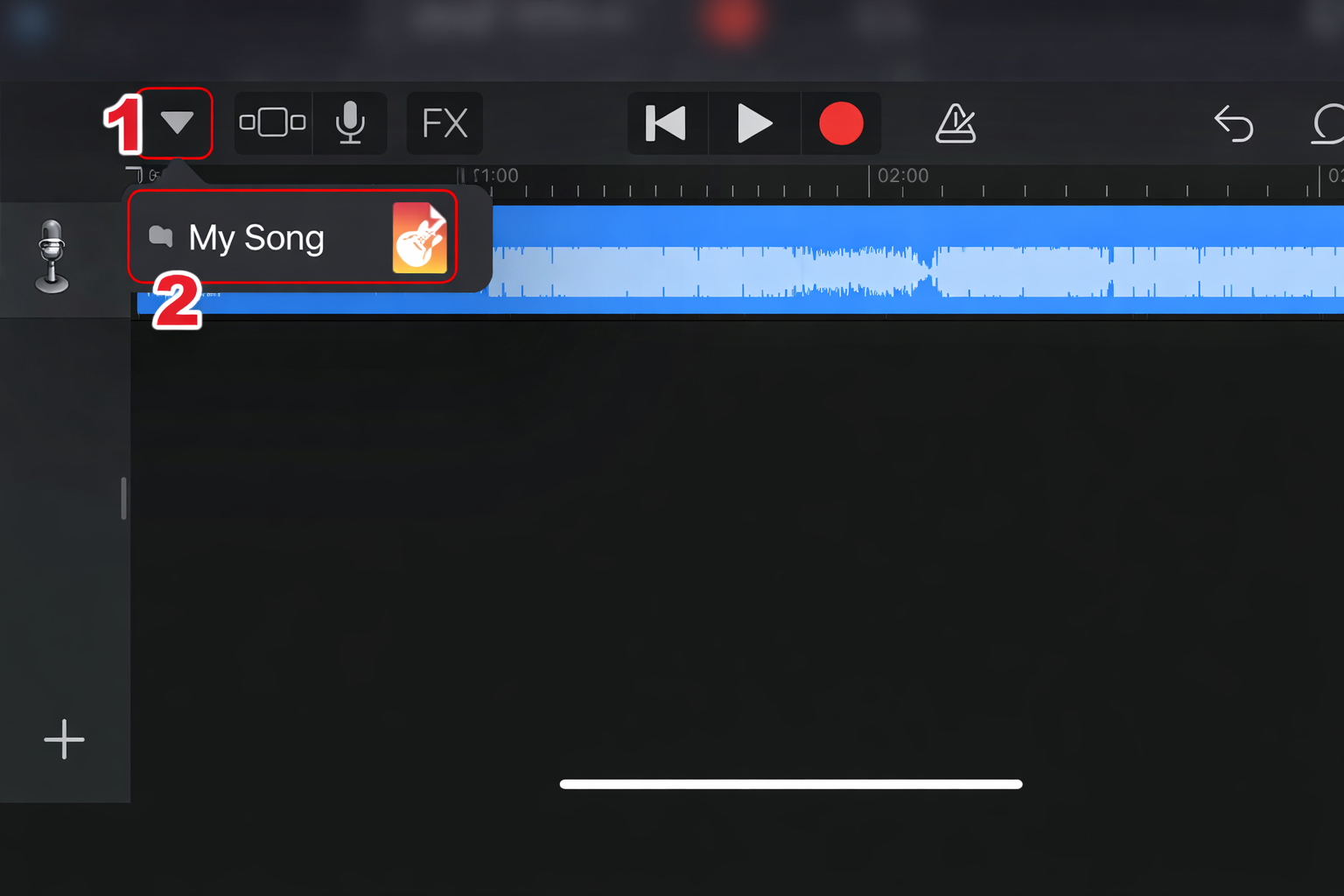
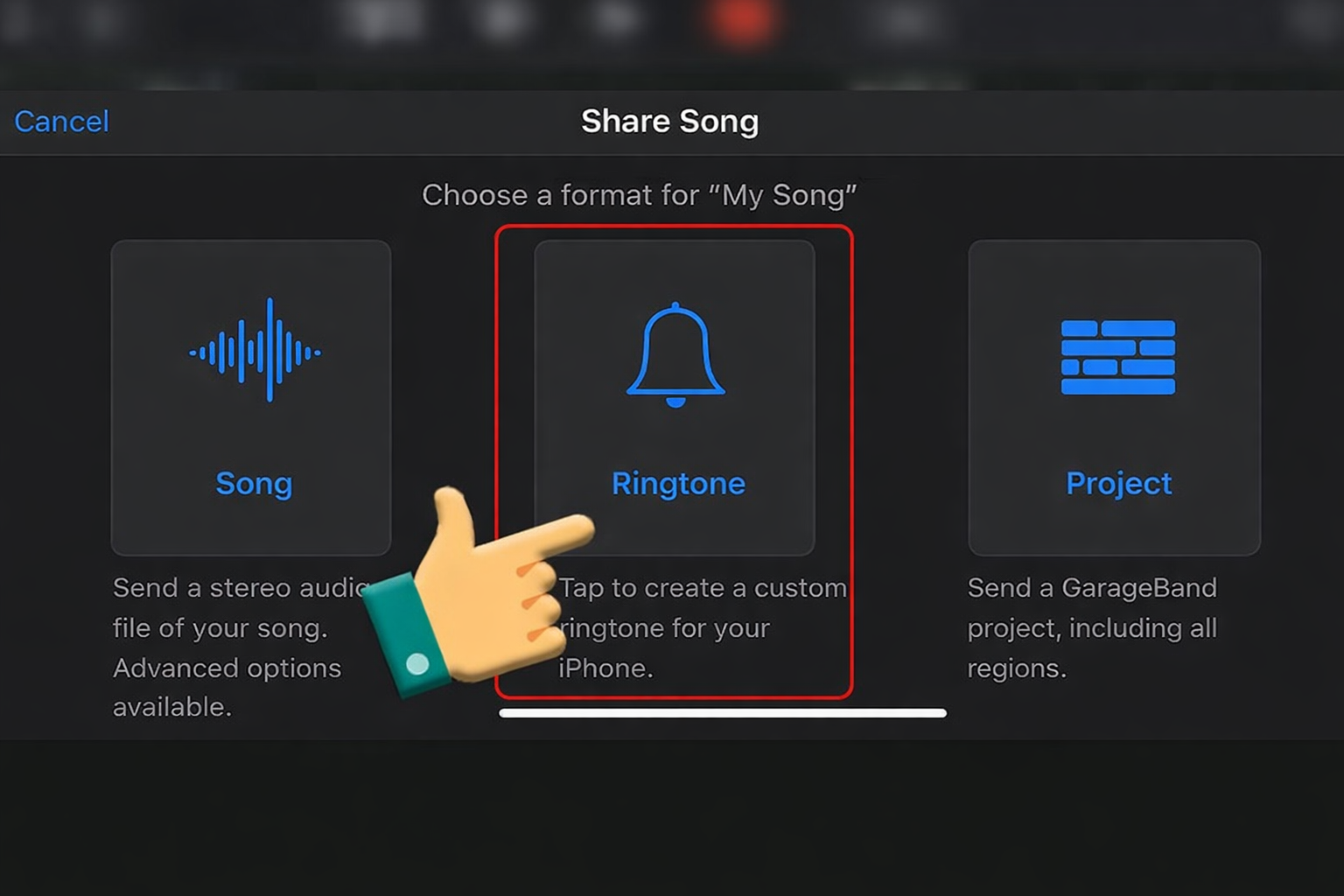
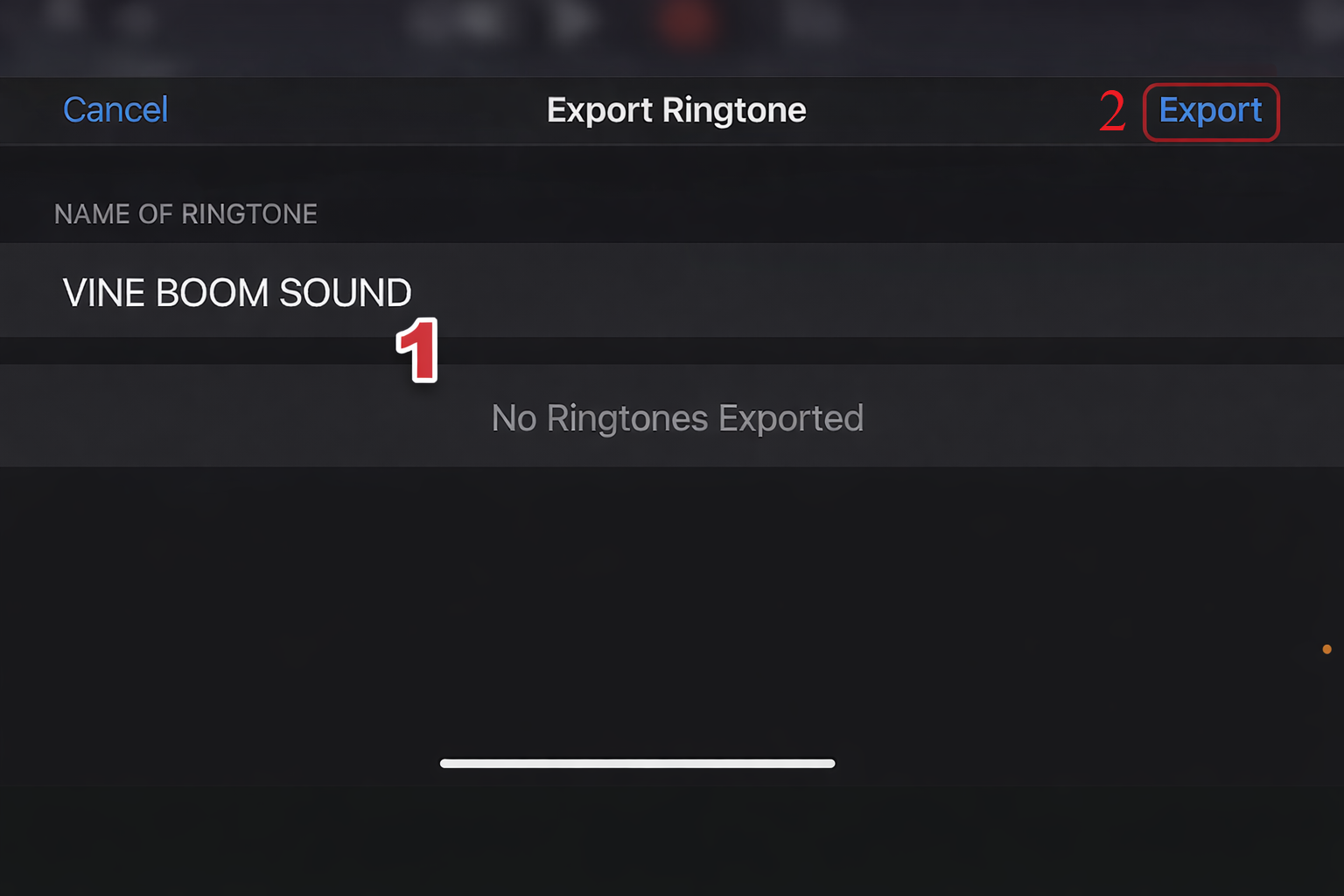
iPhone Using GarageBand
Import clip
Trim under 30 seconds
Export as ringtone
Set as alert








Variations and When to Use Them
| Version | Best Use Case |
|---|---|
| Short Glitch Buzz | Quick reaction edit |
| Buffering Loop | Longer awkward pause |
| Robotic Stutter | Gaming memes |
| Error Beep | Subtle interruption |
| Distorted Crash | Chaos compilation |
Short glitch bursts perform best in short-form content.
Frequently Asked Questions
Are lagging or loading sounds copyrighted?
Generic glitch and error SFX are often royalty-free, but always verify the source pack.
Why does it work so well in memes?
Because everyone understands the feeling of “mental buffering.”
What sounds are similar in awkward energy?
Discord Leave Noise
Huh? Ceeday
Snore mimimimi
Slap Hard (for harder correction)
Each represents different types of social failure.
Lagging / Loading Soundboard isn’t loud chaos.
It’s digital awkwardness.
A brain-buffer indicator.
A freeze-frame amplifier.
Use it strategically, and your edits go from average to meme-certified.
Videos viral using Lagging / Loading Soundboard
Below are trending awkward interview TikToks, gaming lag compilations, math-question reaction memes, and Discord freeze edits that used the Lagging / Loading Soundboard to simulate mental buffering. Notice how creators combine a freeze frame with a subtle zoom before triggering the glitch — that delay-driven timing is the viral blueprint.