
The Rehehehe soundboard is a short, mischievous laugh sound often used in meme edits to represent sneaky humor, playful trolling, or someone getting away with something silly. The laugh usually sounds like a drawn-out “re-he-he-he”, giving it a slightly cartoonish and teasing vibe.
Because the laugh feels lighthearted rather than evil, it works perfectly in videos where someone does something cheeky or mildly chaotic.
The Vibe of the Sound
The Rehehehe sound carries a distinct comedic tone:
😏 Sneaky mischief
😂 Playful trolling
🎭 Cartoon-style humor
😈 Light villain energy
It’s not meant to sound scary or dramatic. Instead, it feels like the laugh someone makes after pulling off a harmless prank.
Perfect Moments to Use It
Editors often use this sound in moments such as:
A prank being successfully pulled off
A gamer secretly sabotaging teammates
Someone hiding something funny from their friends
A character doing something sneaky
The humor comes from the implied “I knew that would happen” energy.
Origin & Meme History
The Rehehehe laugh belongs to a category of meme sounds inspired by cartoon villain laughs and playful giggles that spread across internet editing culture.
Many variations of the sound appeared in:
meme edits
YouTube gaming clips
Discord trolling soundboards
Why It Became Popular
Several things helped the sound become widely used.
1. Universal humor
A mischievous laugh instantly communicates someone being sneaky.
2. Short and punchy
The sound is quick, making it ideal for fast meme edits.
3. Streaming and Discord culture
Soundboards in gaming communities made laugh sounds popular tools for trolling.
Where You’ll Hear It Today
The sound commonly appears in:
TikTok meme edits
YouTube Shorts
Twitch stream highlights
Discord soundboards
Gaming montage clips
Because of its playful tone, it fits almost any lighthearted trolling moment.
Viral Video Editing Guide (Creative Coaching)
The Golden Timing
The Rehehehe sound works best right after a sneaky action succeeds.
Good timing examples:
After a prank lands perfectly
When someone tricks a friend
When a gamer steals loot
When someone gets away with something funny
The laugh should trigger immediately after the action, reinforcing the mischievous moment.
Scenario 1 – Gaming Clip
Situation:
A player steals rare loot before teammates notice.
Editing idea:
Show the loot drop
Player quietly grabs it
Insert Rehehehe laugh
Optional effects:
Zoom on character
Subtitle text: “hehehehe”
Small screen shake
This emphasizes the sneaky success moment.
Scenario 2 – Daily Vlog Moment
Situation:
Someone hides snacks from their friend.
Editing flow:
Friend leaves the room
Snacks are hidden
Insert Rehehehe
This turns the moment into a playful prank scene.
Scenario 3 – TikTok Storytelling
Situation:
A story about a clever trick someone pulled.
Editing structure:
Narration builds the situation
Reveal the trick
Insert Rehehehe laugh
The sound acts as a comedic punchline.
Pro Editing Tips
Gain Settings
The laugh should be audible but not overpower the clip.
| Setting | Recommended |
|---|---|
| Gain | +2dB |
| Fade Out | 0.2s |
| Peak Limit | -1dB |
Add Light Reverb
A small amount of reverb can make the laugh sound more playful and cartoon-like.
Combine With Visual Effects
Editors often pair the sound with:
Zoom reaction
Subtitle text
Sneaky character highlight
Light screen shake
These effects enhance the mischievous vibe.
Multi-Platform Technical Guide
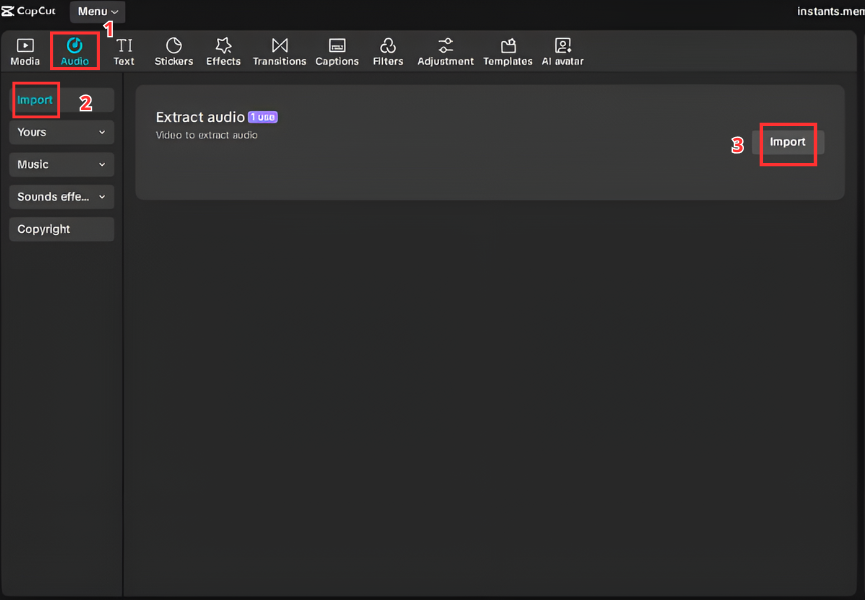
A. Video Editors (CapCut & Premiere Pro)
Adding the sound into your editing timeline is quick.
Steps
Download the Rehehehe MP3
Open CapCut or Adobe Premiere Pro
Import the audio file
Drag it into the timeline
Place it right after the sneaky moment
Adjust timing if needed
B. Streamers & Gamers (Discord & OBS)
The sound is perfect for trolling during live streams.
Discord Soundboard Setup
Open Discord Server Settings
Navigate to Soundboard
Upload the Rehehehe audio file
Assign a trigger button
OBS Hotkey Setup
Open OBS Studio
Add a Media Source
Select the audio file
Assign a Hotkey
Now you can play the sound instantly during live streams.


C. Mobile (Ringtone & Notifications)
The sound can also be used as a fun notification tone.
Android
Download the MP3
Open Settings → Sound
Select Notification tone
Choose the file
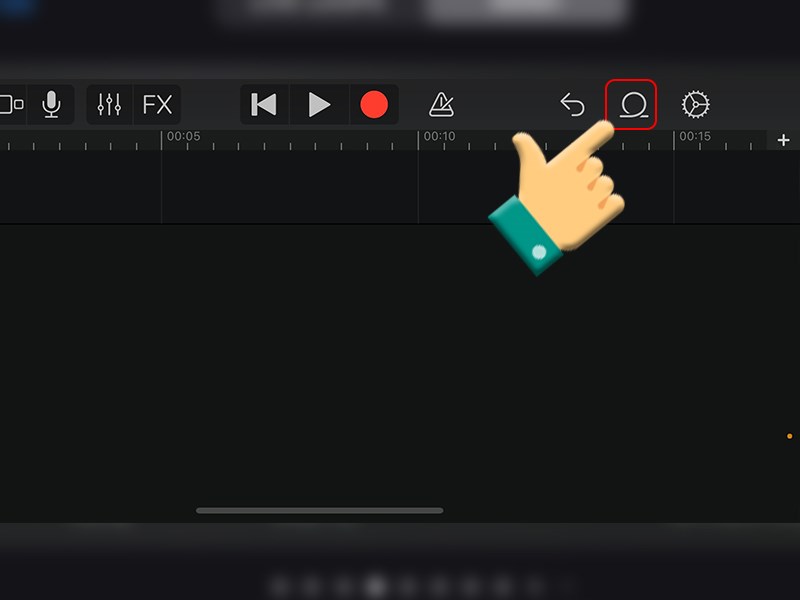
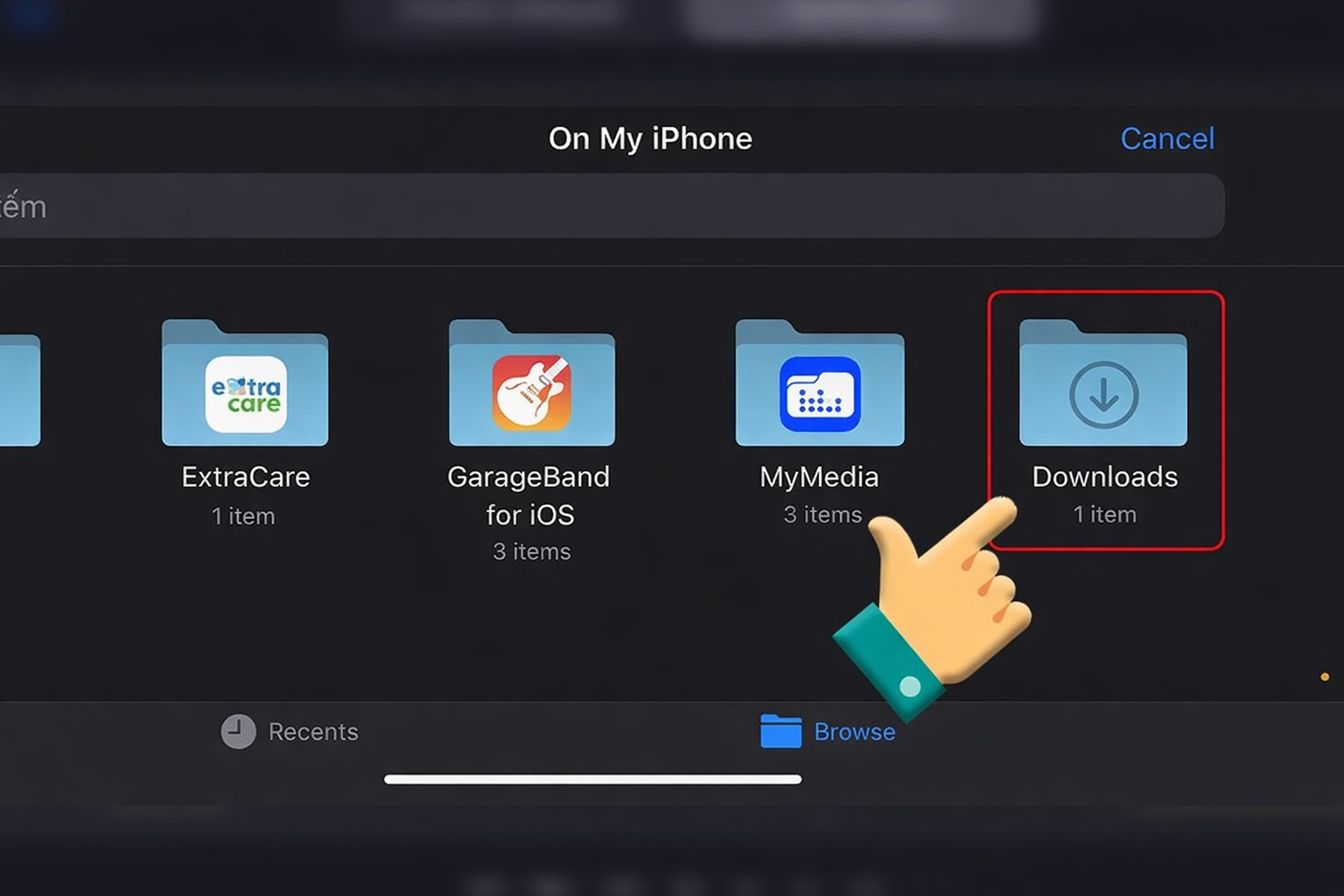
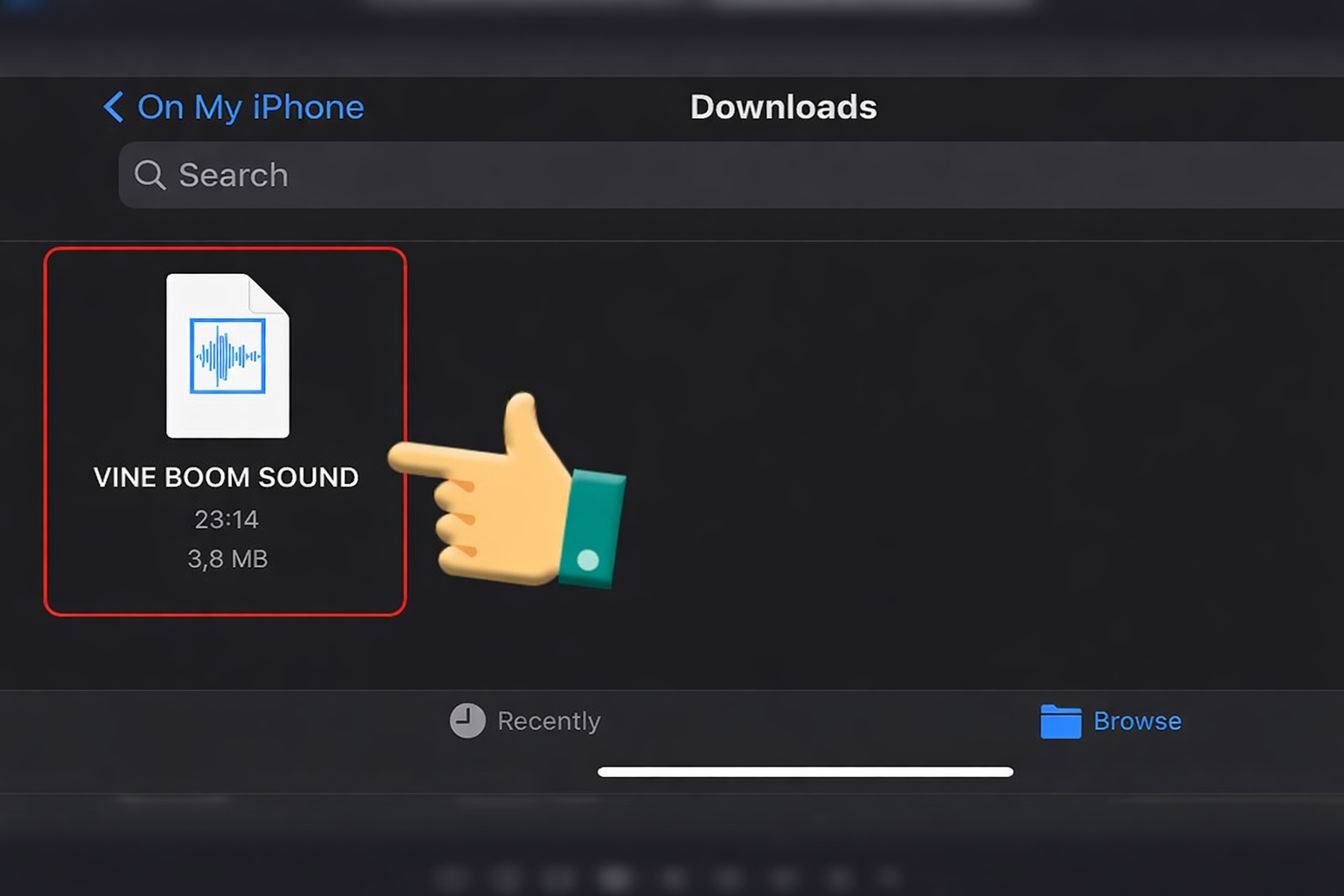
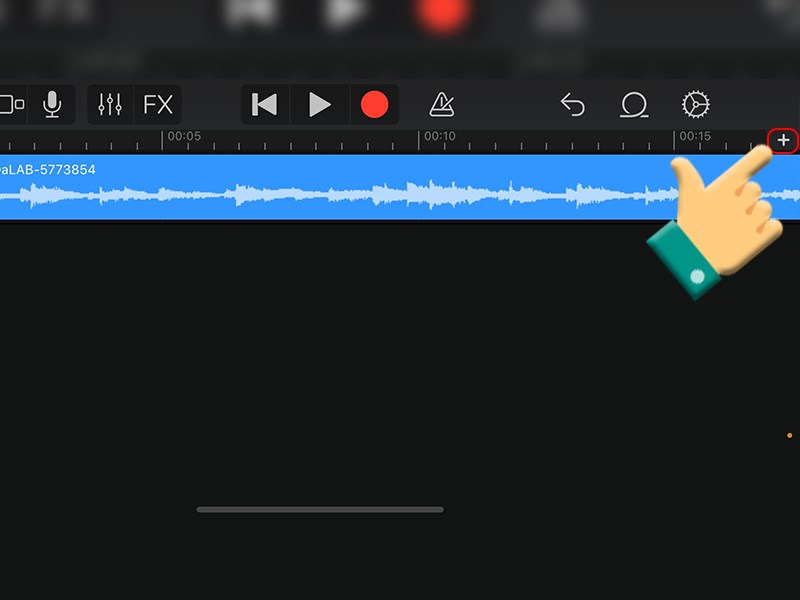
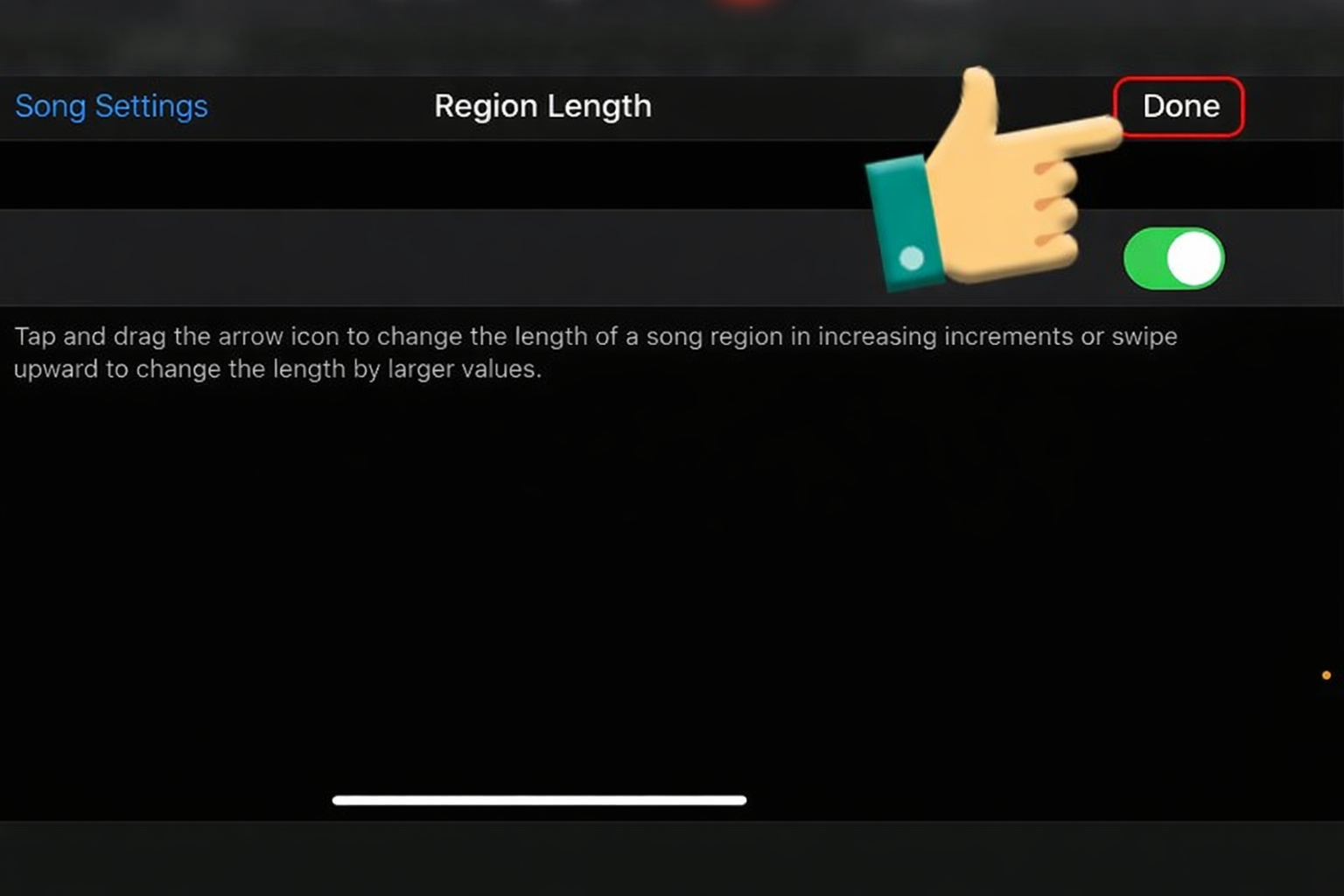
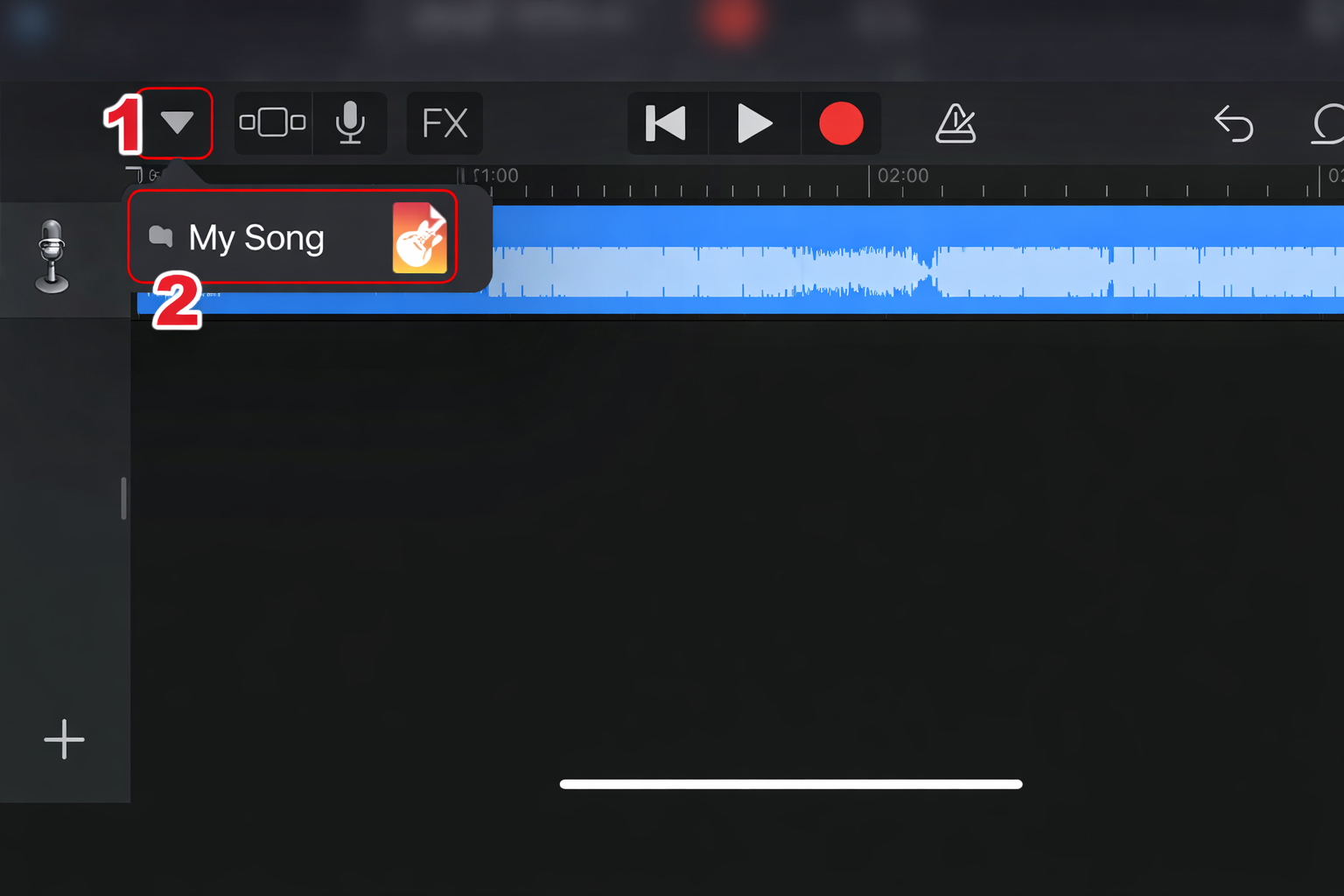
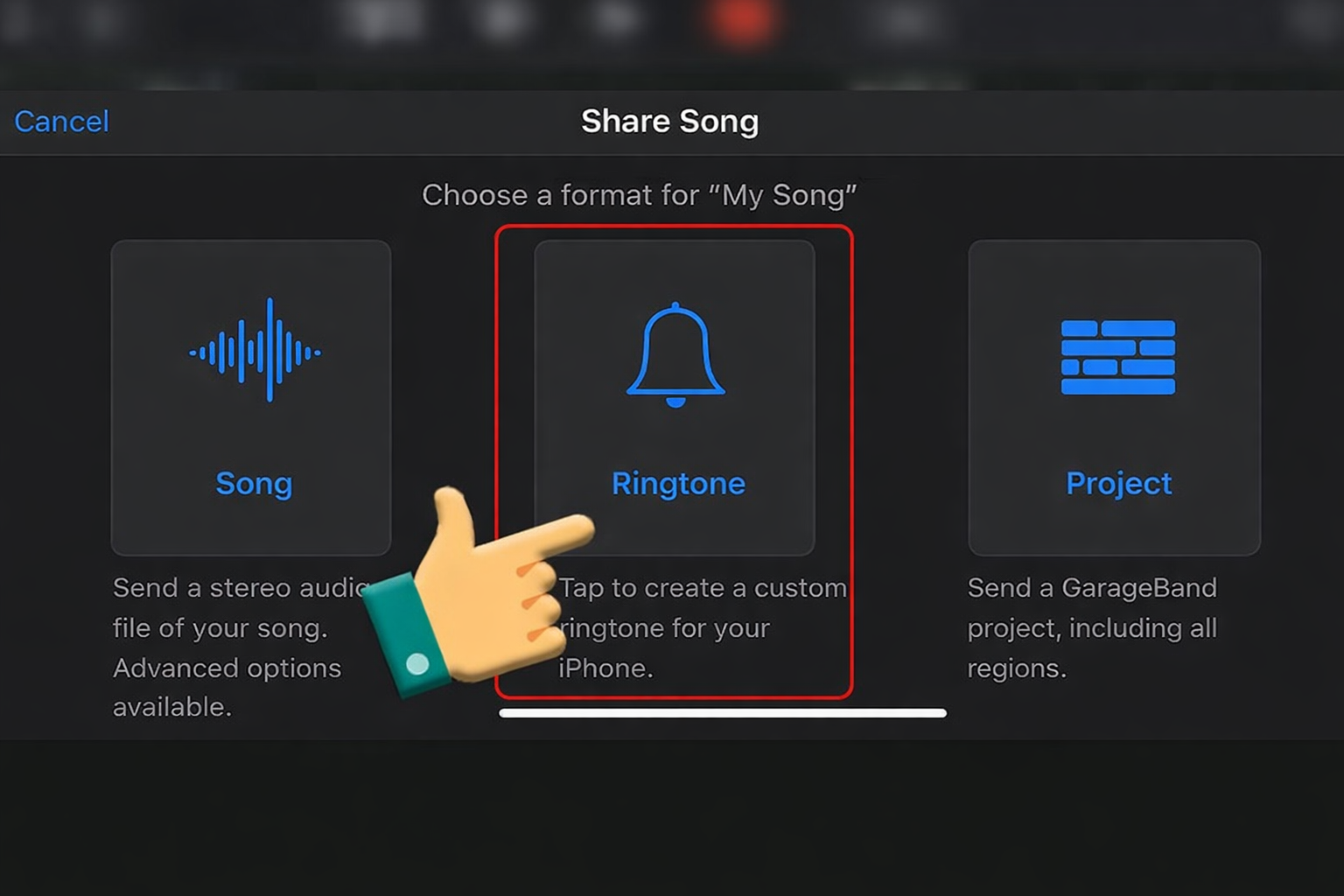
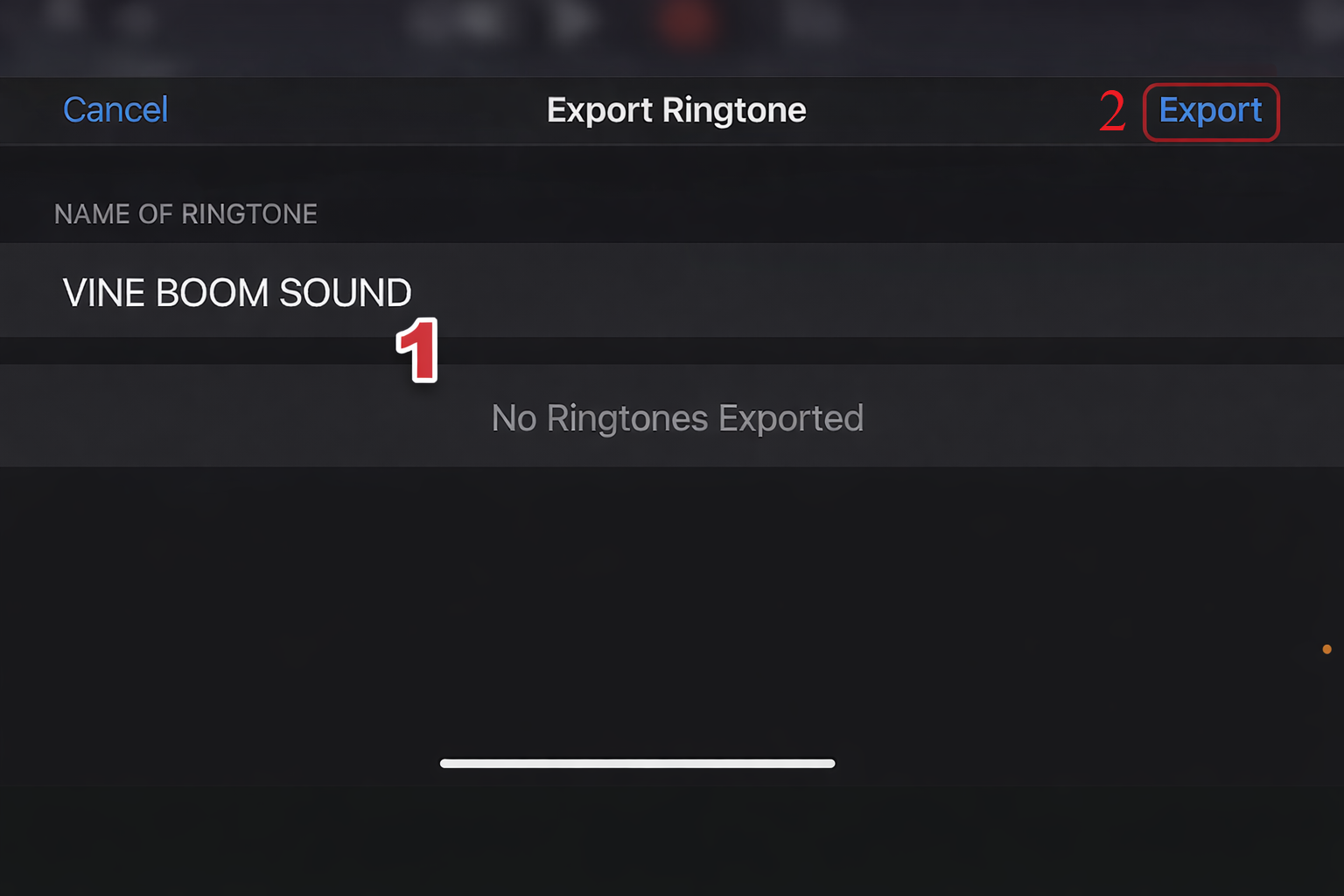
iPhone (GarageBand Method)
Import the MP3 into GarageBand
Trim the audio
Export as Ringtone
Set it in Settings








Sound Variations & Meme Remixes
Editors sometimes remix the laugh for different comedic styles.
| Version | Best Use |
|---|---|
| High Pitch | Cartoon-style memes |
| Bass Boosted | Dramatic trolling moments |
| Slowed + Reverb | Cinematic villain humor |
| Echo Version | Sneaky suspense edits |
These variations help keep the meme fresh across different edits.
FAQ About the Rehehehe Sound
Is the Rehehehe sound copyrighted?
Many versions online are community meme edits, but always check the source before using it in monetized content.
What file format should I download?
Recommended formats:
WAV – best quality for editing
MP3 (320 kbps) – best for soundboards and uploads
What sounds are similar?
If you enjoy the Rehehehe soundboard, you may also like:
Evil Laugh Soundboard
Goofy Laugh Sound
Vine Boom
Bruh Sound Effect
These sounds are commonly used for comedic reaction edits.
Videos Viral Using Rehehehe Soundboards
Below are viral clips where creators used the Rehehehe soundboard to highlight sneaky gaming moments, playful pranks, and mischievous meme edits. These examples show how a simple laugh sound can instantly turn an ordinary clip into a humorous, shareable meme moment.