
Trim MP3 with 0.1s Precision for Memes
Have you ever clicked a meme button on a soundboard, only to feel a tiny, annoying delay before the sound actually plays? That split-second gap—often just half a second of silence—can ruin a punchline, destroy a “troll” moment in a livestream, or make your video editing feel amateur.
To create a professional-grade meme button like those found on Instants.Meme, you need more than just a basic trim. You need to trim MP3 with 0.1s precision for memes. In this guide, I’ll show you exactly how to achieve that “Zero-Latency” feel using free online tools.
Why 0.1-Second Precision is a Game Changer
In the world of internet humor, timing is everything. A professional meme button must have “Instant Attack.” This means the audio waveform should start the exact millisecond the user clicks. When you trim MP3 with 0.1s precision for memes, you eliminate the two biggest killers of comedy:
The Lag Problem: Most basic trimmers leave a small “buffer” of silence at the beginning. This causes a delay that makes the sound feel disconnected from the action. Professional sound design aims for audio latency below 10ms to ensure the human brain perceives the sound as instantaneous.
The “Pop” Problem: If you cut a file mid-wave without precision, you’ll hear a digital “click” or “pop” that sounds harsh to the ears. This is why precision tools are vital for high-quality audio production.
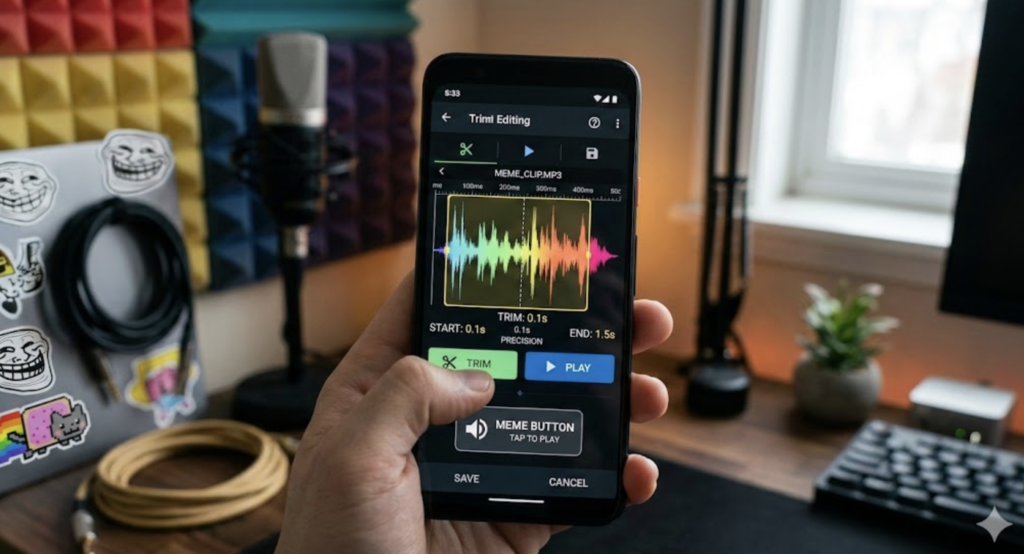
Top 3 Online Tools for Frame-Perfect Trimming
To get that 0.1s accuracy, you need a tool that allows for manual numerical entry or high-level zooming. Here are my top picks:
123Apps (Online MP3 Cutter): The best overall for precision. It allows you to type in the exact start and end times down to the millisecond.
AudioTrimmer: Excellent for mobile users. It’s simplified but very stable for quick edits.
Clideo: Ideal if you want to add a tiny “Fade-in” or “Fade-out” to prevent that digital popping sound.
Step-by-Step: How to Trim Like a Pro
Step 1: Upload a High-Quality Source
Always start with a clean file. If your source is already grainy, trimming won’t save it. For the best “raw material,” I recommend checking out the Top 50+ TikTok Meme Sounds Taking Over 2026 to find high-bitrate versions of trending sounds.
Step 2: Identify the “Start Point” Using Waveform Zoom
Don’t rely on your eyes alone; use the zoom function.
Zoom In: Expand the waveform until you can see the individual peaks.
Find the Rise: Look for the exact moment the flat line begins to vibrate upward.
Manual Entry: Instead of dragging the slider with your mouse, type the time manually. To trim MP3 with 0.1s precision for memes, change 00:02.50 to 00:02.10 to hit the start of the sound perfectly.
Step 3: Set the End Point and Apply “Micro-Fades”
A common mistake is leaving too much “tail” at the end of a meme. Cut the file the moment the sound starts to decay.
Pro Tip: Apply a 0.05s Fade-out. This is so short the human ear won’t perceive a volume drop, but it’s long enough to prevent the speaker from making a “ticking” noise when the file stops playing.
Critical Considerations for Meme Buttons
When preparing sounds for a soundboard—whether you are using a pre-made one or learning how to build a personal soundboard with Node.js—keep these technical specs in mind:
Bitrate: 128kbps is the “sweet spot.” It provides clear audio while keeping the file size small enough to load instantly on a webpage.
Normalization: If your trimmed clip is too quiet, use an “Effect > Normalize” tool to bring the peak volume to -1dB. This ensures your “Emotional Damage” clip hits just as hard as your “Metal Pipe” crash.
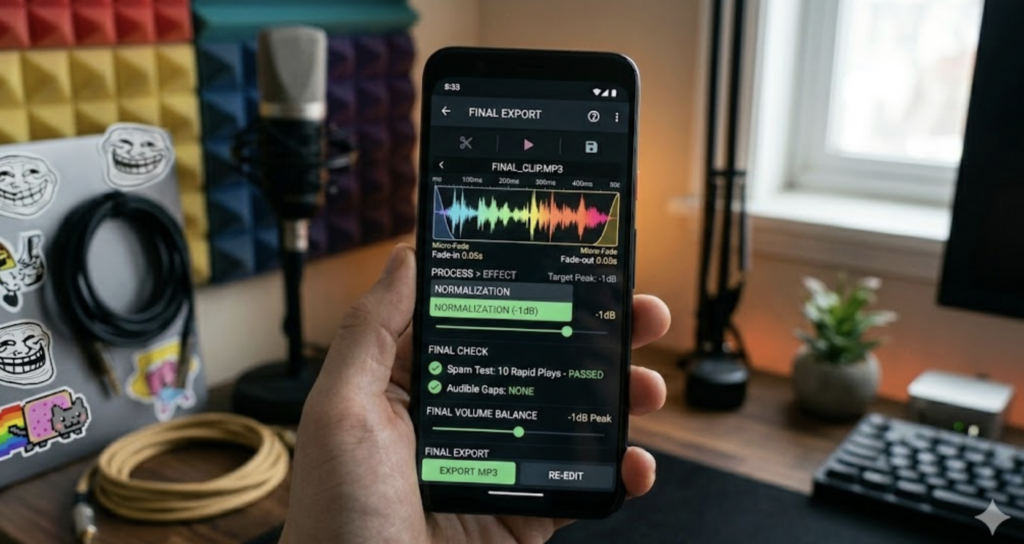
Final Testing: The “Spam” Test
Before you finalize your button, perform the “Spam Test.” Open your trimmed file and click “Play” repeatedly and rapidly. If the sound restarts instantly without any audible gap or “hiccup,” you’ve mastered the technique to trim MP3 with 0.1s precision for memes.
Conclusion
Precision trimming is the difference between a “funny video” and a “viral masterpiece.” By taking the extra time to zoom into that waveform and eliminate every millisecond of silence, you ensure your audience feels the impact of the joke immediately.
Ready to test your skills? Try trimming a fresh clip from our Evolution Mega Knight Soundboard and see how much better a perfectly timed button feels!
Do you have a meme sound that is particularly hard to cut? Drop the link in the comments, and I’ll help you find the perfect timestamps!