
The Pop SFX soundboard is a short, punchy “pop” sound effect commonly used in video editing to emphasize:
Text appearing on screen
Reaction zooms
UI animations
Object transitions
It’s one of the most versatile micro-sounds in meme and content editing. Unlike loud impact effects, the pop is clean, fast, and controlled.
Think of it as:
The audio version of a sticker appearing
A comic bubble forming
A button being pressed
🎧 The Vibe
Pop SFX works best when:
Text overlays appear
Emojis pop onto screen
A face zoom punch happens
Something small but important is revealed
It feels light.
It feels animated.
It feels intentional.
This sound adds rhythm to edits without overpowering them.
Origin & Editing Culture Spread (E-E-A-T Breakdown)
Pop sounds originate from cartoon Foley libraries and UI sound design packs. They became essential in short-form editing culture through platforms like TikTok and YouTube.
As fast-paced editing styles evolved (2022–2026), creators began layering micro sound effects to enhance engagement. The pop became a staple because:
| Factor | Why It Works |
|---|---|
| Short duration | Doesn’t clutter audio |
| Clean transient | Easy to sync |
| UI-friendly | Matches text animations |
| Non-distracting | Works under dialogue |
It’s subtle but professional.
Viral Video Editing Playbook (Creative Coaching)
🎯 The Golden Timing Rule
Place Pop SFX:
Exactly on the first frame of animation
On keyframe scale peaks
When emoji or sticker appears
During quick zoom transitions
Frame-perfect sync matters.
Even 2 frames off can feel sloppy.
Real-World Scenarios
🎮 Gaming Scenario
Moment: Kill counter increases.
Execution:
Number increases
Pop SFX hits
Micro zoom pulse
Adds polish to gameplay UI.
📹 Daily Vlog Scenario
Moment: Adding on-screen caption.
Execution:
Text appears
Pop SFX at -6dB
Quick scale animation
Feels dynamic and modern.
🎭 TikTok POV Scenario
Moment: Reveal punchline word.
Execution:
Word zooms in
Pop SFX synced
Subtle motion blur
Now the text has impact.
🎚 Pro Editing Tips
Gain:
Keep between -8dB and -5dB. It should support, not dominate.
EQ:
Slight high-frequency boost (3–5kHz) enhances clarity.
Layering:
Pair with subtle click or UI tap for tech-style edits.
Visual Pairing:
Scale from 95% → 100%
Ease in/out keyframes
Light shadow pop
Pop SFX is about precision.
Multi-Platform Technical Guide
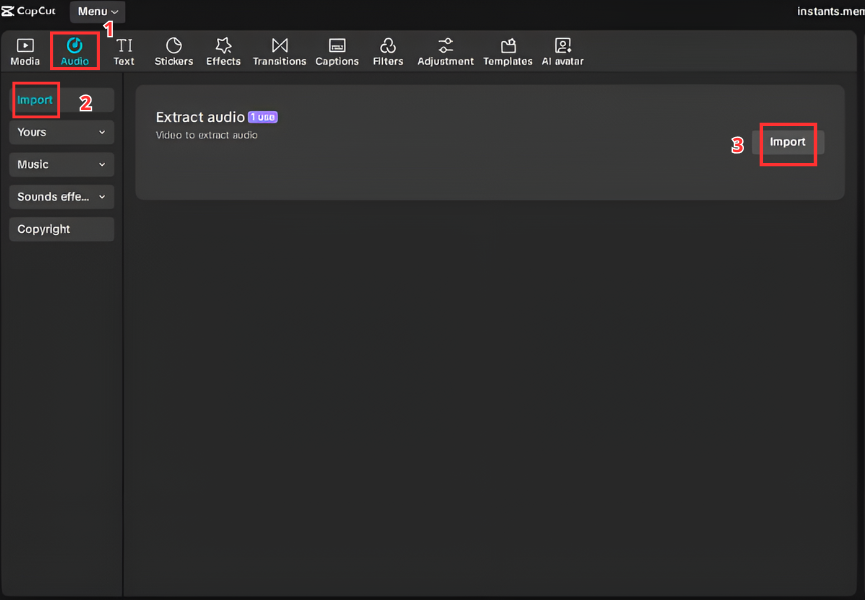
For Video Editors (CapCut & Premiere Pro)
CapCut
Import video.
Add Pop SFX to timeline.
Zoom in to frame level.
Align with text animation.
Adjust volume.
Premiere Pro
Import WAV/MP3.
Drag to SFX audio track.
Align waveform spike to animation keyframe.
Add tiny fade if needed.
For Streamers & Gamers (Discord & OBS)
Discord Soundboard
Server Settings → Soundboard.
Upload Pop SFX file.
Assign emoji.
Trigger during small alerts.
OBS Hotkey Setup
Add Media Source.
Select file.
Disable Loop.
Assign hotkey (example: F9).
Great for subtle alert reactions.


For Mobile (Ringtone & Notifications)
Pop SFX works great as:
Notification sound
UI tap replacement
Message alert
Android
Move file to Notifications folder → Select in settings.
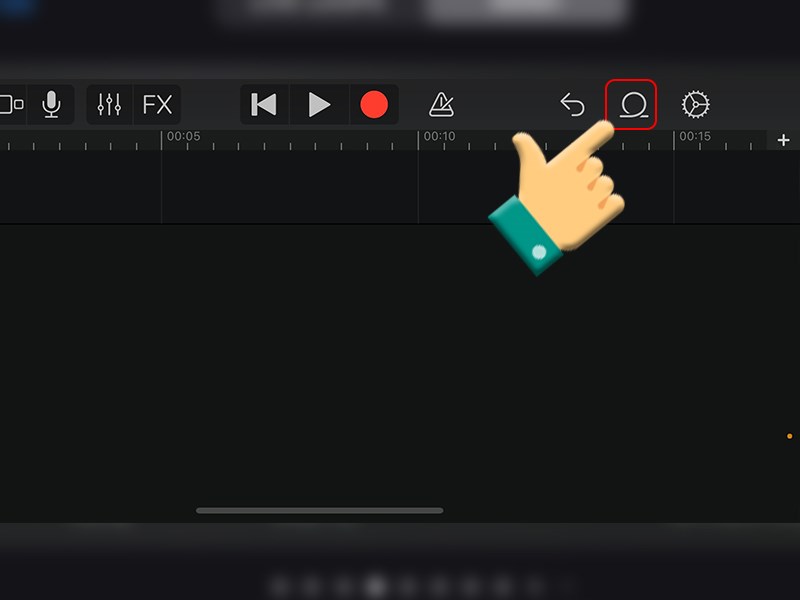
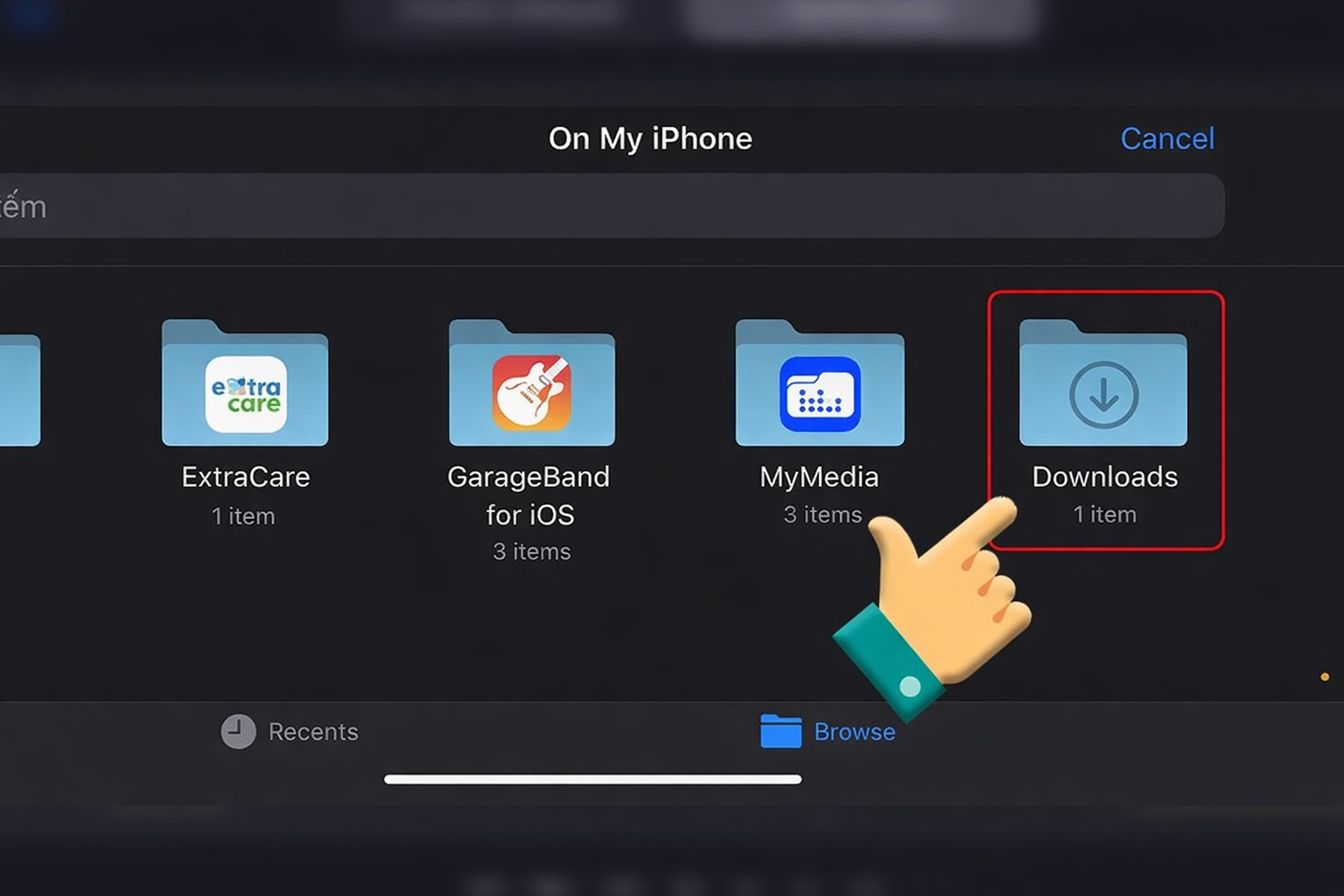
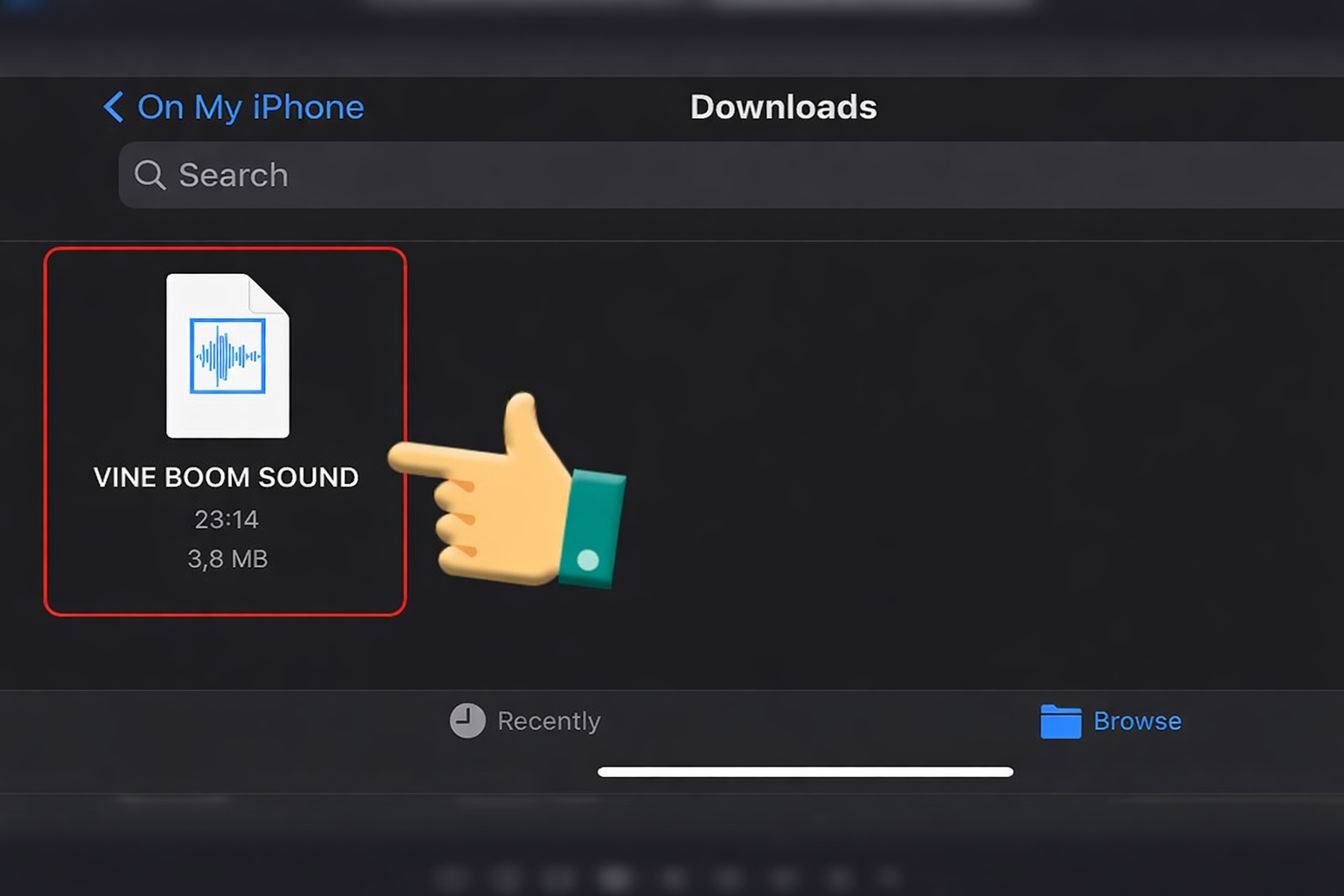
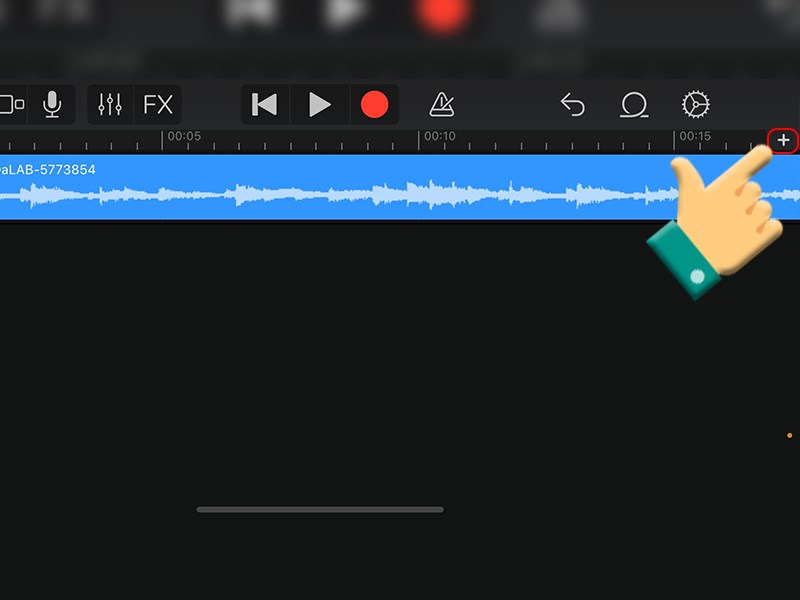
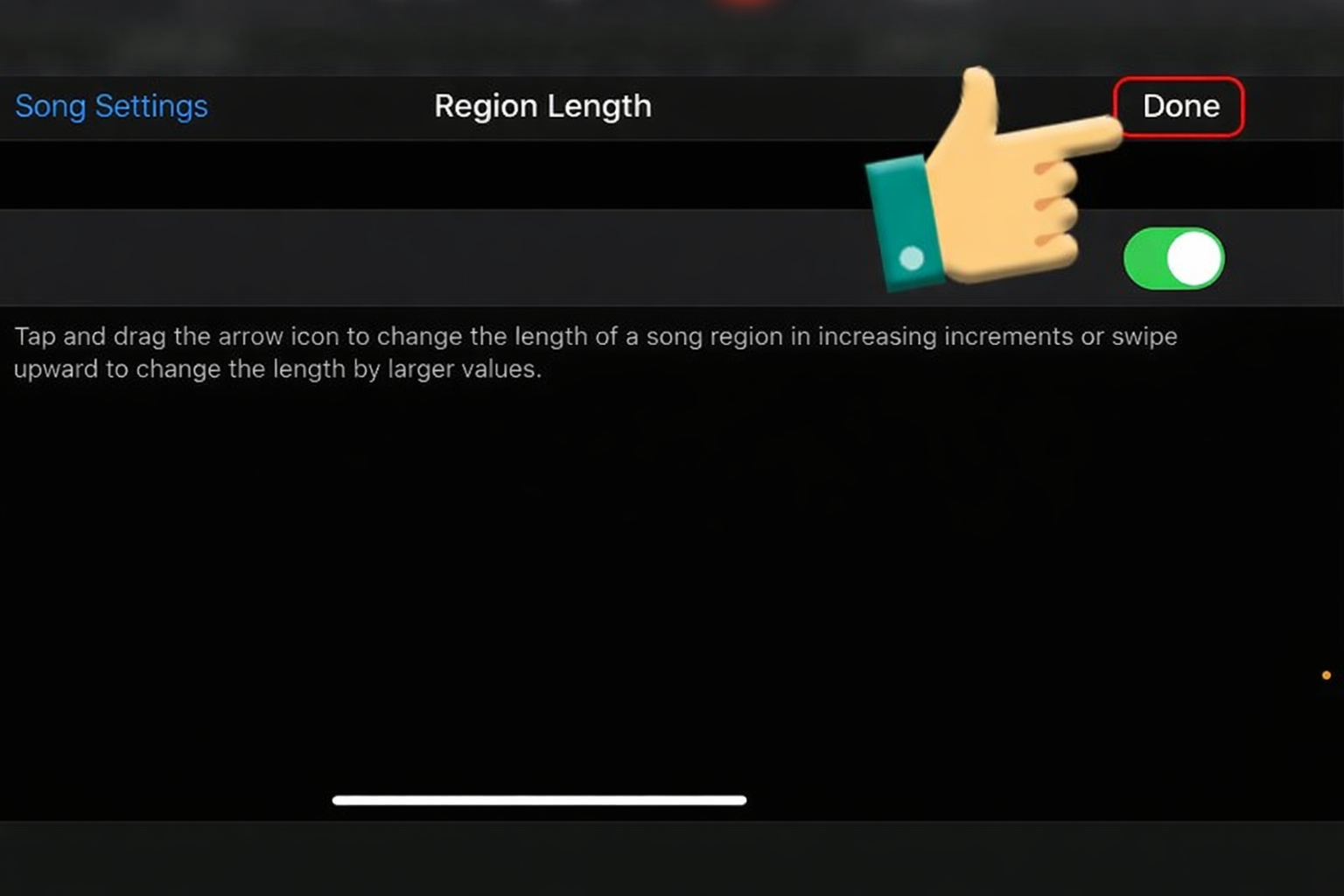
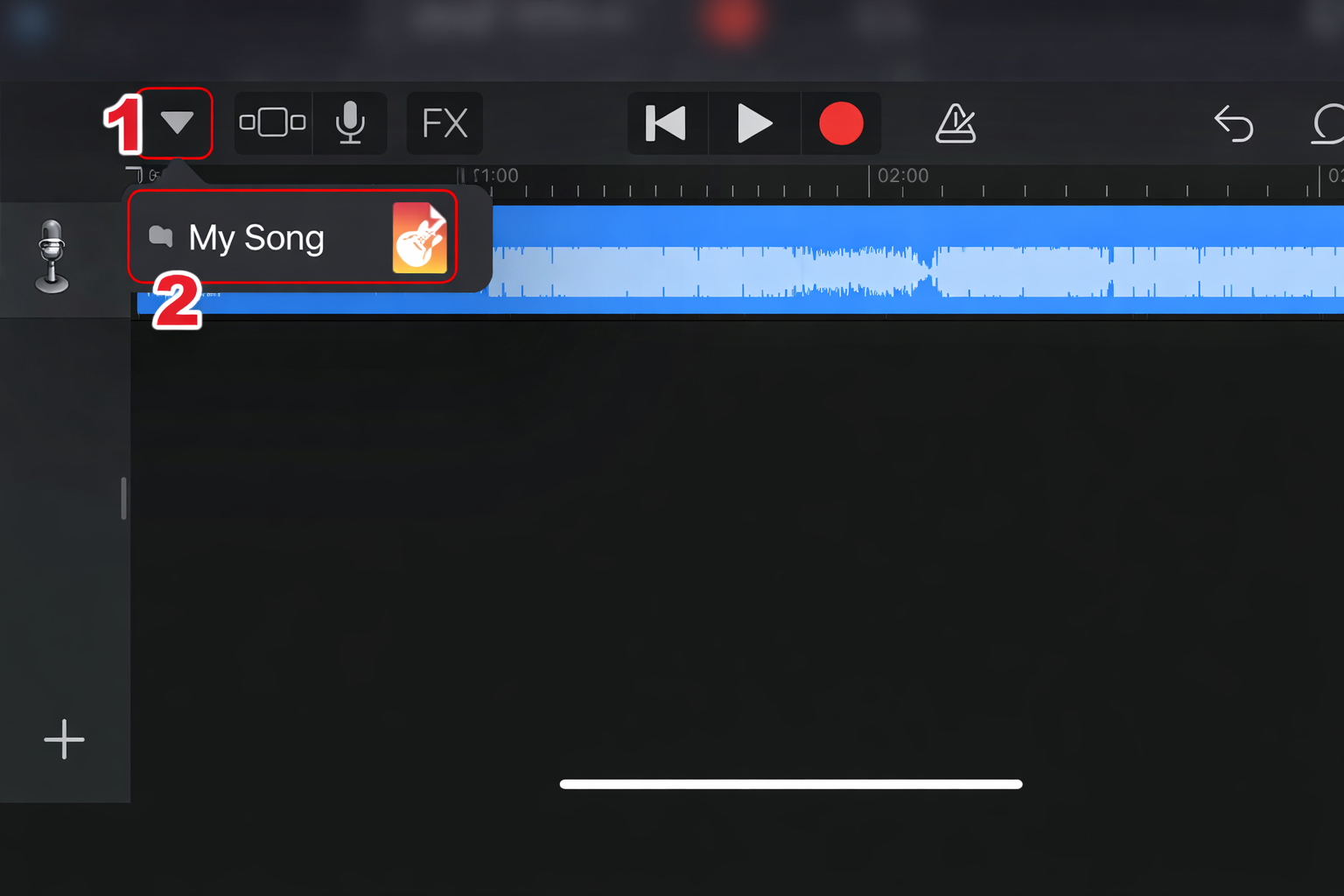
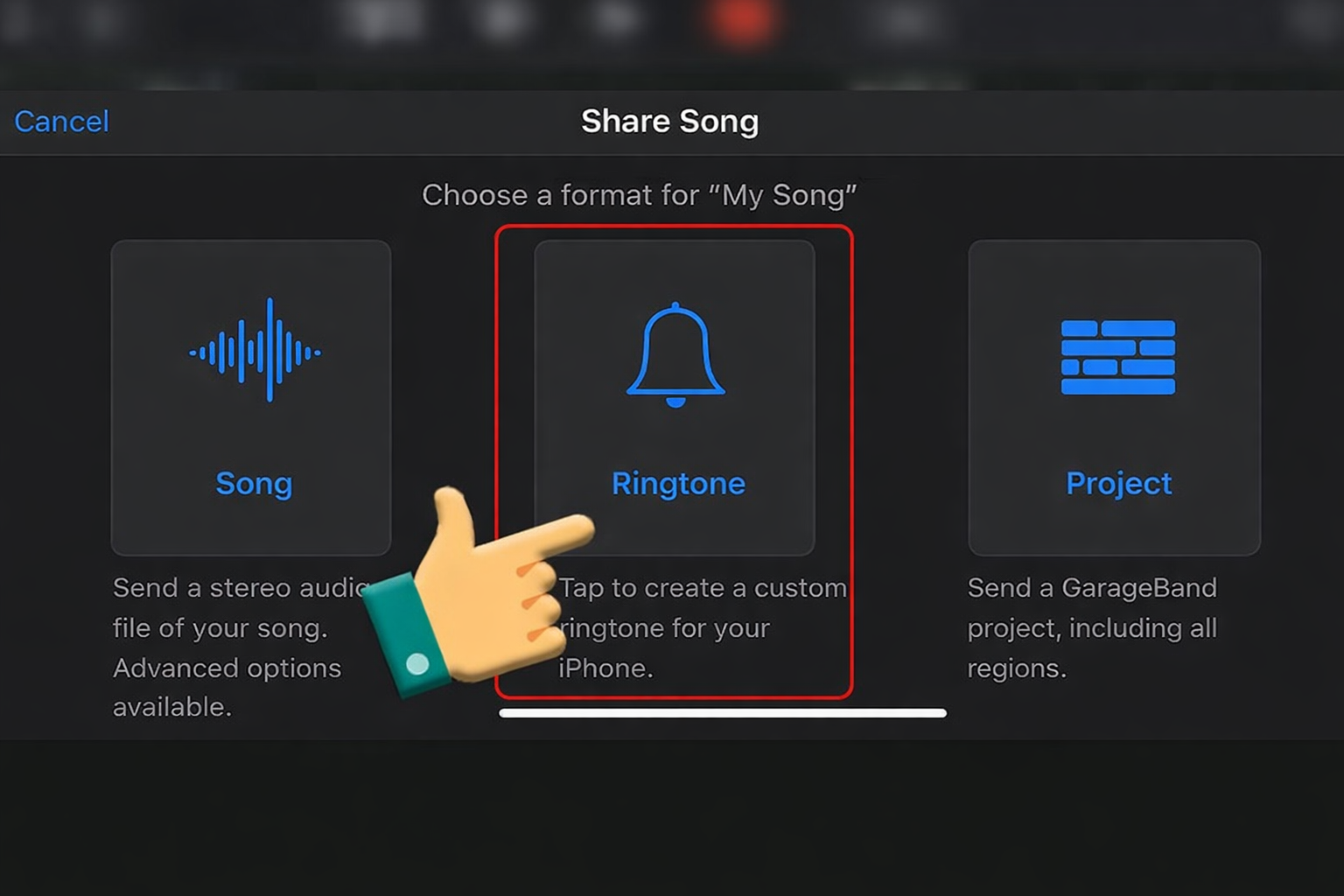
iPhone (GarageBand)
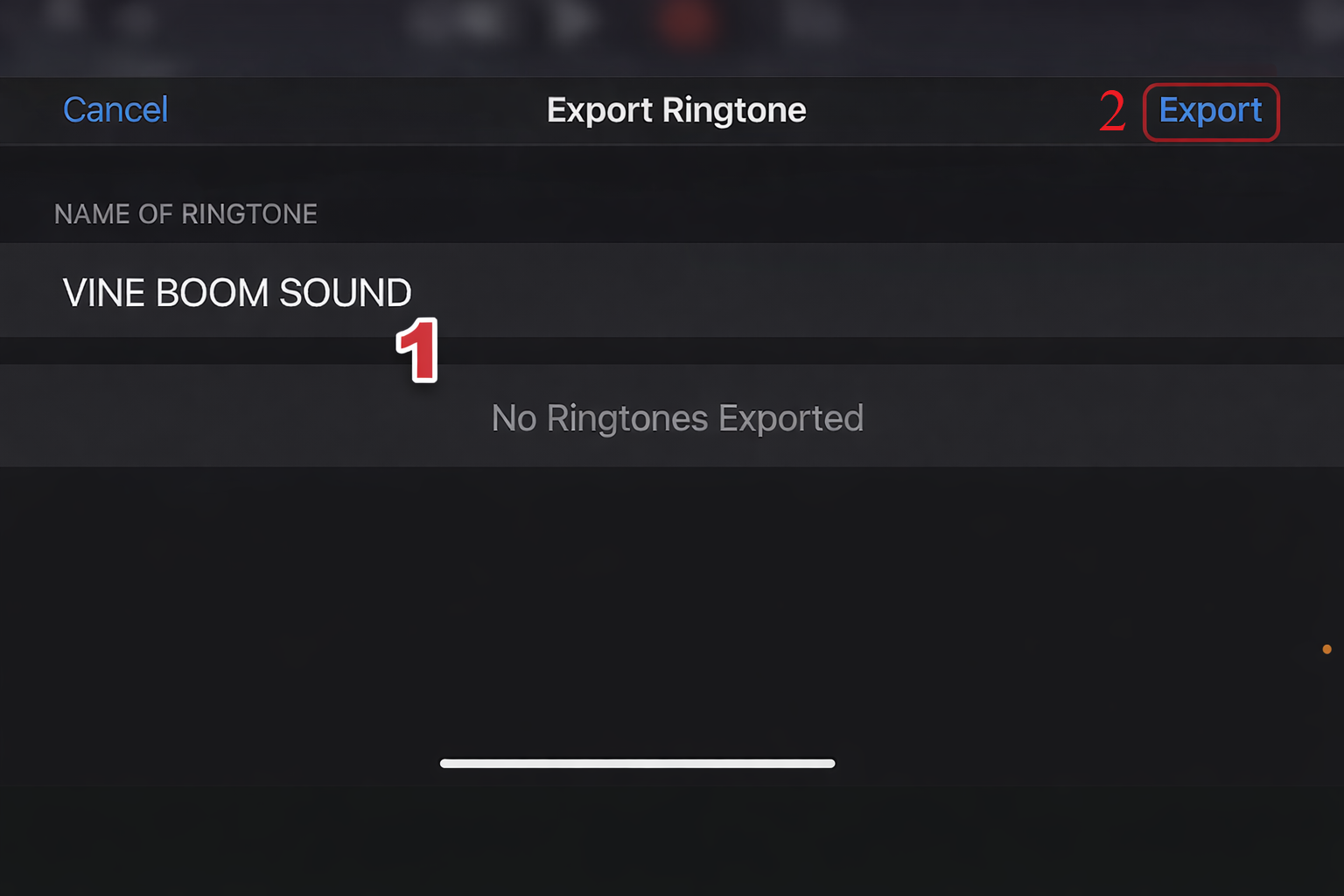
Import → Trim → Share as Ringtone → Export.
Short pops feel modern and minimal.








Variations & When to Use Them
| Version | Best Situation |
|---|---|
| Soft Pop | Subtle text animations |
| Sharp Click Pop | Tech/UI edits |
| Bubble Pop | Cute cartoon edits |
| Deep Pop | Gaming counters |
Soft versions are best for professional content.
FAQ
Is Pop SFX copyrighted?
Many pop sounds are royalty-free from SFX libraries. Always verify usage rights.
What format should I download?
WAV for editing precision. 320kbps MP3 for soundboard use.
What sounds are similar?
UI click
Button press
Camera shutter
Videos Viral Using Pop SFX Soundboards
Below are some of the top trending TikTok and Facebook videos that use the Pop SFX soundboard to enhance text animations, emoji reveals, and quick reaction edits.
When synced perfectly, a simple pop doesn’t just add sound — it adds rhythm and professionalism to your content.